

User Activity Monitoring — Who Is Doing What on Your Splunk
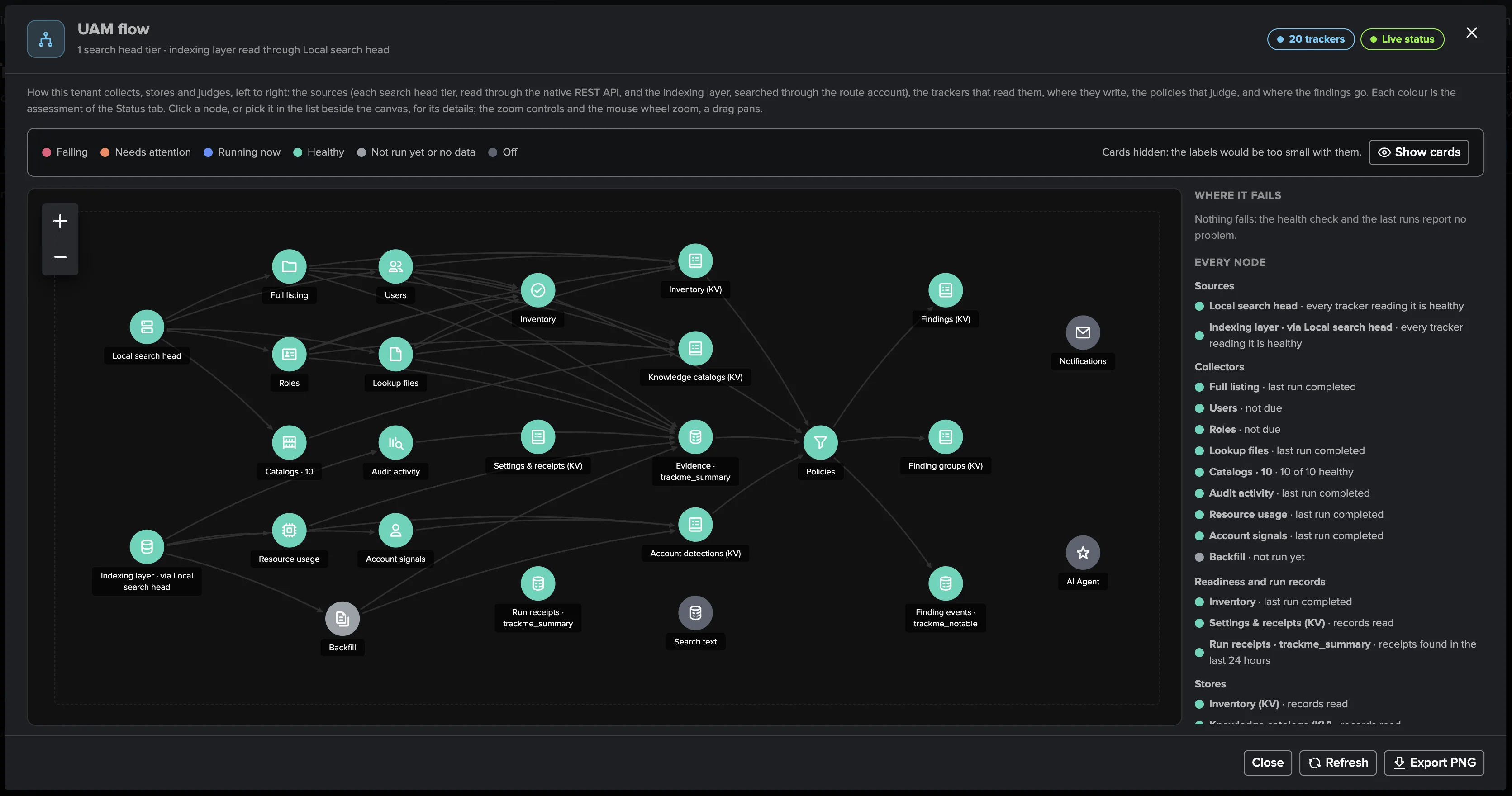
The other half of your Splunk platform is the people and automation that use it. UAM watches accounts, scheduled searches, resource consumption and privileged access from the audit trail Splunk already keeps — and raises findings you decide on, one decision per account.
Key Capabilities
16 Built-In Policies, 4 Families
Inventory, activity, resource and privileged-access policies out of the box — all-time and real-time searches, dense schedules, CSV lookup footprint, launch bursts, consumption versus allowance, privilege changes and dormant admins.
One Decision per Account
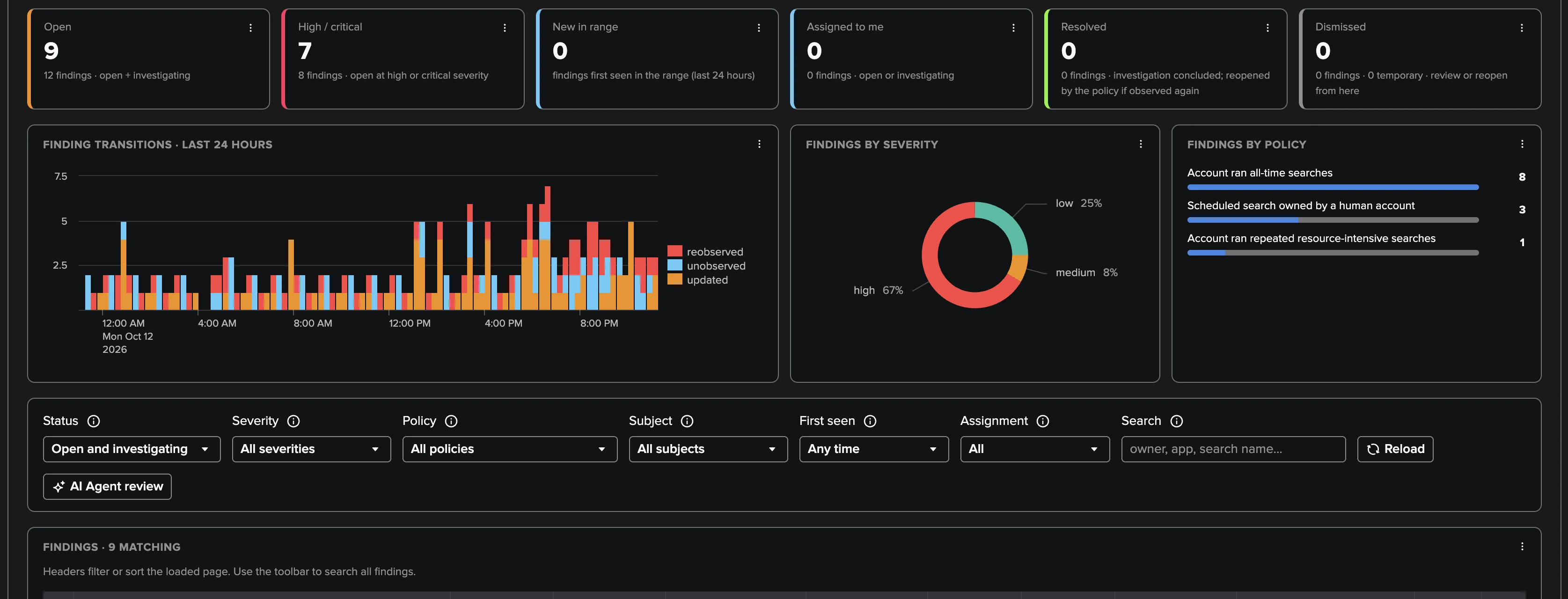
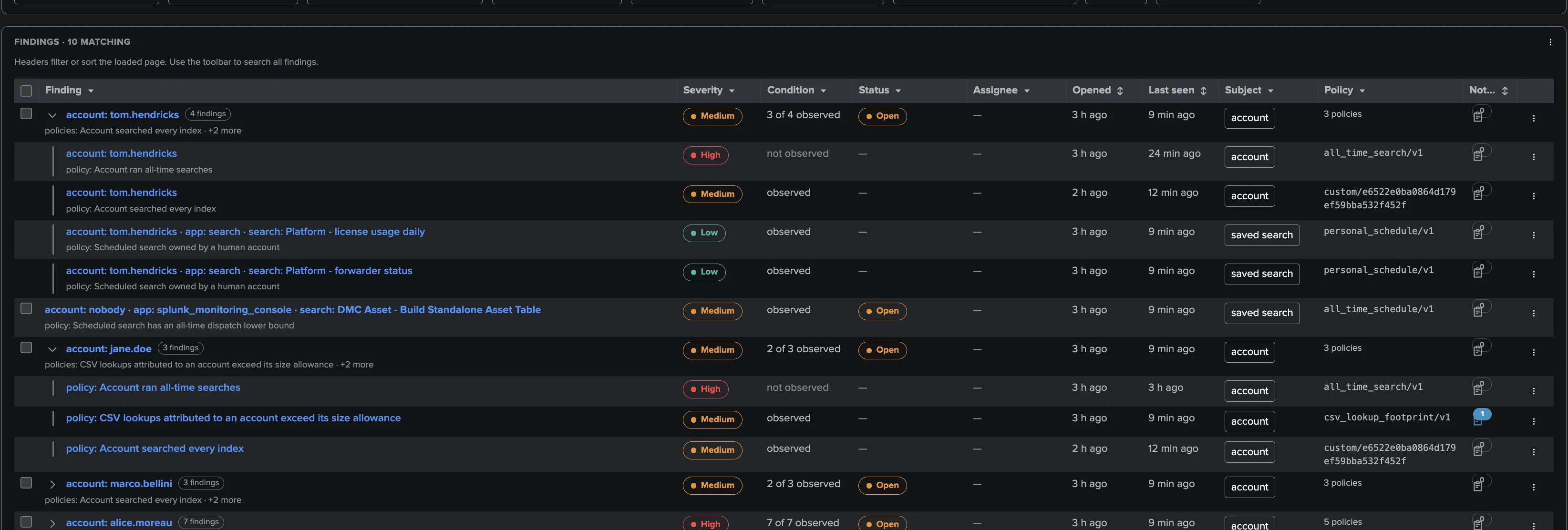
All findings about an account and the saved searches it owns form one Finding group: triage, assign and notify once per person, not once per symptom. A new kind of finding reopens a dismissed group, so a dismissal never silences a new problem.
Evidence, Not Opinions
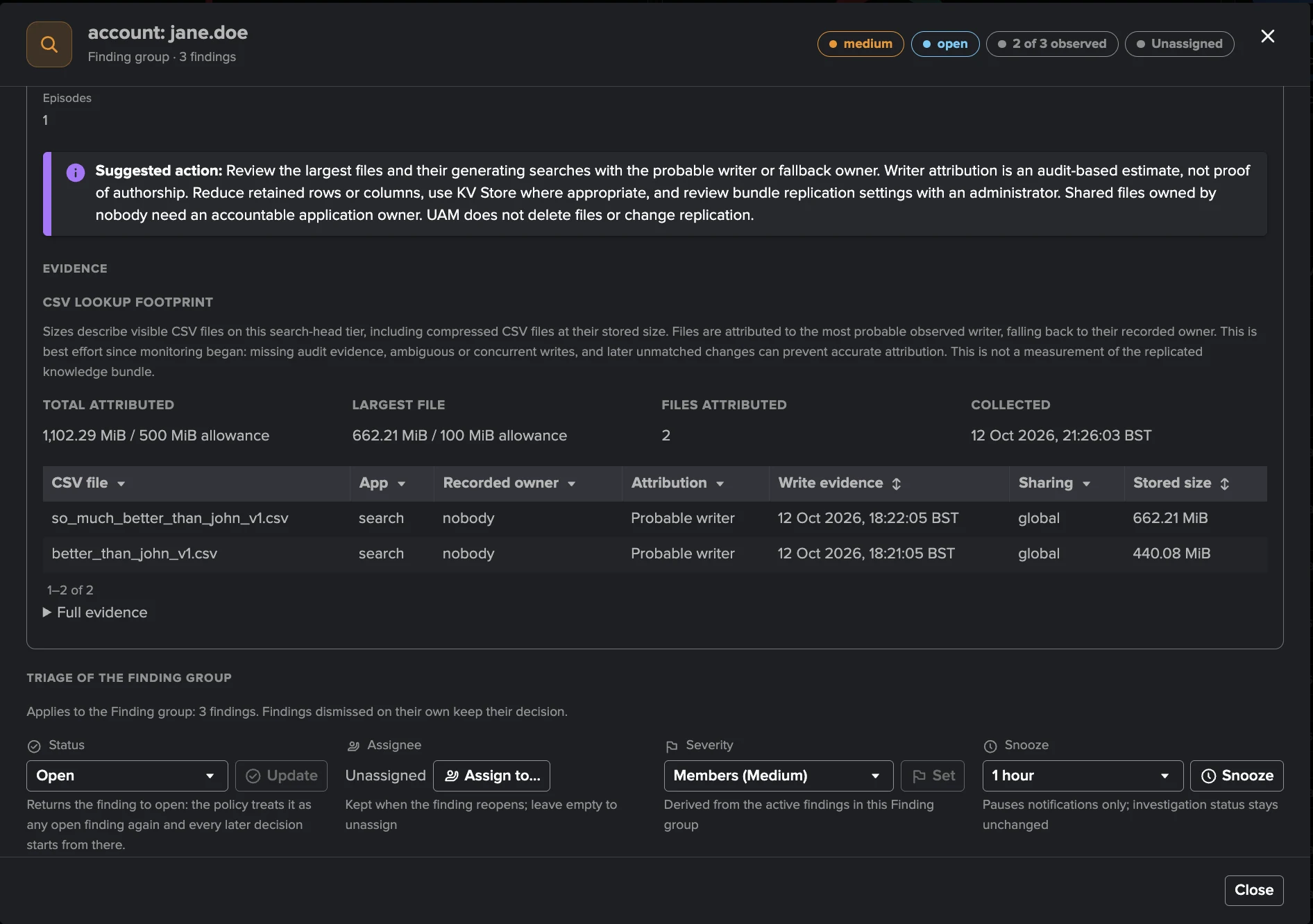
Every finding explains itself in plain words with the measured value, the allowance and the evidence — down to each CSV lookup attributed to its probable writer from the audit trail. One click opens the underlying events in Search.
Privileged Access Watch
Who holds high privileges and why, with transitive role-inheritance explained in words. Four policies track privilege changes, dormant privileged accounts and drift against a declared reference fed by names or lookup tables.
Talk to the People Behind the Accounts
Send a reviewed email covering a whole Finding group, or let per-policy templates notify users automatically on detection and recovery — rate-limited by design, so platform users fix their own searches and nobody gets a backlog.
Human, Service or System
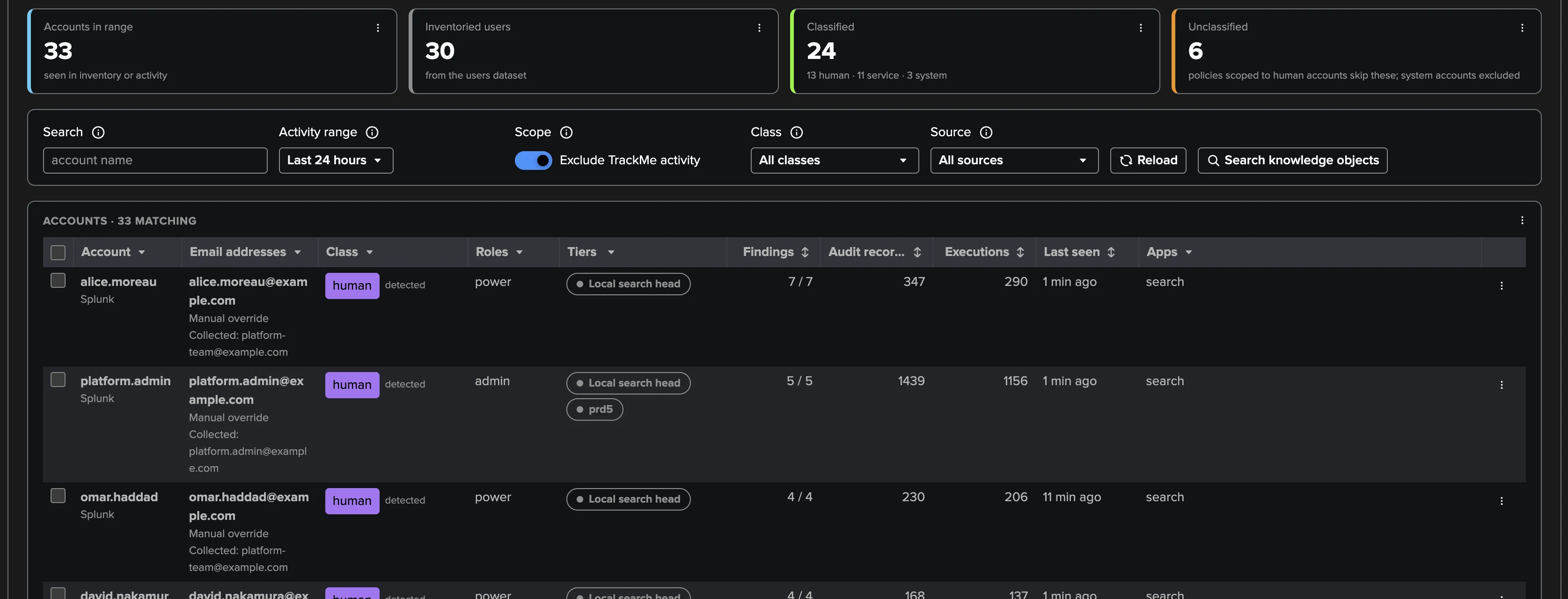
Accounts are classified automatically from how they behave — interactive activity makes a human, sustained automation a service — with your own ordered wildcard rules and manual overrides on top. The class decides which policies apply and who gets email.
Custom Policies in SPL
When the catalogue lacks your rule, write it in SPL with remediation text of your own: preview the candidate findings, publish an immutable revision, enable its schedule — up to 100 definitions per tenant, 25 enabled, joining the same Finding groups.
Who Owns What
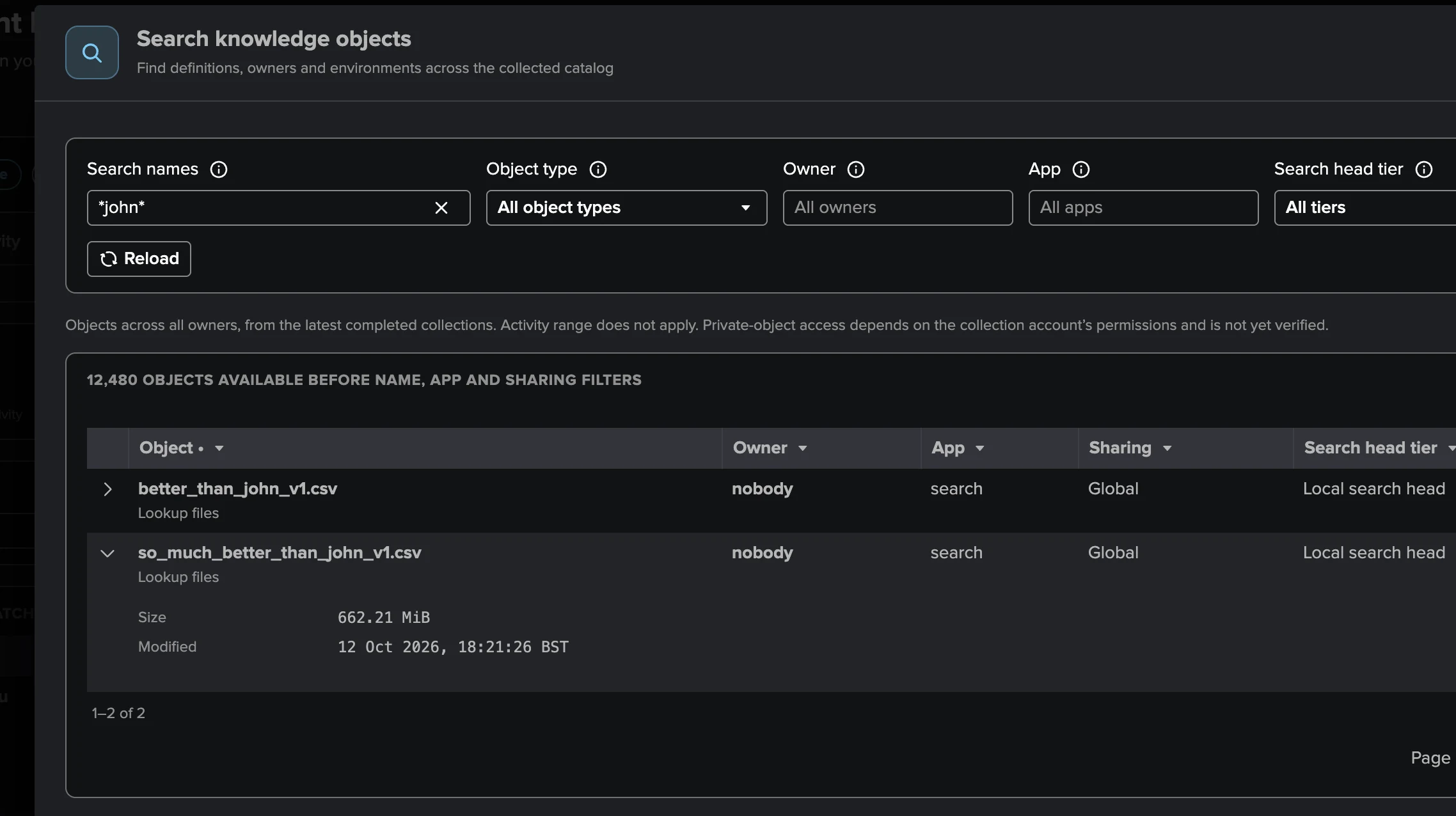
REST API catalogs of every knowledge-object family on every search head tier — saved searches, dashboards, macros, lookups, tags — with a per-account ownership view for every offboarding and a cross-owner search over 12,000+ objects.
Zero Infrastructure, Bounded by Design
Reads only what Splunk already keeps — the audit trail, introspection and the REST API of every search head tier. No agent, no forwarder change, no third-party app; explicit thresholds, up to 90 days of backfill, and collection health that never hides a gap.
The cost of every account, measured
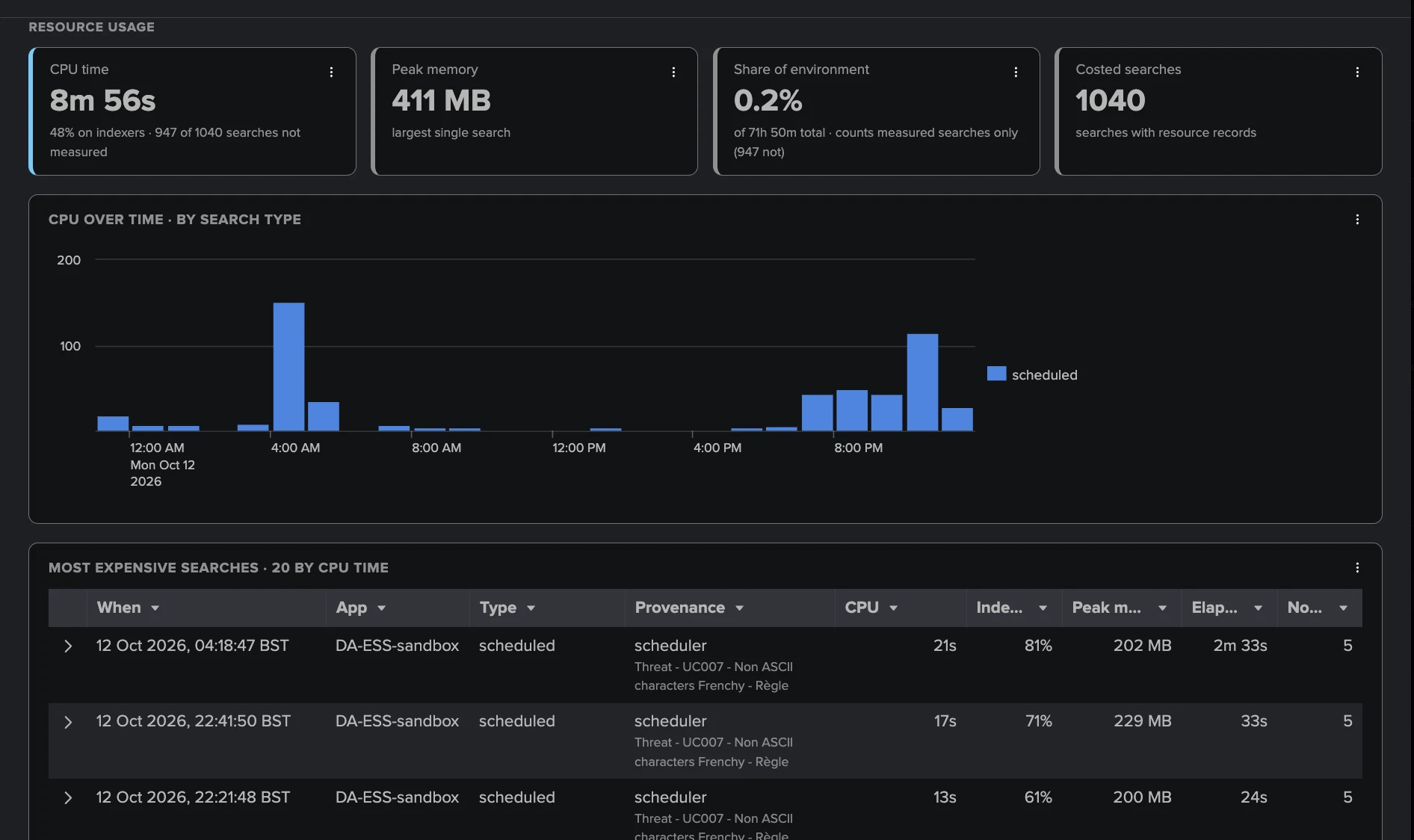
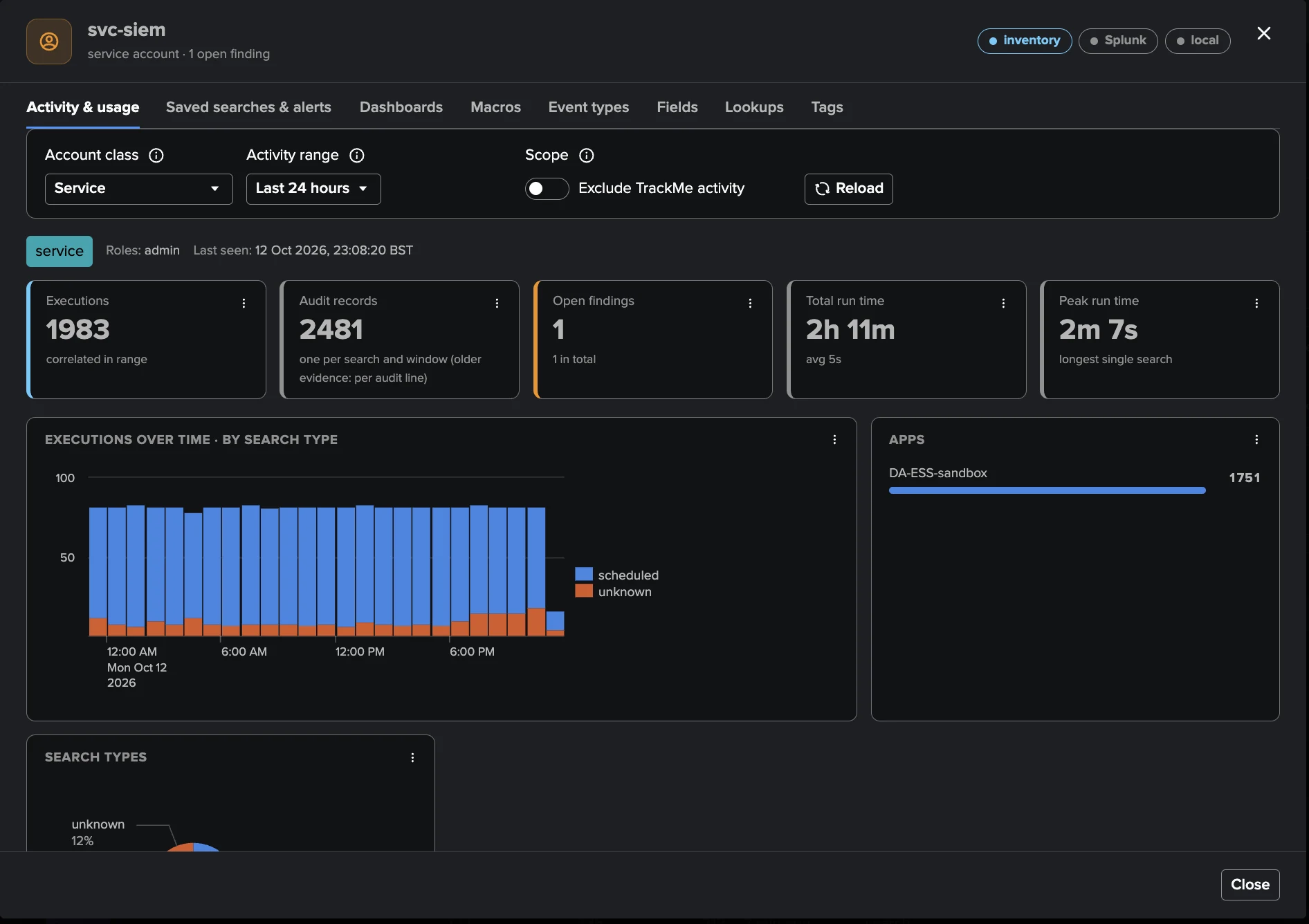
Executions, run time, CPU time, peak memory and each account's share of the environment's search capacity — never estimated, and unmeasured searches are counted as such. Budgets derive automatically from measured capacity: a 10% allowance by default, severity raised when one account dominates 40% of the platform. The most expensive searches are listed by name, ready to act on.
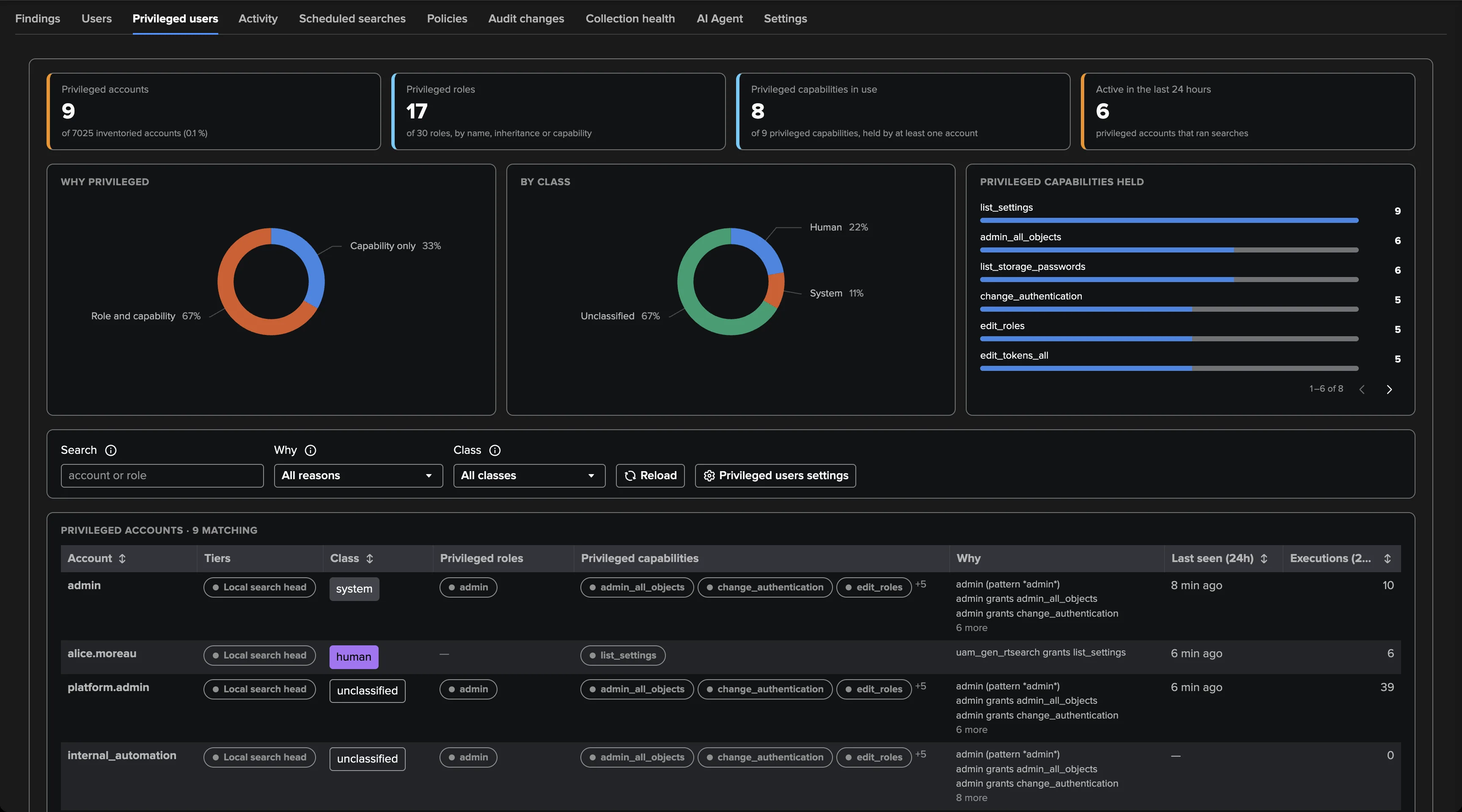
Privileged access, explained in words
The Privileged users view shows every account that holds high privileges on every search head tier, the roles and capabilities behind it, and why — role inheritance resolved transitively and written out in plain words, “team_lead imports admin”, so an access review reads itself. Four dedicated policies then watch it change: new privileged accounts, roles gaining capabilities, dormant admins and drift against your declared reference.
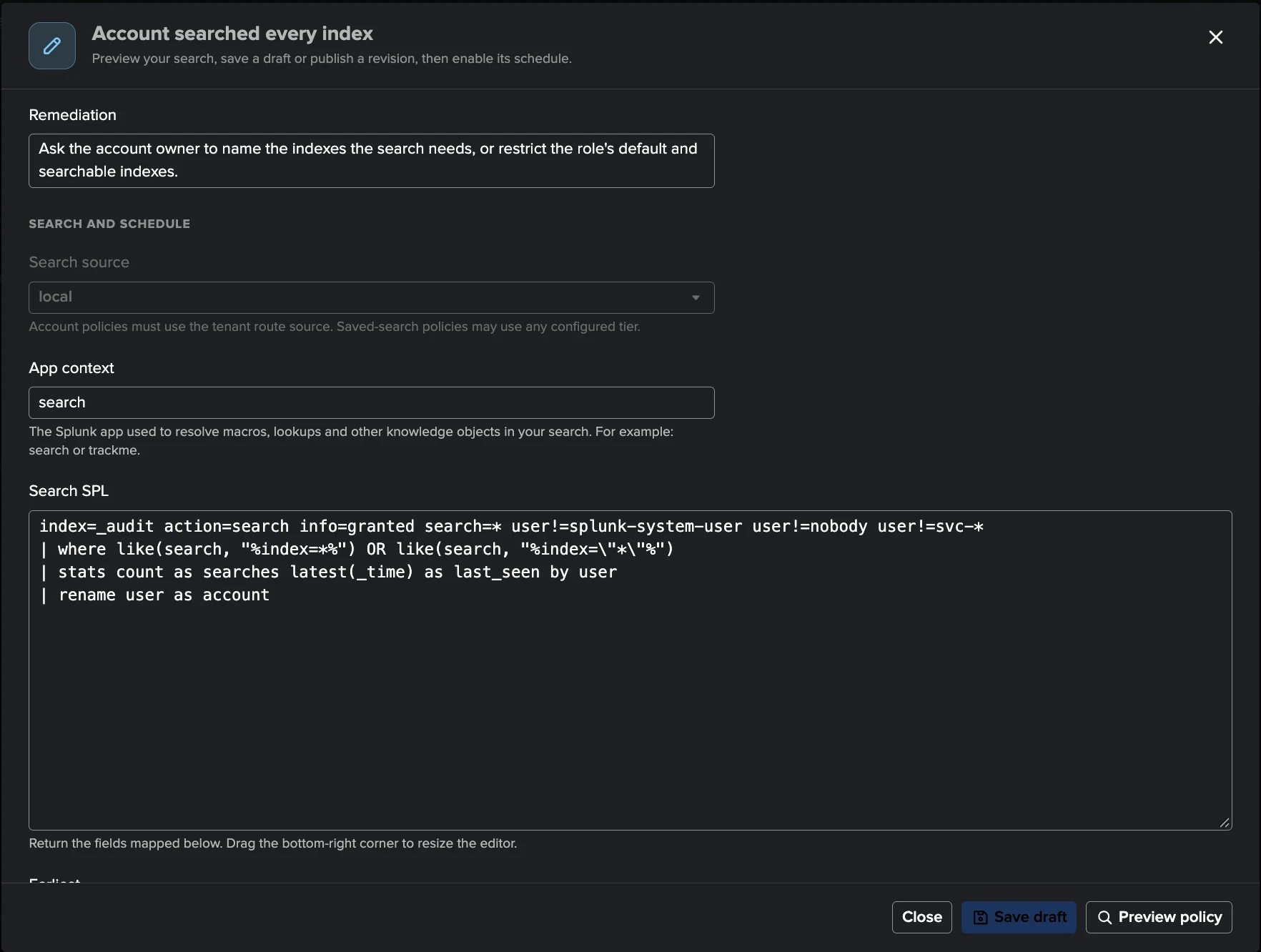
Write the rules only you can write
A custom policy is your SPL over the same audit data, with your own remediation text: preview up to 20 candidate findings before anything opens, publish an immutable revision, enable its schedule. Custom findings join the same Finding groups, notifications and history as the built-in catalogue — one triage, whatever raised it.
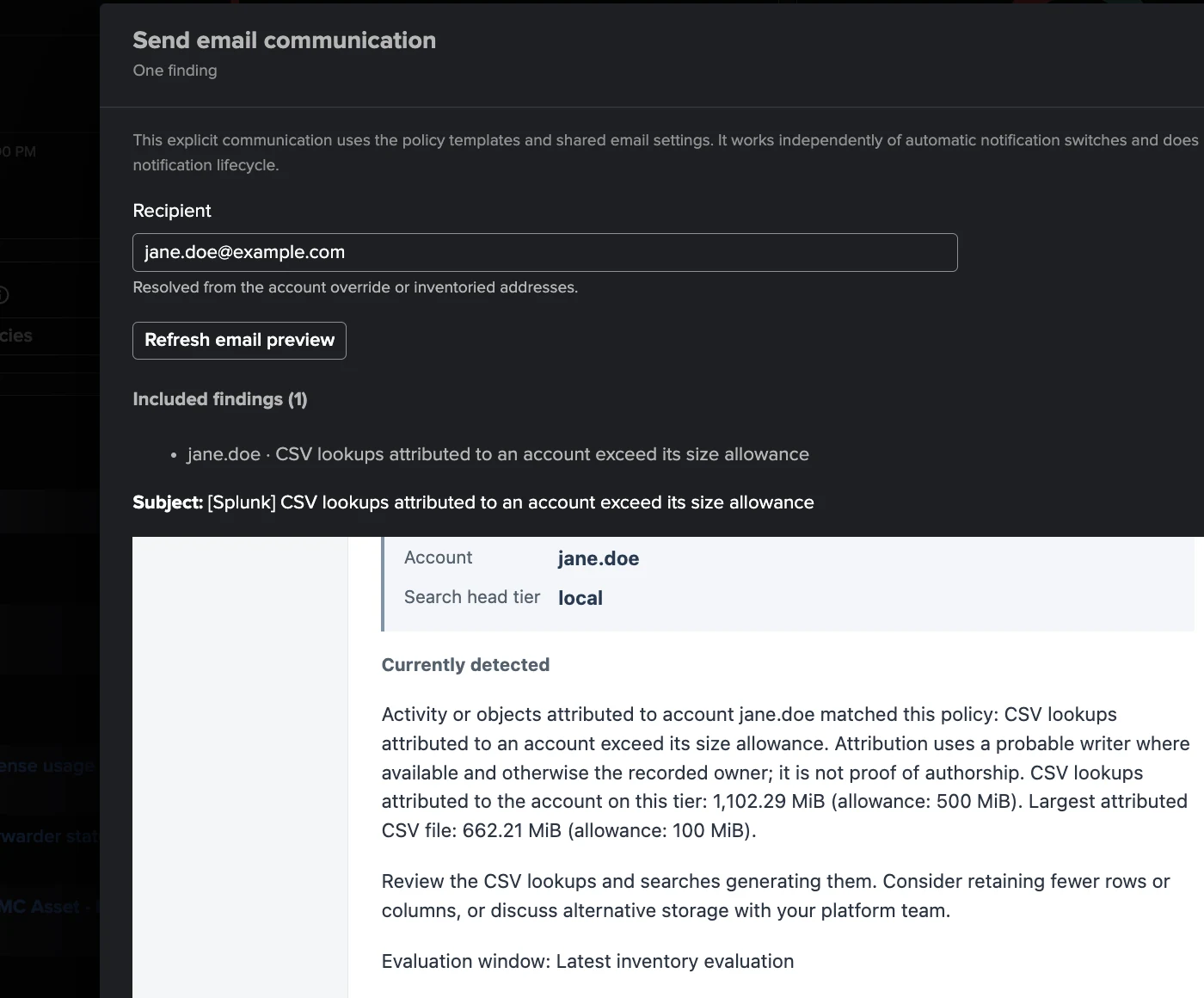
Talk to the people behind the accounts
A reviewed email covers a whole Finding group in one message — what was detected, the measured values, and what to do about it, in the policy's own template. Automatic user notifications fire on new detection and on recovery, rate-limited by design: 50 per run, 3 per address per hour, with a baseline on enablement so nobody inherits a backlog of old findings.
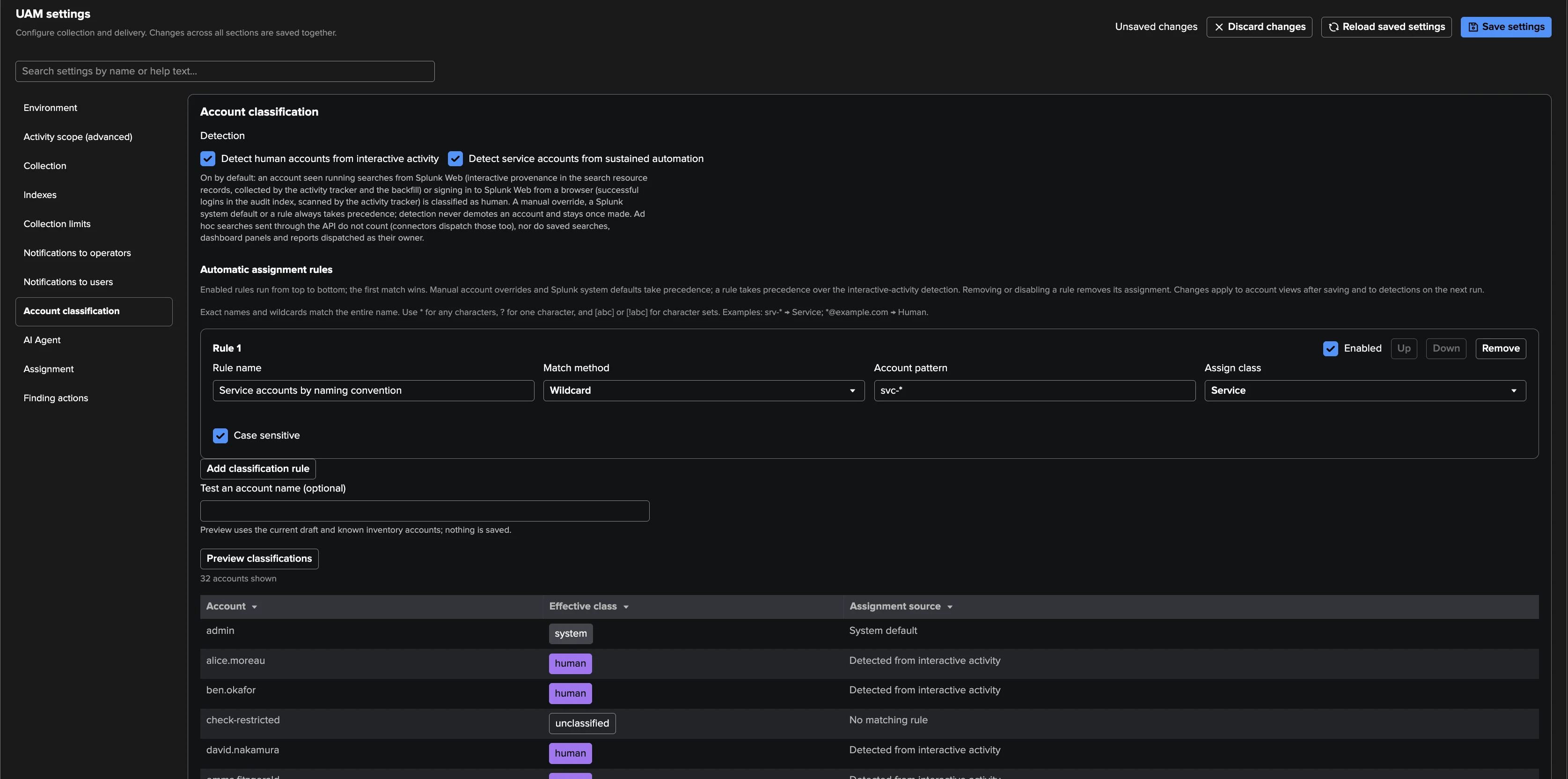
Human, service or system — decided by behaviour
An account seen searching interactively is human; seven days of automation-only makes a service. Your ordered wildcard rules — “svc-* is a Service” — and manual overrides take precedence, and the preview shows every account's effective class and why before you save. The class drives which policies apply and whether the account itself gets notified.
Every knowledge object, catalogued
Saved searches, dashboards, macros, lookup files, tags — every family, on every search head tier, collected into a searchable catalog of 12,000+ objects. Filter by owner for the offboarding view, by app for the clean-up, or search by name to find who really owns that 662 MiB lookup file recorded under “nobody”.
Built-in policy catalogue
Sixteen policies in four families, seven on out of the box. Each one explains what it matched in plain words, holds or keeps opening findings during bank holidays as you choose, and can be previewed against your current data before you save a change.
Configuration that outlives its owner or costs more than it should — personal schedules, all-time and real-time dispatch, dense crons and oversized CSV lookups — judged from the catalog of every search head tier.
- Scheduled search owned by a human accountLow
An enabled schedule owned by a person: it stops the day that account goes.
- Scheduled search owner is not classifiedMediumOpt-in
An enabled schedule whose owner is neither a human nor a service account — a governance gap.
- Scheduled search exceeds the hourly schedule limitMediumOpt-in
A cron with more scheduled runs per active hour than the limit (12 by default).
- Scheduled search has an all-time dispatch lower boundMedium
A schedule whose earliest time is 0 or empty: every run searches all time.
- Scheduled search uses a real-time dispatch rangeMedium
A real-time scheduled search.
- CSV lookups attributed to an account exceed its size allowanceMedium
A CSV lookup over 100 MiB, or an account's lookups over 500 MiB per tier — attributed to the probable writer from the audit trail.
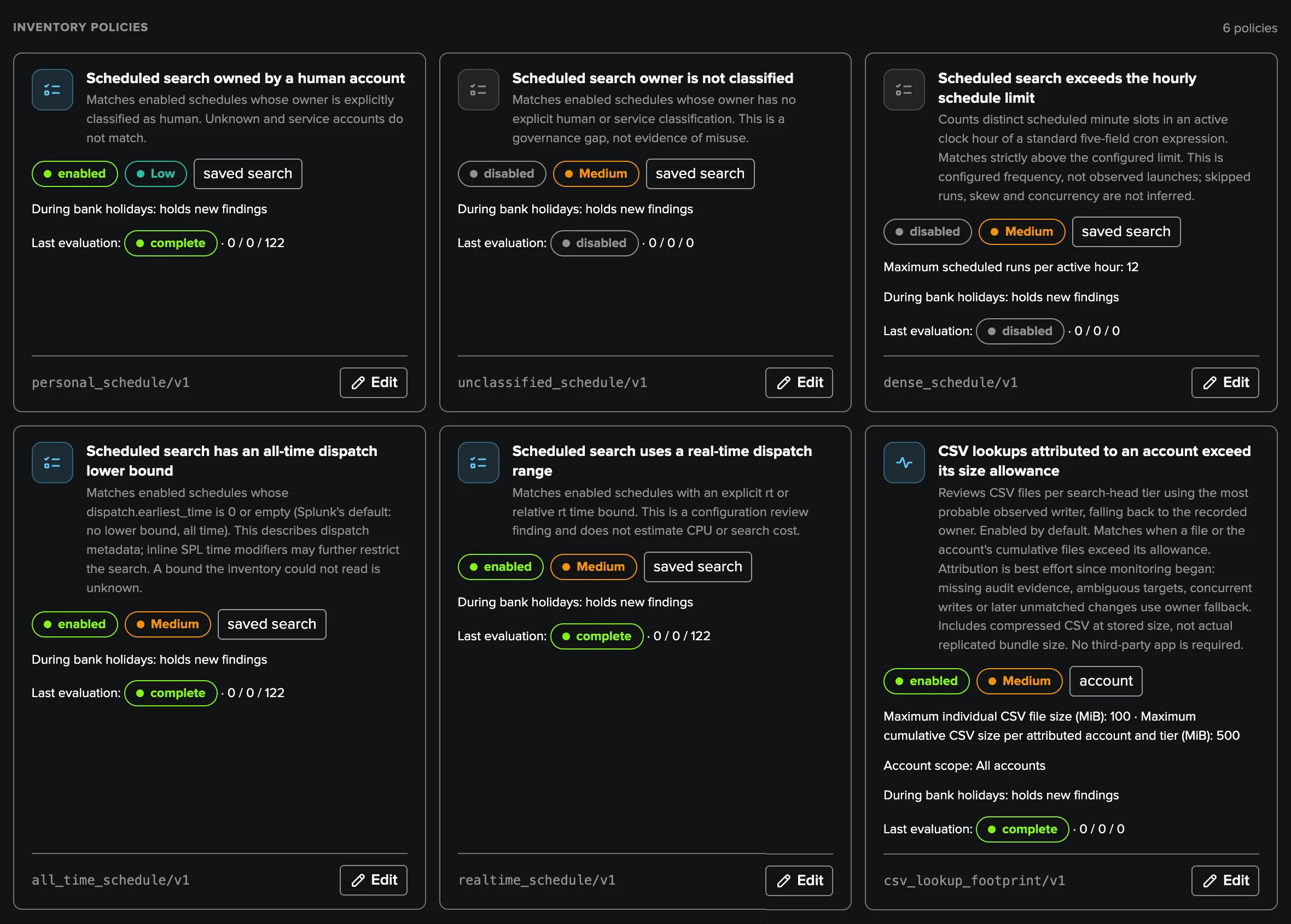
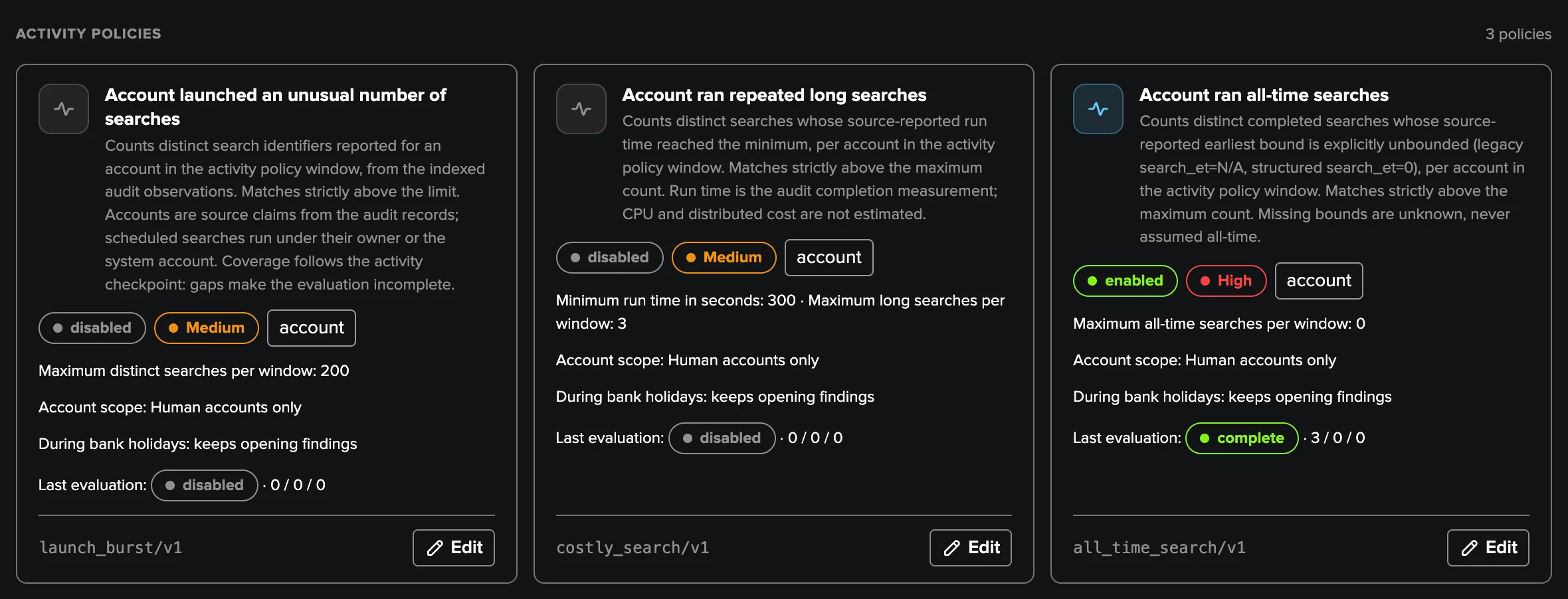
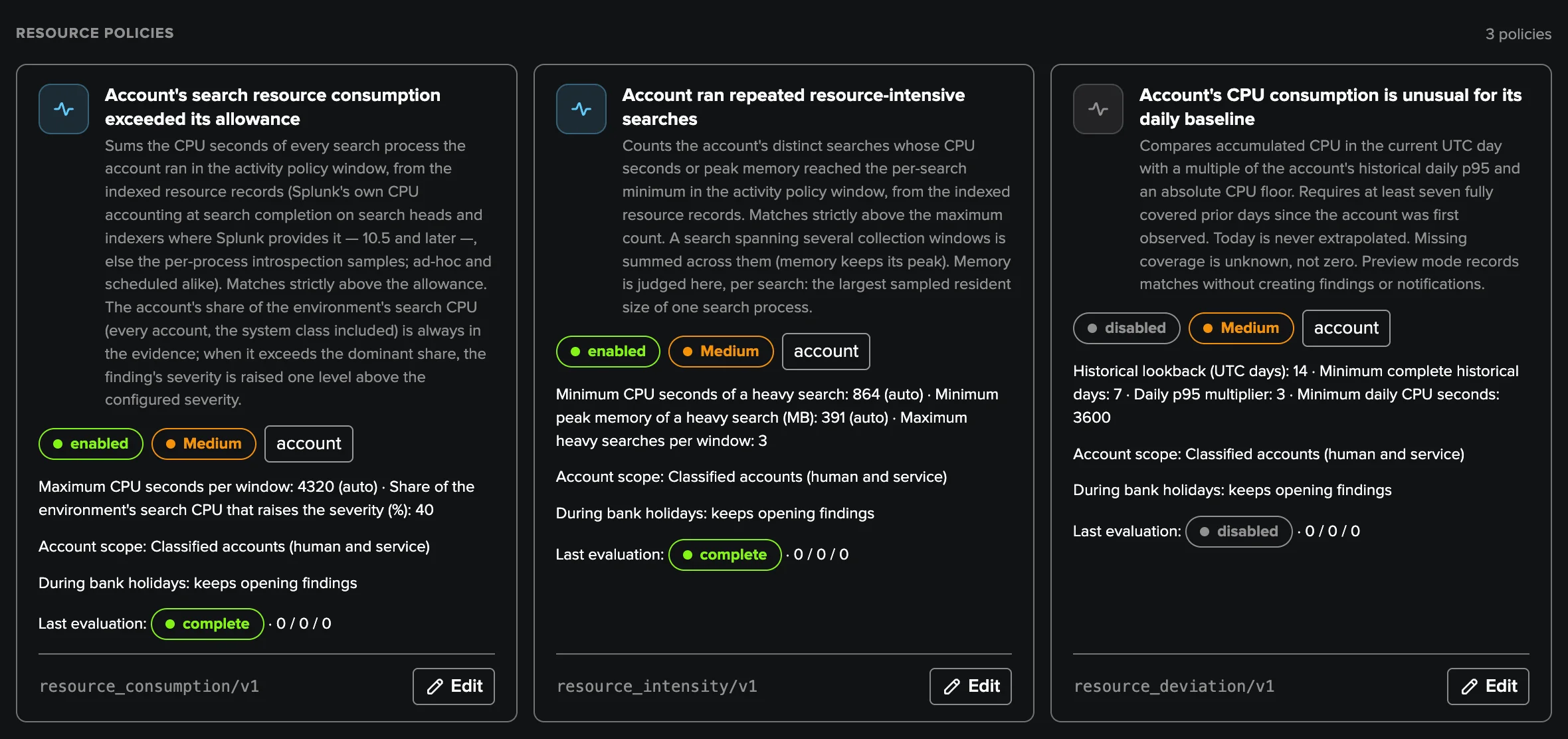
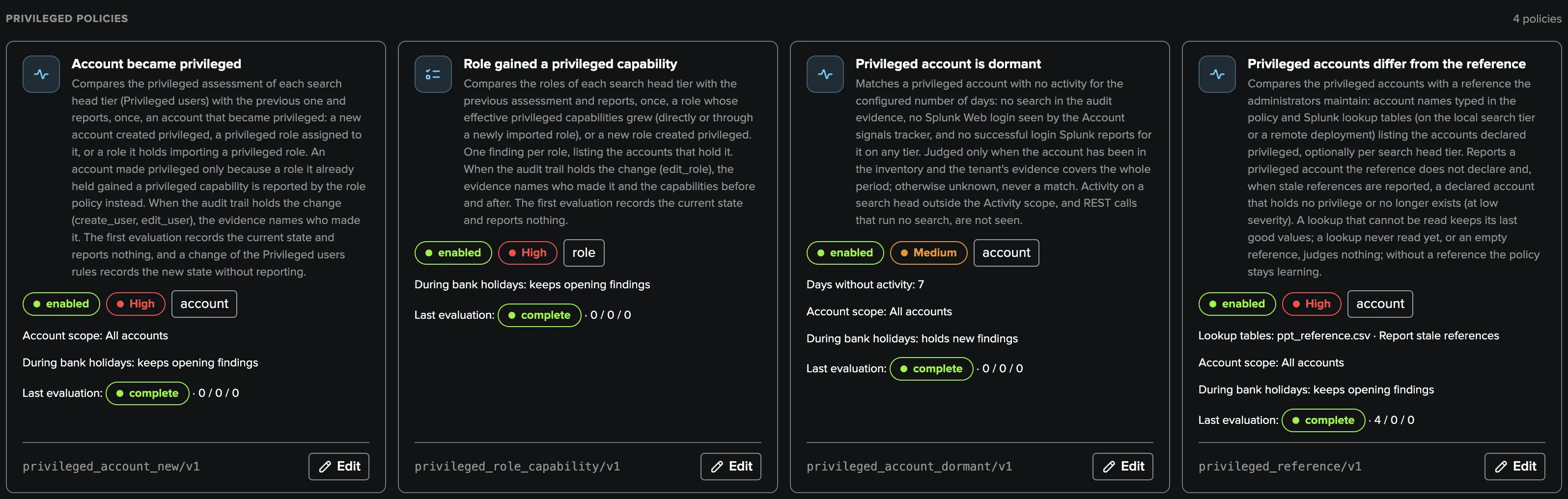
16 built-in policies. Every threshold is editable, and your own SPL policies join the same findings pipeline.
Deep Dive
Explore the key aspects of User Activity in detail.
The questions every Splunk admin asks
Which accounts run searches, and at what cost? Which scheduled searches belong to someone who may leave tomorrow? Who ran all-time searches this morning? Whose CSV lookups keep growing? Who holds admin privileges — and should they? User Activity Monitoring answers these questions continuously, across security, cost governance and audit, from a single workspace — and policies evaluate every 15 minutes, so the answer is never stale.
Findings, not noise
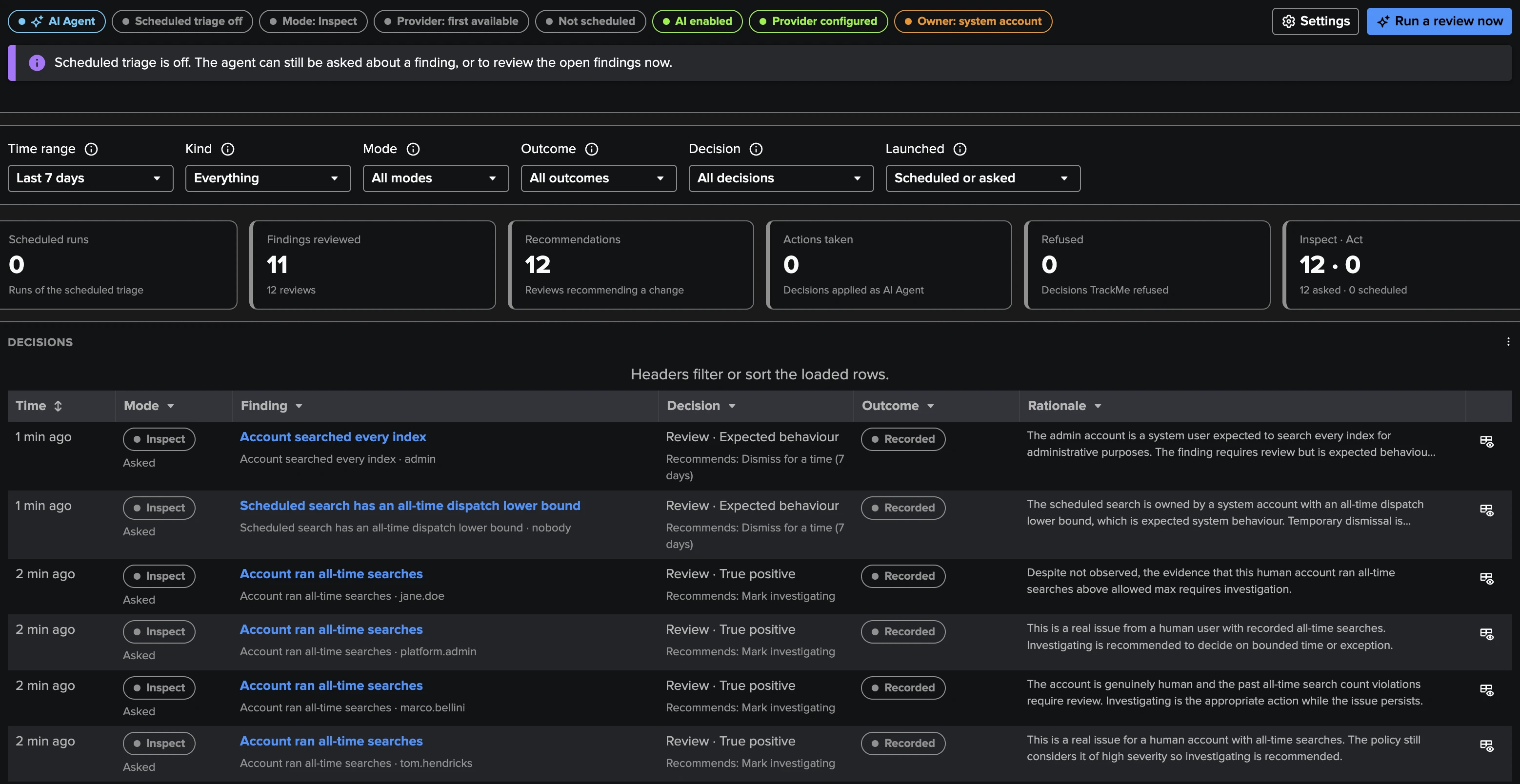
There is nothing to model and no threshold to babysit: a healthy account has no finding at all — the queue only holds what needs a look. Findings carry stable identity, severity, evidence and full history; you triage, group, assign, snooze and get notified, and every transition is indexed for Enterprise Security or SOAR. A dedicated AI Agent reviews findings like an operator — with your own plain-English instructions, within the decisions you allow, and it never overrides a person.
And UAM only observes: it never edits, disables or deletes anything on your platform.
Read the User Activity Monitoring guide or take the guided tour.
Ready to get started?
Request a free 90-day trial with all features enabled. No restrictions.