

Splunk HEC Monitoring — Every Endpoint, Pool and Token
HEC is the front door of your cloud and agentless ingestion — and its failures are silent. TrackMe discovers every HTTP Event Collector endpoint, pool and token from telemetry Splunk already writes, and 18 built-in policies raise plain-words findings the moment something degrades.
Key Capabilities
Zero-Footprint Discovery
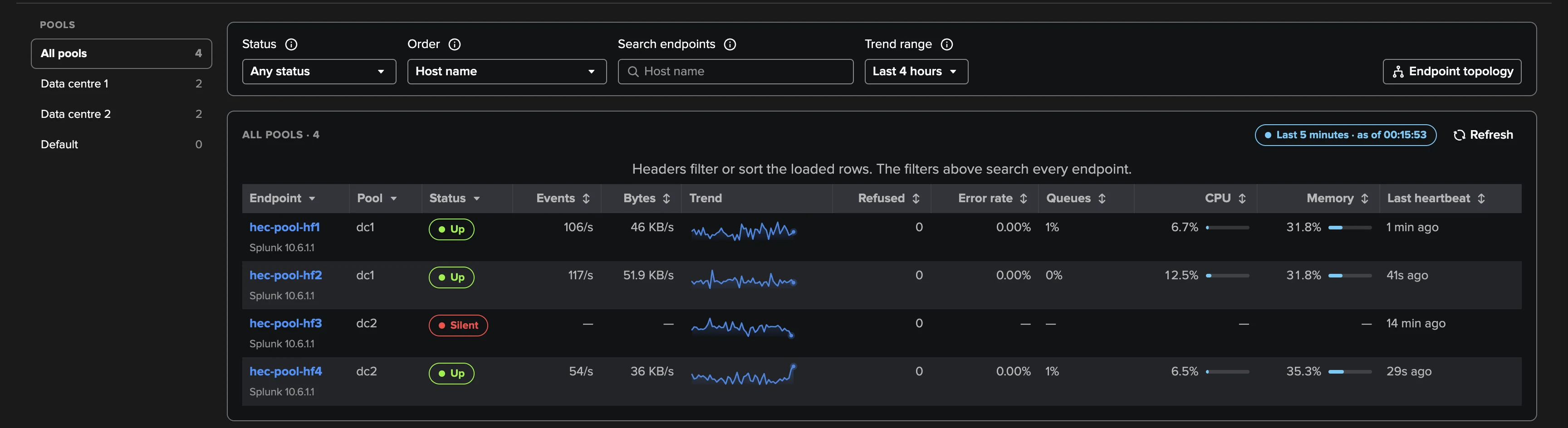
Every HEC instance writes a heartbeat to _introspection every minute, traffic or not. TrackMe discovers your endpoints, pools and tokens from it — no agent, no network path to the endpoints, no credential, nothing installed, zero change on senders.
18 Built-In Policies
Nine on endpoints, six on pools, three on tokens — availability, senders refused, back pressure, output blocked, error rate, pool capacity and imbalance, traffic drops, token silence and more. Seventeen are on by default, and custom SPL policies extend the catalogue.
Pools Judged as a Whole
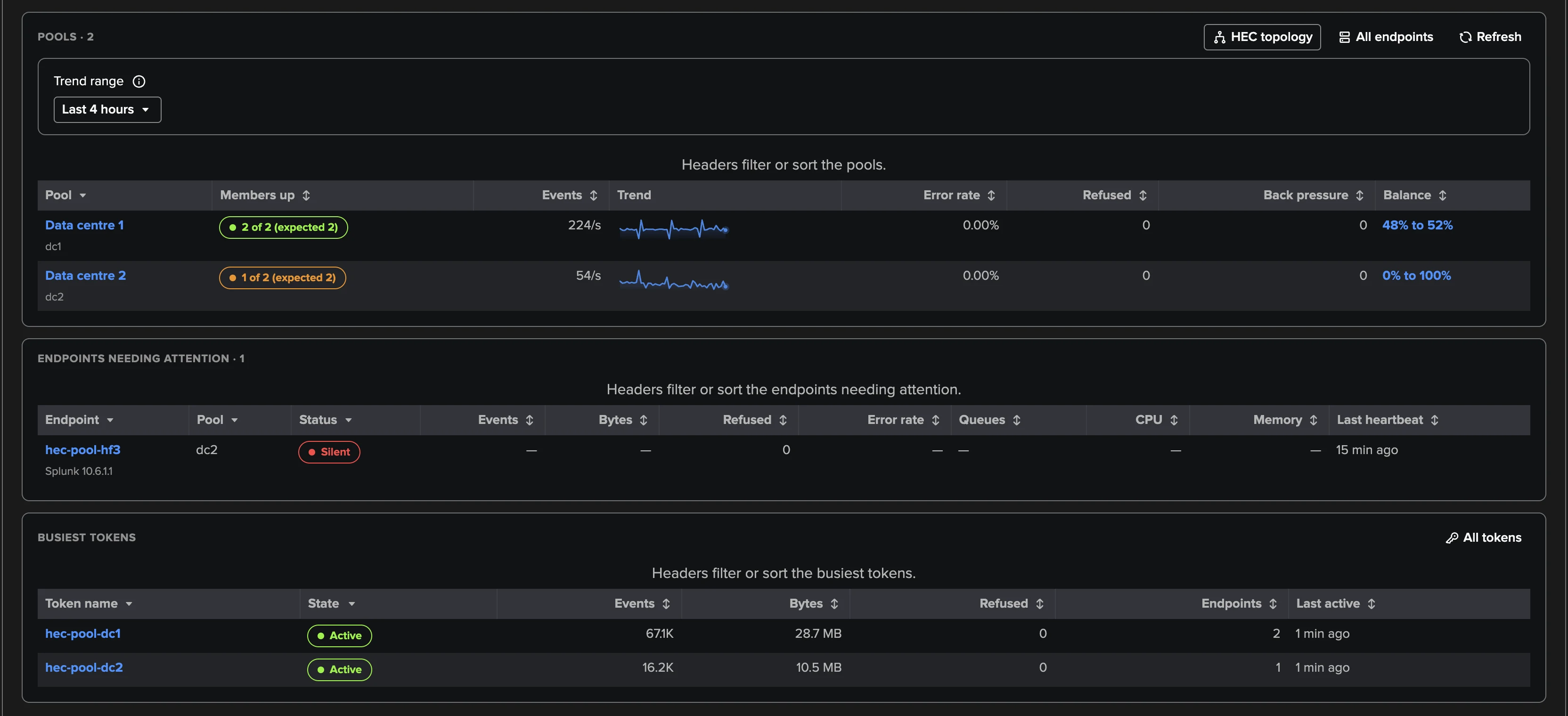
Endpoints behind one load balancer are evaluated together: members up versus expected size, a live balance score, version and configuration drift. Replaceable pools absorb Splunk Cloud indexers and auto-scaling groups being replaced under new names — no false alarms.
Names the Bottleneck
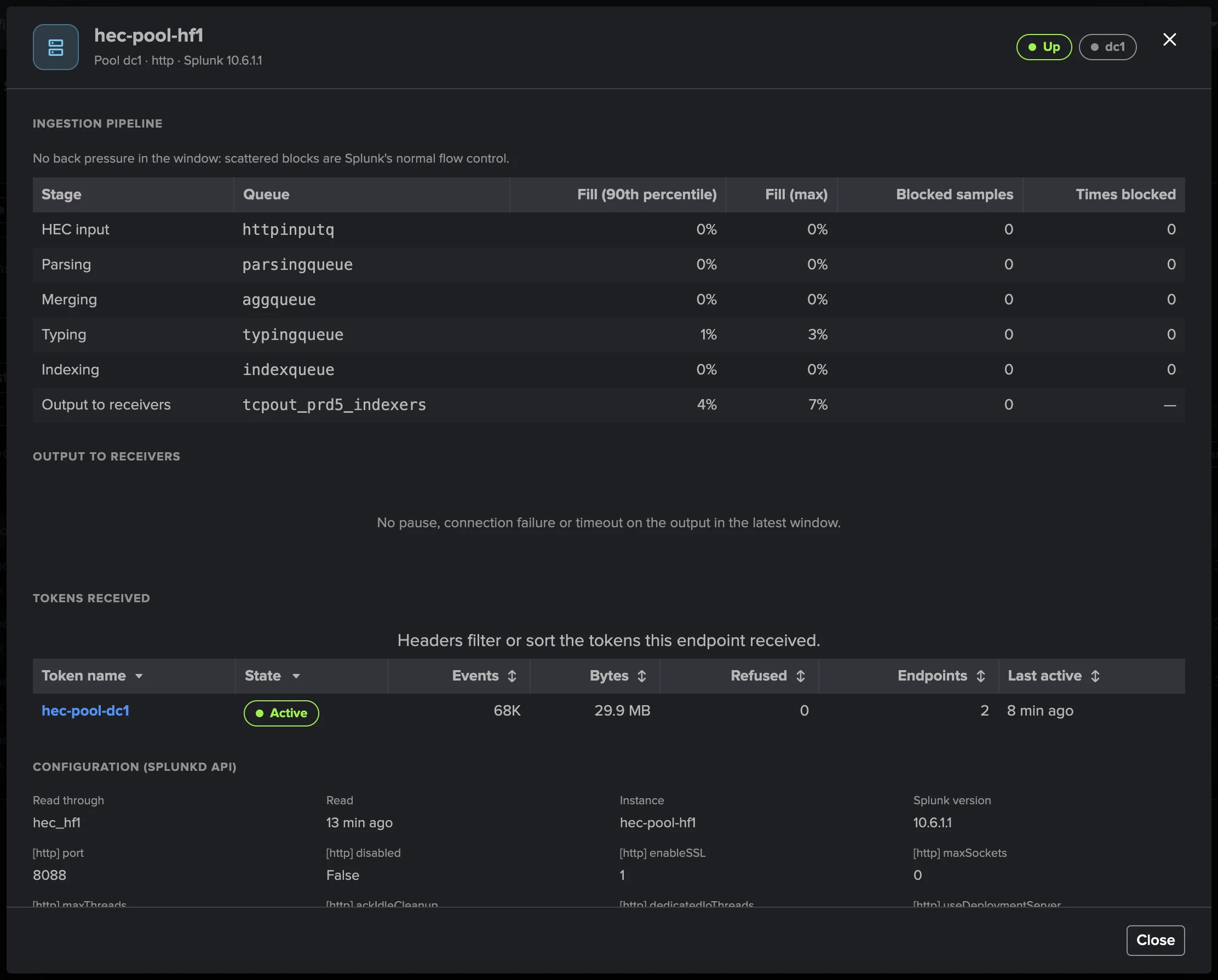
Behind every 503 “Server is busy” there is a queue that cannot keep up. TrackMe reads every stage of the ingestion pipeline — input, parsing, merging, typing, indexing, output — and names the one that is saturated, down to the output thread.
Tokens by Name, Never by Value
Every token seen in the last 24 hours, with its pools, traffic, refusals and errors. Watch the feeds you rely on with token-silence policies fed by names, patterns or lookups — TrackMe never reads, stores or shows a token value, and evidence is masked.
ML Traffic Models
One model per pool and per token — up to the 500 busiest — learns events and bytes per hour of the week, pre-trained from history Splunk already keeps so outlier detection works from the first runs. Per-model tuning and one-click “not an anomaly” relearn.
Splunk Cloud, On-Prem, Hybrid
Works on Splunk Cloud from searchable _introspection and _internal — the wizard auto-creates a replaceable “Splunk Cloud indexers” pool per stack — and on-prem or hybrid through TrackMe remote accounts. One tenant follows one Splunk deployment.
Bounded Cost at Any Scale
Every five minutes, a fixed number of aggregated, bounded searches reads the last settled window — whatever the fleet size. Up to 200 pools, expected pool sizes up to 10,000, and token-silence selections fed by 20 lookups of 100,000 names each.
A Findings AI Agent of Its Own
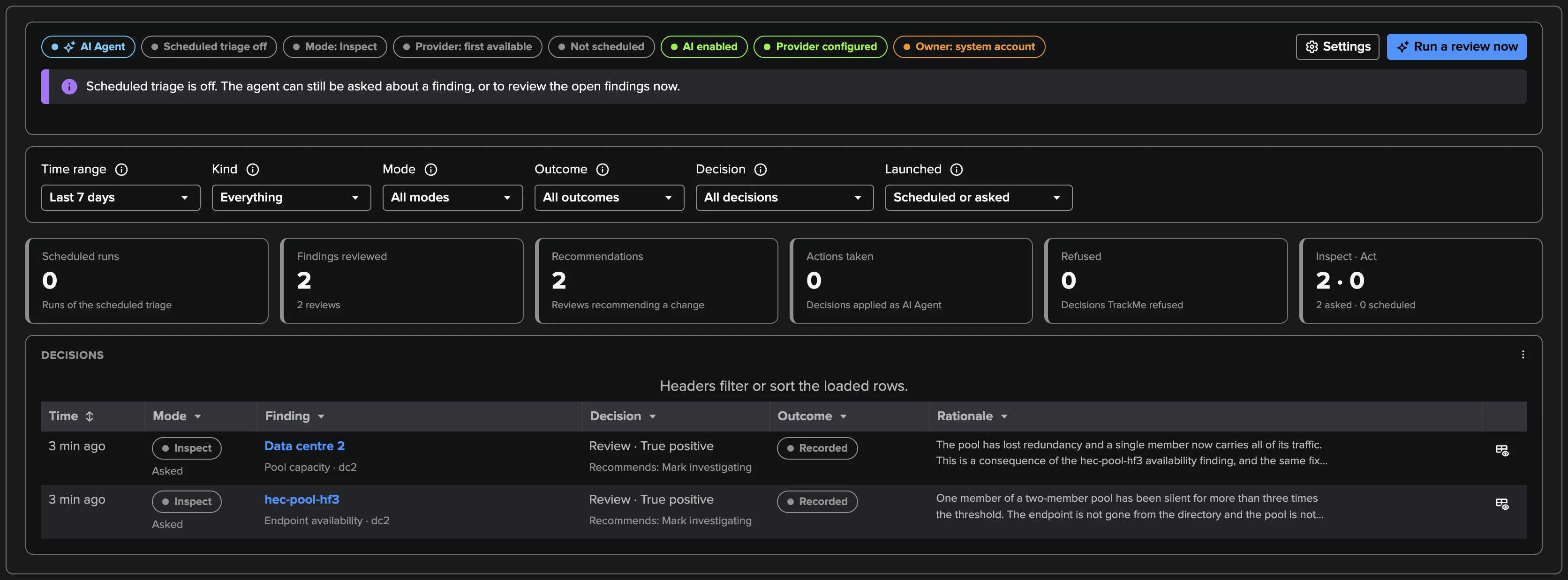
The Splunk HEC AI Agent reviews open findings from facts TrackMe already holds — it runs no search — classifies true and false positives, and recommends or applies triage within the limits the tenant sets. Scheduled triage reviews up to 10 findings per hour.
Pools, judged as a whole
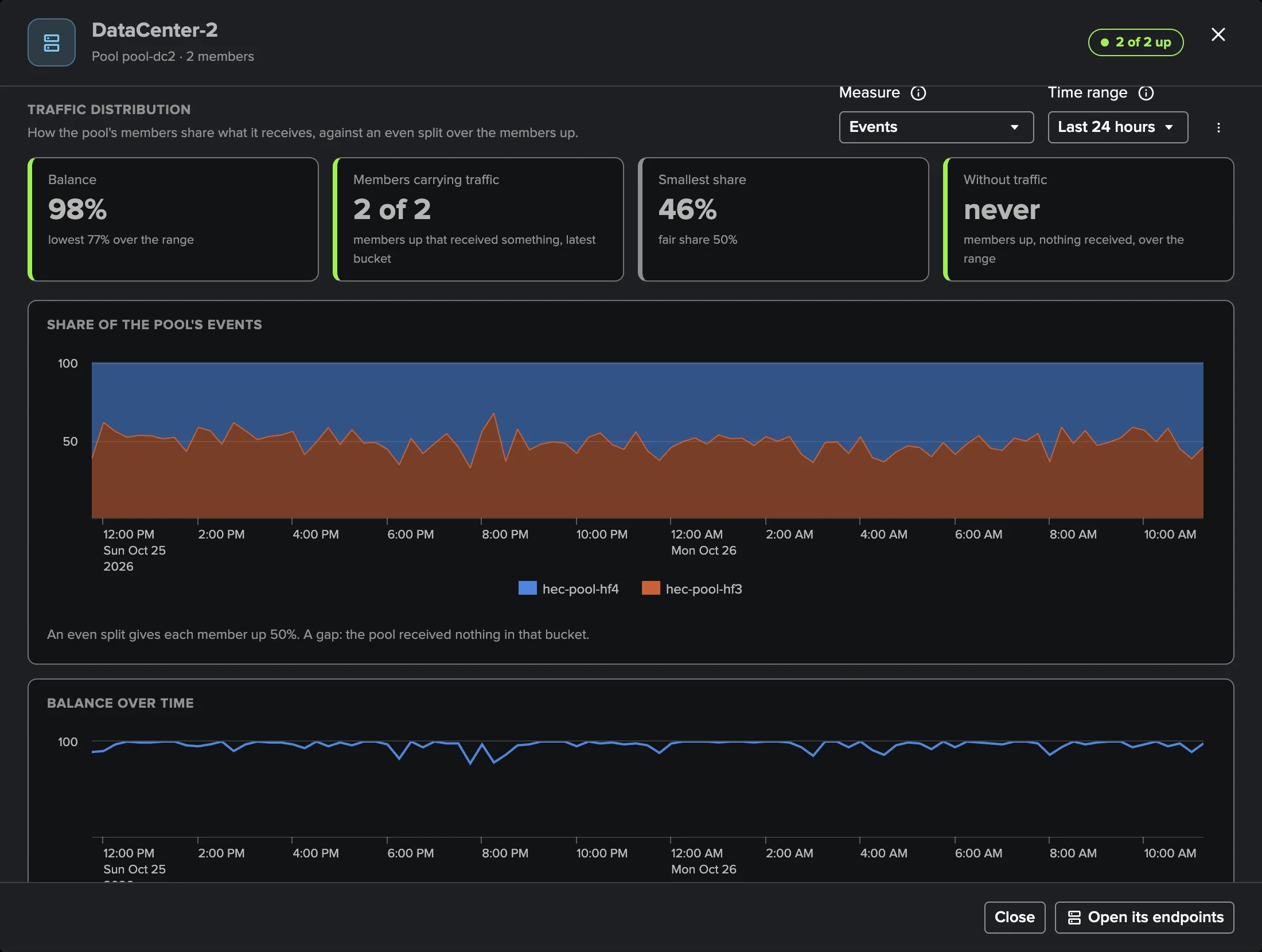
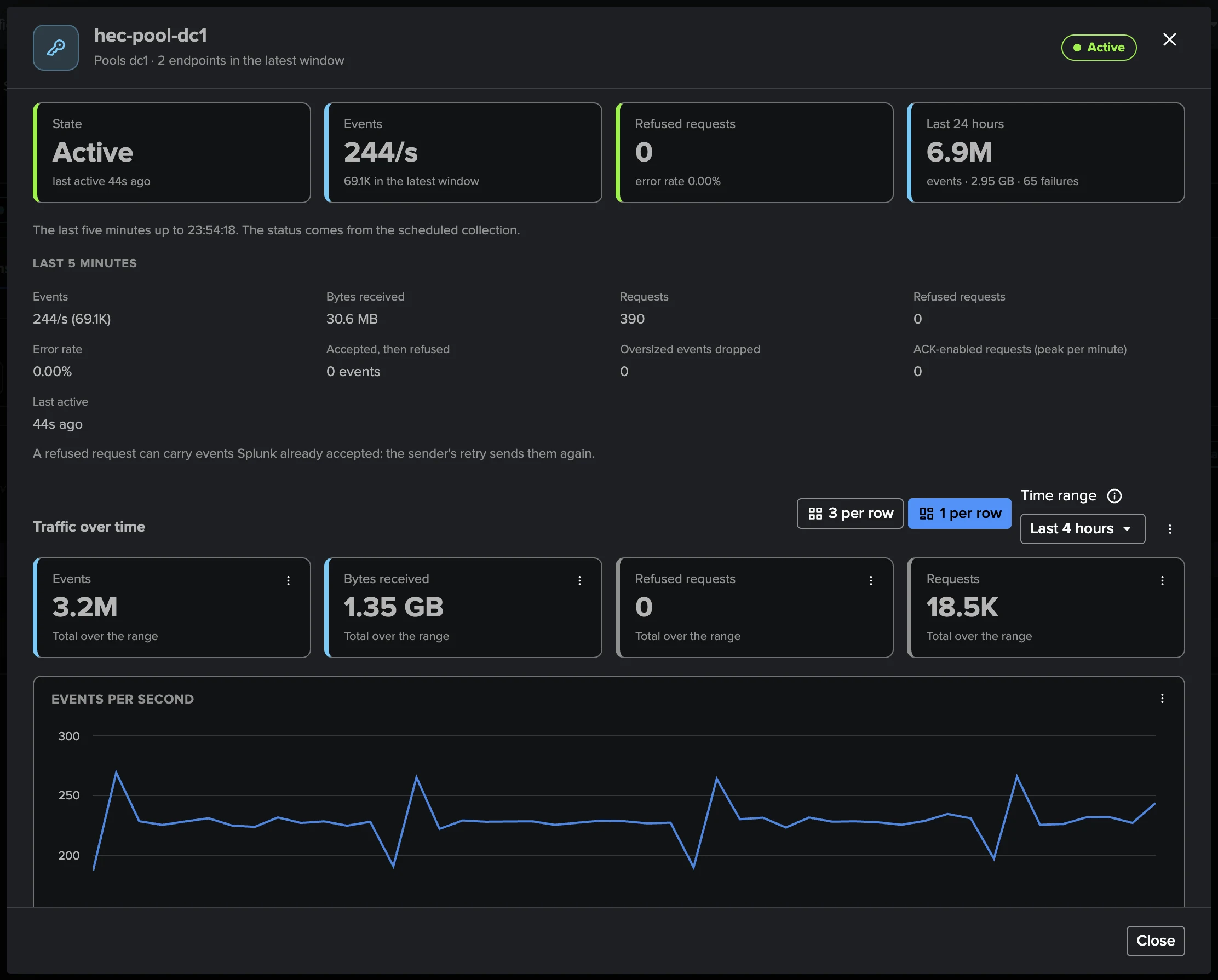
A pool is only healthy when its members share the load. TrackMe scores the balance live — 100 is an even split — and the pool drilldown shows each member's share of events over time, so a load balancer quietly sending everything to one member, or a member up but starved, is visible at a glance and raised as a finding.
Tokens by name, never by value
Open any token and see its pools, endpoints, events, bytes, refusals and errors over 24 hours — identified only by name. Select the business-critical tokens by name, pattern or CMDB lookup, and a token silent beyond its grace opens a finding; one not seen in 24 hours is flagged at once. Token-shaped values are masked everywhere, down to the raw evidence.
Inside the ingestion pipeline
Every queue of the HEC path — input, parsing, merging, typing, indexing, output — with fill percentiles and blocked samples, plus output to the receiving indexers and whether its thread saturated. When senders see “Server is busy”, TrackMe names the stage that cannot keep up instead of leaving you to guess.
Draw it live, in one click
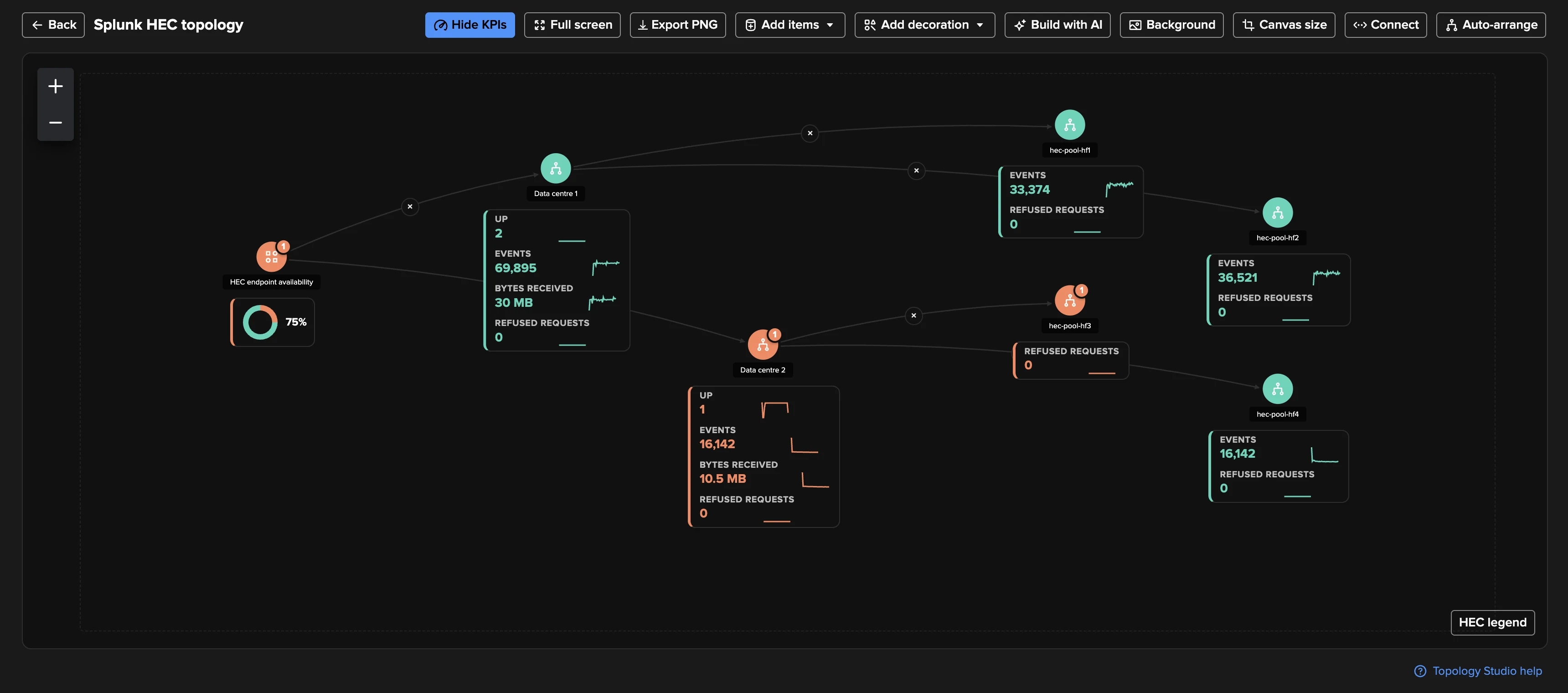
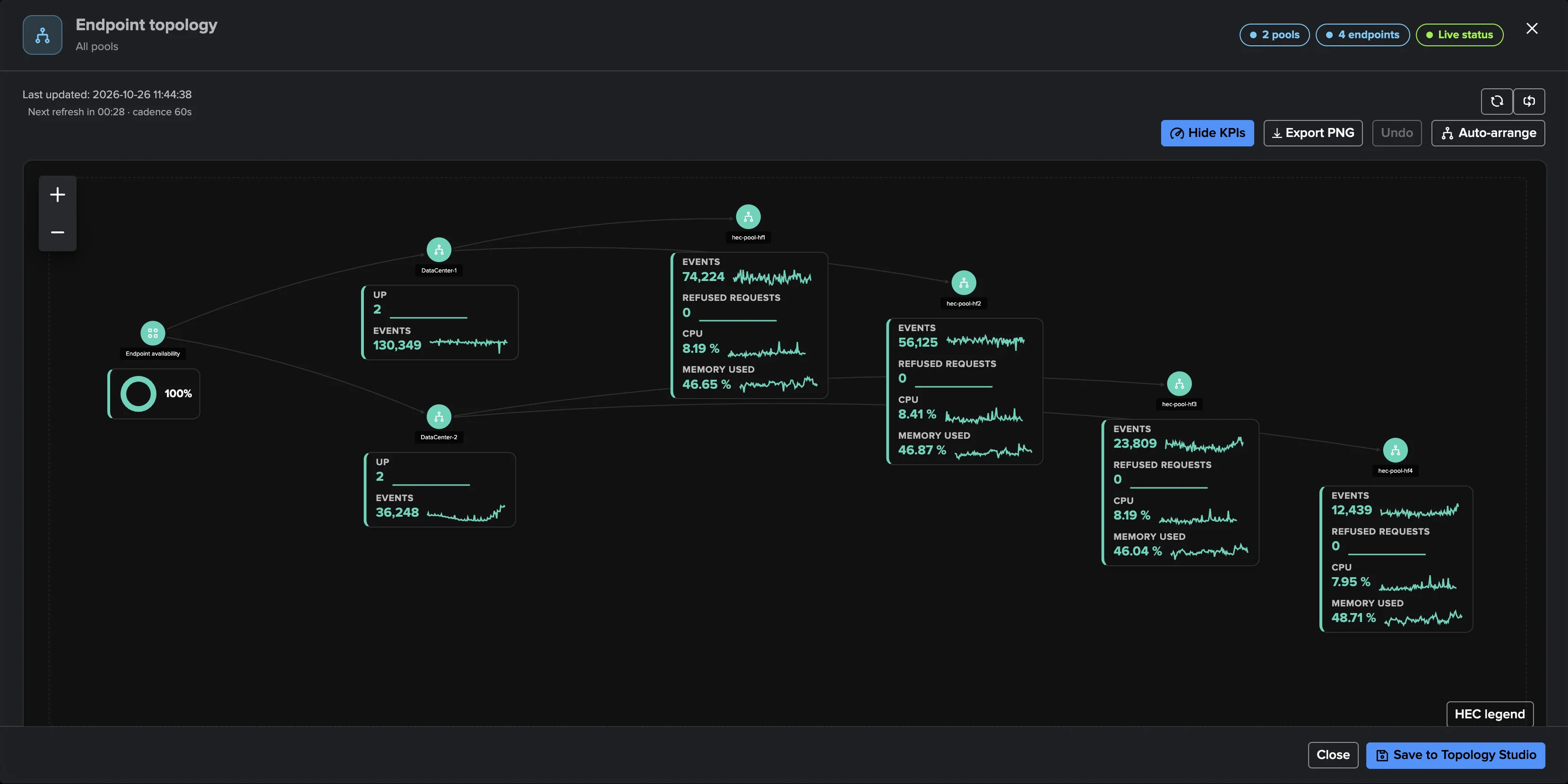
One click generates a topology of your pools, endpoints and tokens on the Topology Studio canvas — live status and 24-hour sparklines refreshed every minute, availability donuts per pool, resources per endpoint. Save the view, share it, and put a Topology Alert on the whole picture.
An AI Agent reviews the backlog
The Splunk HEC AI Agent works the findings queue like an operator: it reviews each finding from facts TrackMe already holds, classifies true and false positives, writes its rationale into the decision log, and applies only the triage decisions the tenant allows — up to 10 findings per hour on schedule, and it never overrides a person.
Built-in policy catalogue
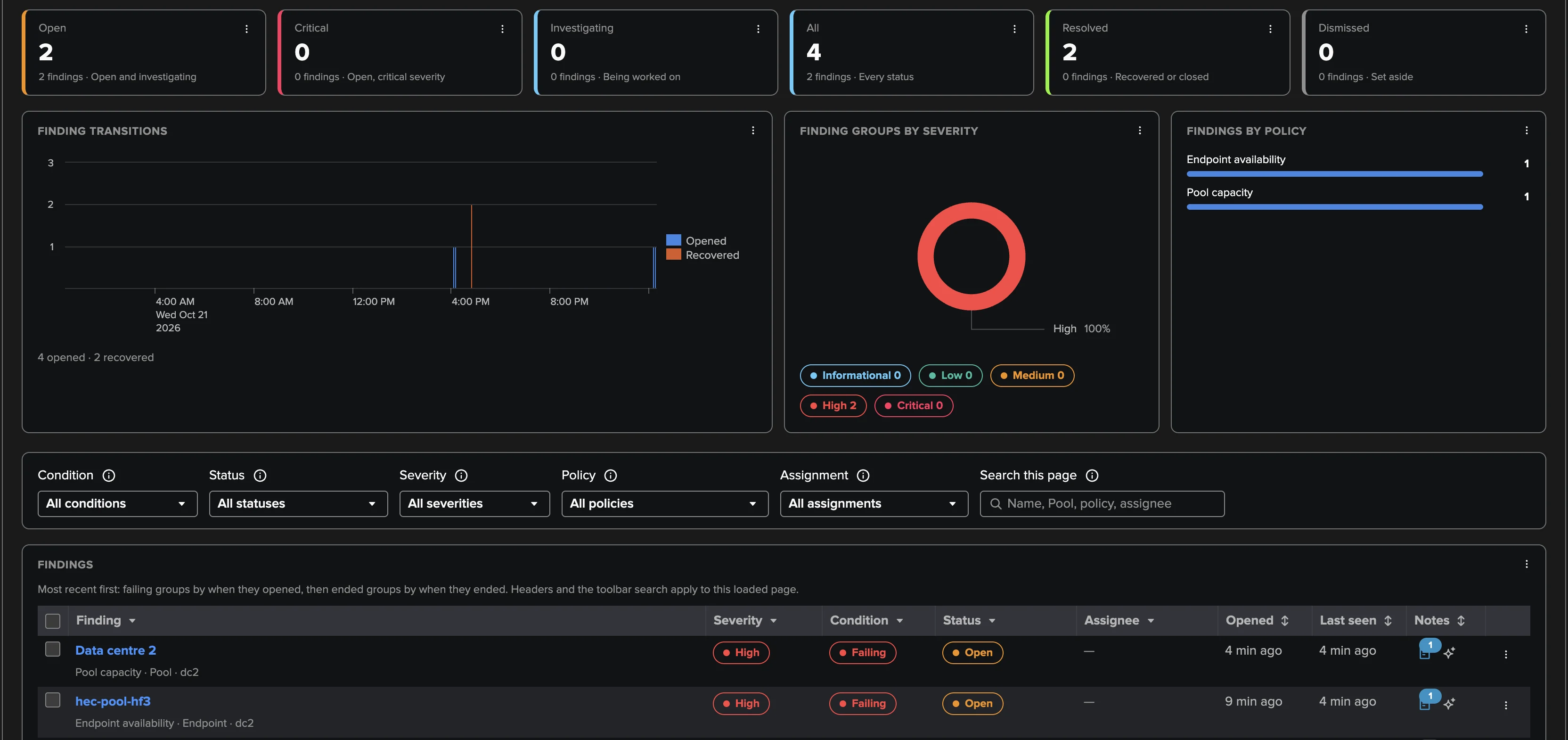
Eighteen policies in three families, seventeen on out of the box. Each opens after a configurable number of five-minute checks, recovers by itself, and a finding that nothing has evaluated for 24 hours closes on its own.
Catches the HEC endpoints that go silent, refuse senders, back up, fail authentication or lose indexer acknowledgement — before data is dropped.
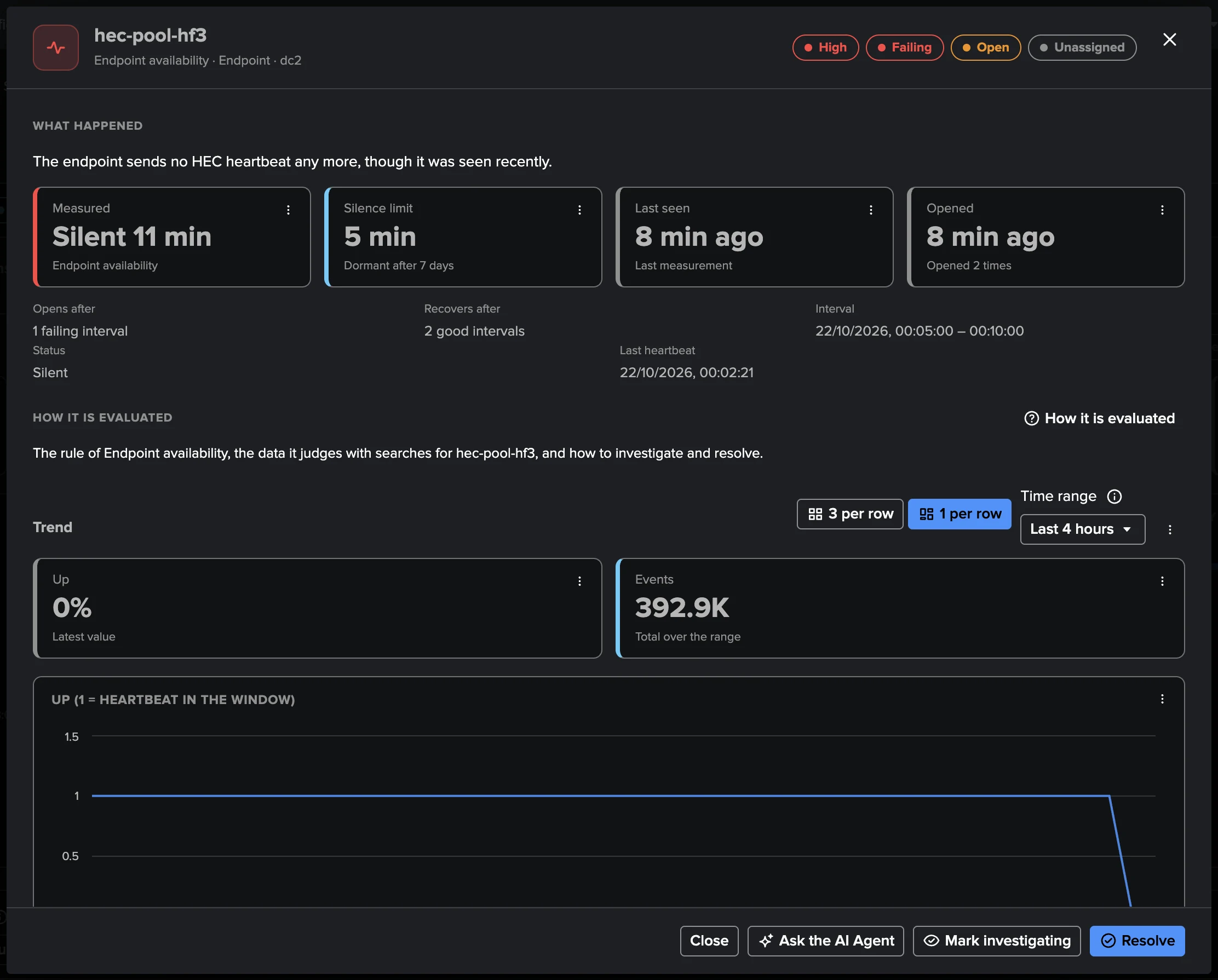
- Endpoint availabilityHigh
No HEC heartbeat for 5 minutes; Critical when every member of the pool is down. Replaced members are absorbed by a 30-minute grace.
- Senders refusedHigh
10+ requests refused as “server busy” in the window; Critical at 20 % of requests.
- Back pressureMedium
An ingestion queue at 80 % fill or blocked — and the finding names the stage that could not keep up.
- Output blockedHigh
Output to the receiving indexers paused 30 s or more, failing to connect, or the bottleneck.
- Error rateMedium
5 % or more of requests refused (at least 100), load-balancer probes excluded.
- Authentication failuresMedium
20+ requests refused for an invalid, disabled or missing token, naming the clients refused.
- ACK pressureHigh
The indexer acknowledgement store full, or replies saying ACK is unavailable or at capacity.
- ACK not polledMedium
Requests acknowledged but no sender polls the ACKs for 30 minutes.
- Endpoint resourcesMediumOpt-in
Host CPU or memory at 90 % or more (recovers at 80 %).
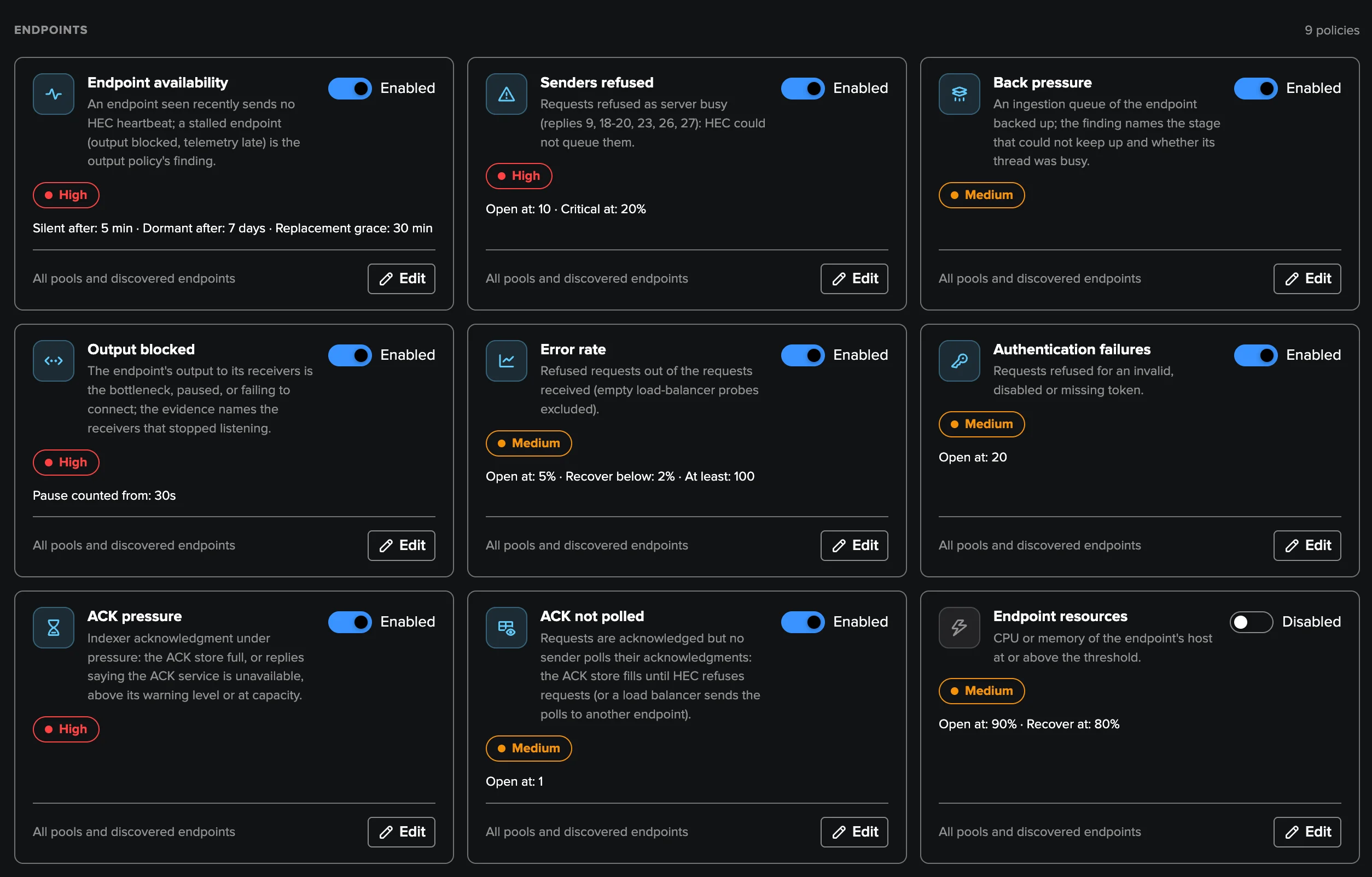
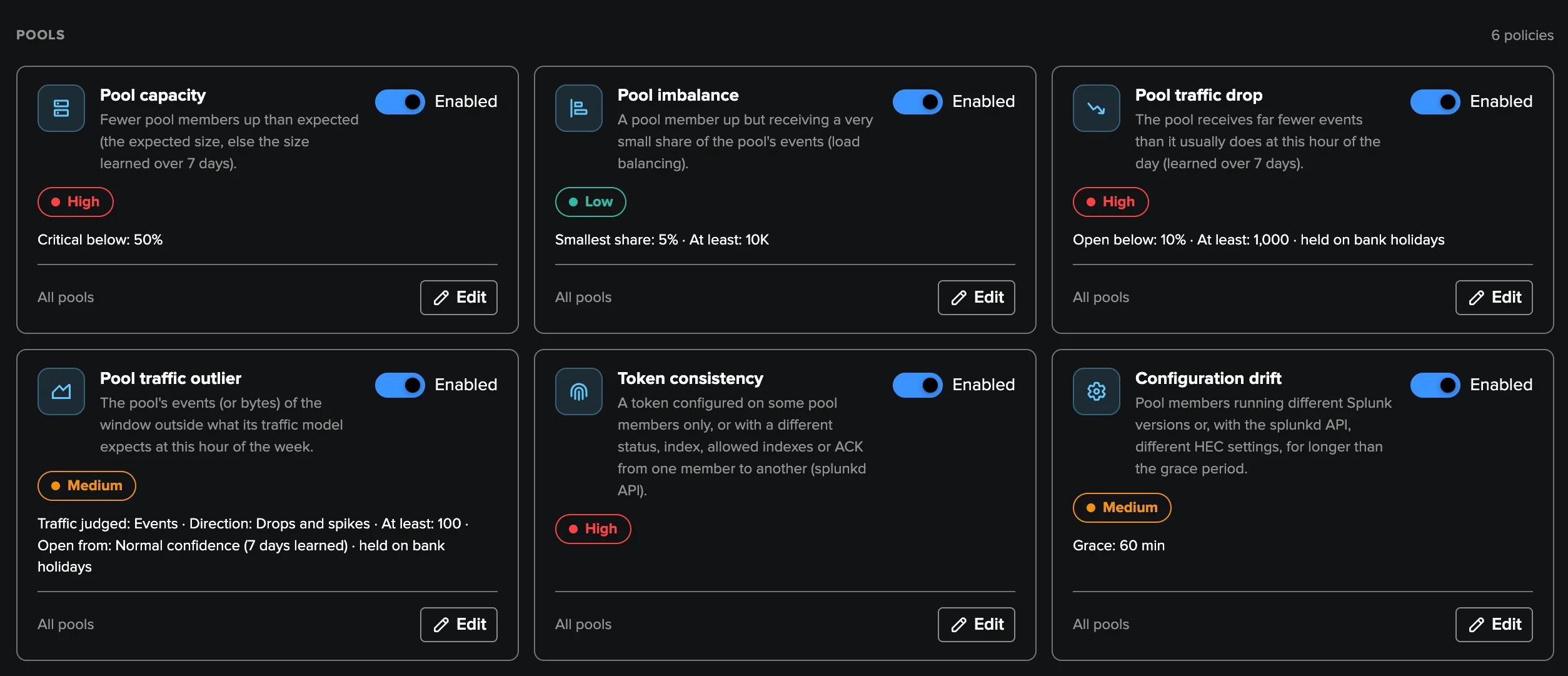
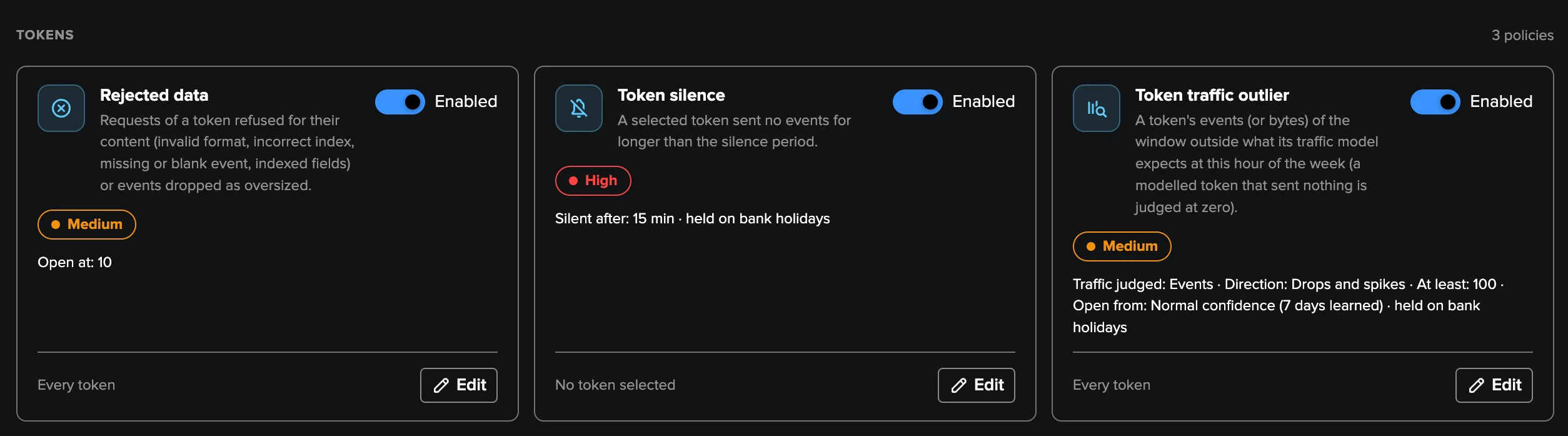
18 built-in policies. Every threshold is editable, and your own SPL policies join the same findings pipeline.
Deep Dive
Explore the key aspects of Splunk HEC in detail.
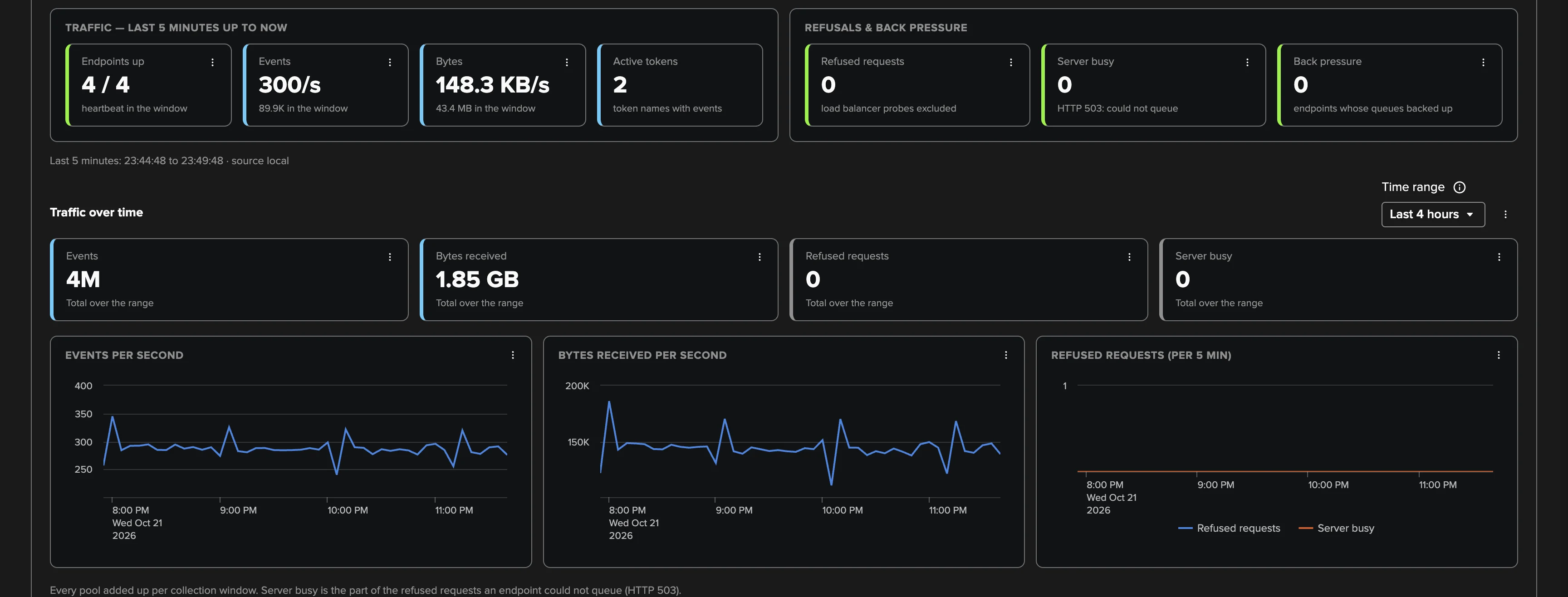
The front door of your data, watched
A stopped heavy forwarder, a load balancer sending everything to one member, a business-critical token that quietly goes silent — none of it surfaces anywhere until data is missing. The Splunk HEC tenant answers the questions an admin asks every day: are all endpoints up? Why are senders refused? Where is the bottleneck? Is the load balancer actually balancing? Did my critical token stop sending?
Every five minutes, TrackMe reads the last settled window of telemetry Splunk already writes — throughput, refusals by reply code, every queue of the ingestion pipeline, output to receivers, host CPU and memory — with a fixed number of bounded searches whatever the fleet size. The tenant only reads: it never calls the HEC port, never changes a token or a setting.
Findings, not noise
There is nothing to model and no threshold to babysit: policies evaluate your deployment and raise findings in plain words — “the endpoint sends no HEC heartbeat any more” — with the measured value, the limit, the evidence and the trend. You triage, group, assign, snooze and get notified by email or webhook, and every transition is indexed for Enterprise Security or SOAR.
Read the Splunk HEC monitoring guide or take the guided tour.
Related Features
Ready to get started?
Request a free 90-day trial with all features enabled. No restrictions.