

Splunk S2S Monitoring — Your Forwarding Path, Pool by Pool
Every receiver and intermediate forwarder of your Splunk-to-Splunk data path, and the pools they form, watched from telemetry Splunk already writes. 22 built-in policies name the blocked queue and whether its cause is downstream, local or an upstream surge — nothing installed, no forwarder ever called.
Key Capabilities
Zero-Footprint Discovery
Receivers, intermediate forwarders and their pools are found from the metrics.log connection lines, queues, splunkd.log messages, health report and _introspection Splunk already writes — locally or through a TrackMe remote account. Nothing installed, no new data ingested.
Pools Found for You
An indexer cluster is a pool, one per site of a multisite cluster; intermediate forwarders are grouped by host name family. Senders are counted, typed and versioned per pool — context, never noise.
22 Built-In Policies
A receiver that stops accepting or goes silent while its pool reports, back pressure and its origin, imbalance across members, connection churn, an intermediate load balancing over a single destination, in/out anomalies, TLS and acknowledgement posture, cluster health.
Names the Bottleneck
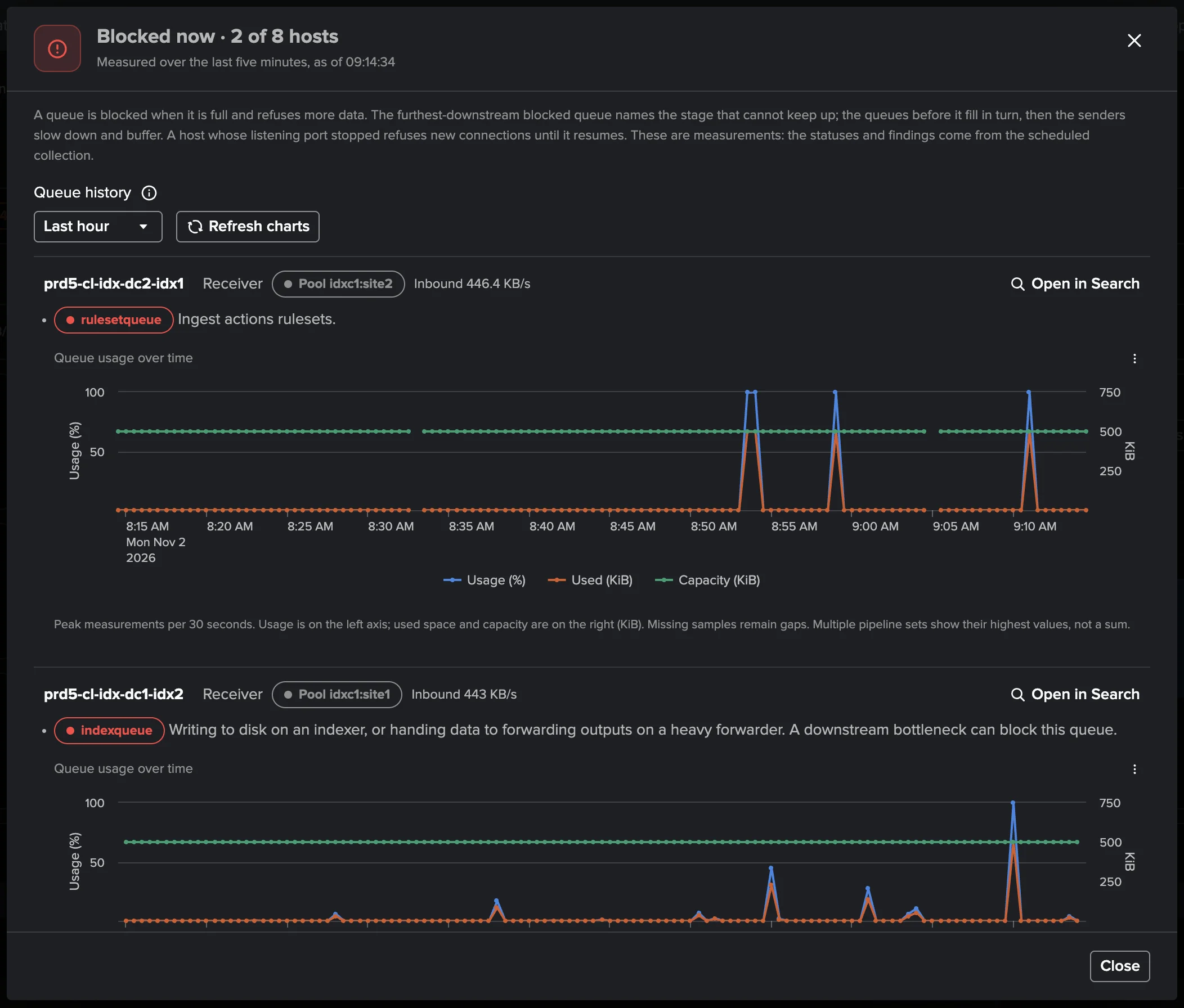
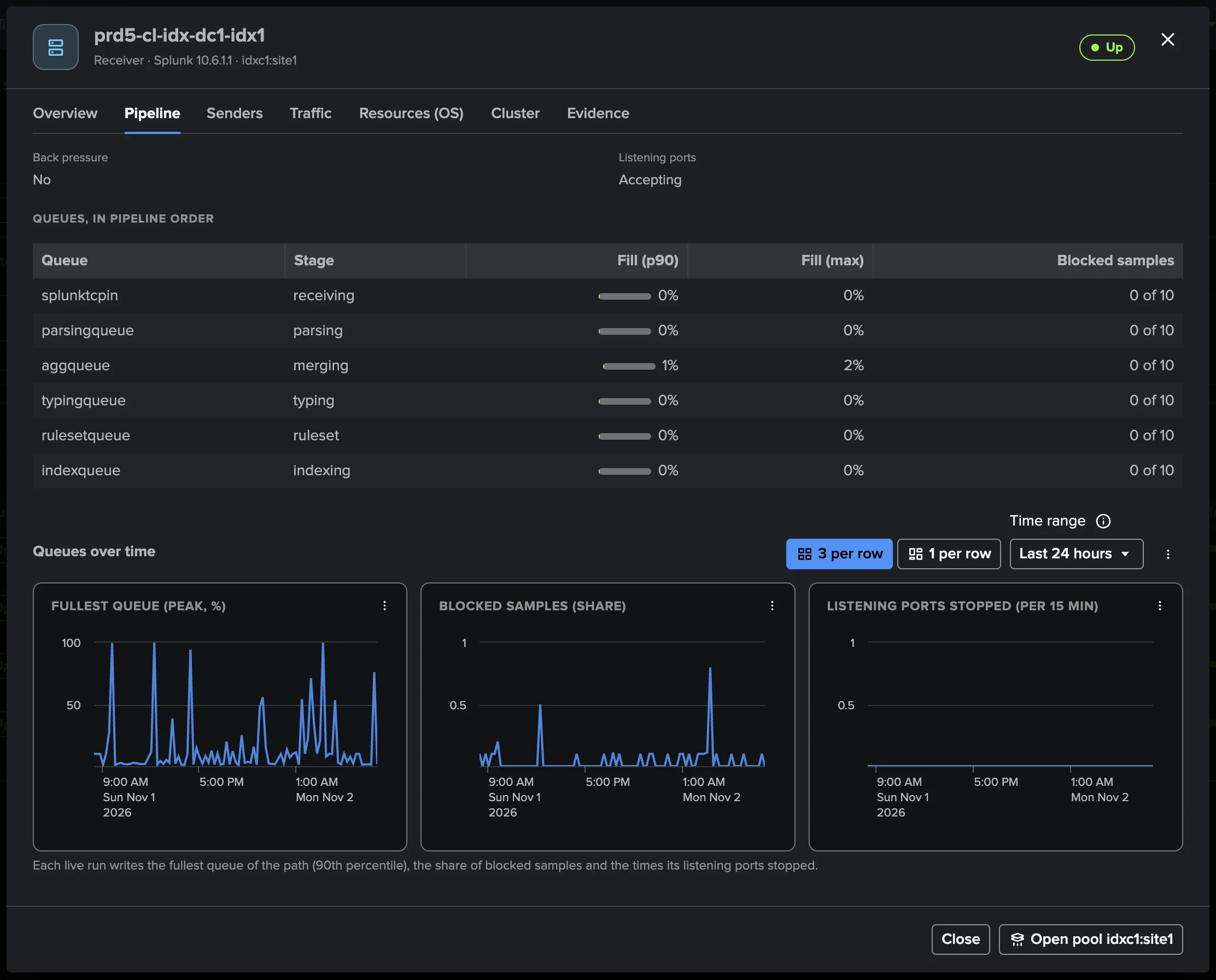
When senders are held back, TrackMe names the tier and the queue that cannot keep up, and whether the cause is downstream, local or an upstream surge — Blocked now shows it host by host, with its history.
ML Traffic Models per Pool
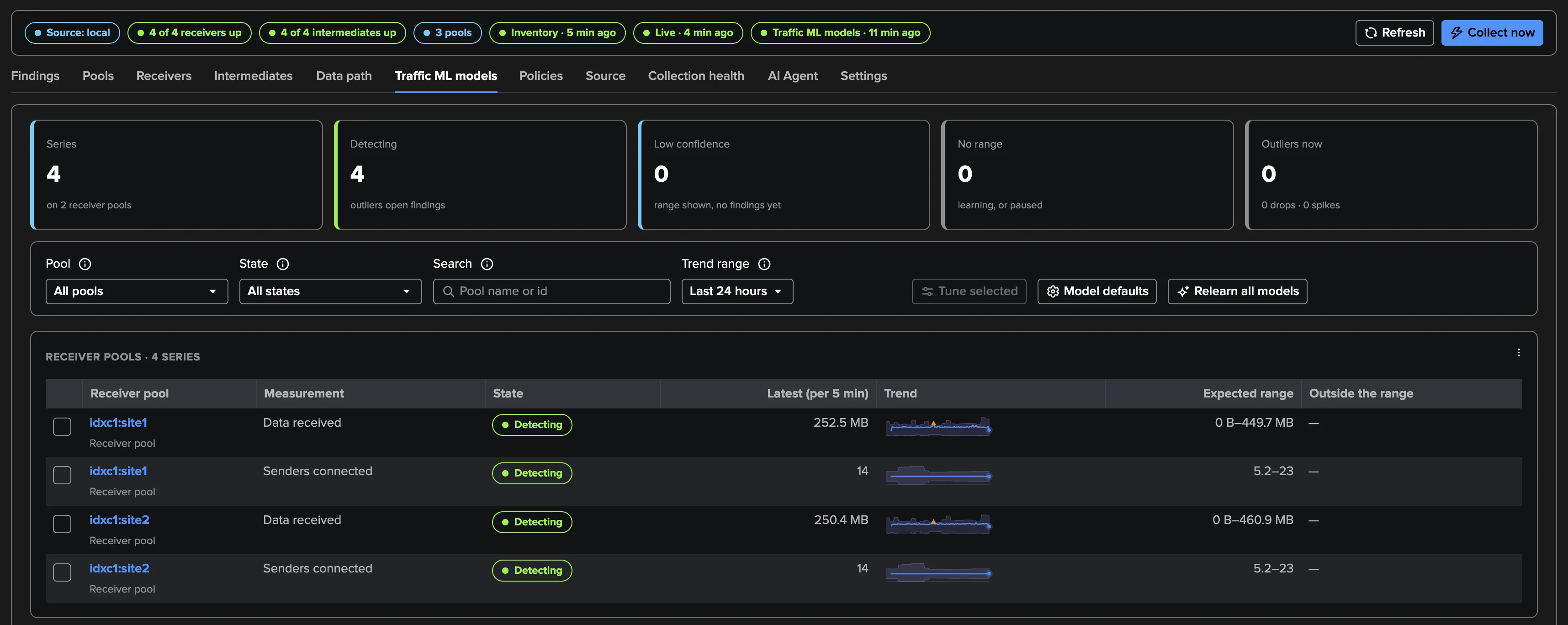
Data received and senders connected learn their normal on every receiver pool, with an expected range per hour of the week and trends — a pool going quiet or flooding is a finding, not a guess.
Splunk Cloud, On-Prem, Hybrid
Works from a Splunk Cloud search tier or on-prem, through TrackMe remote accounts. An optional cluster manager account adds the manager's view of maintenance and rolling restarts.
A Findings AI Agent of Its Own
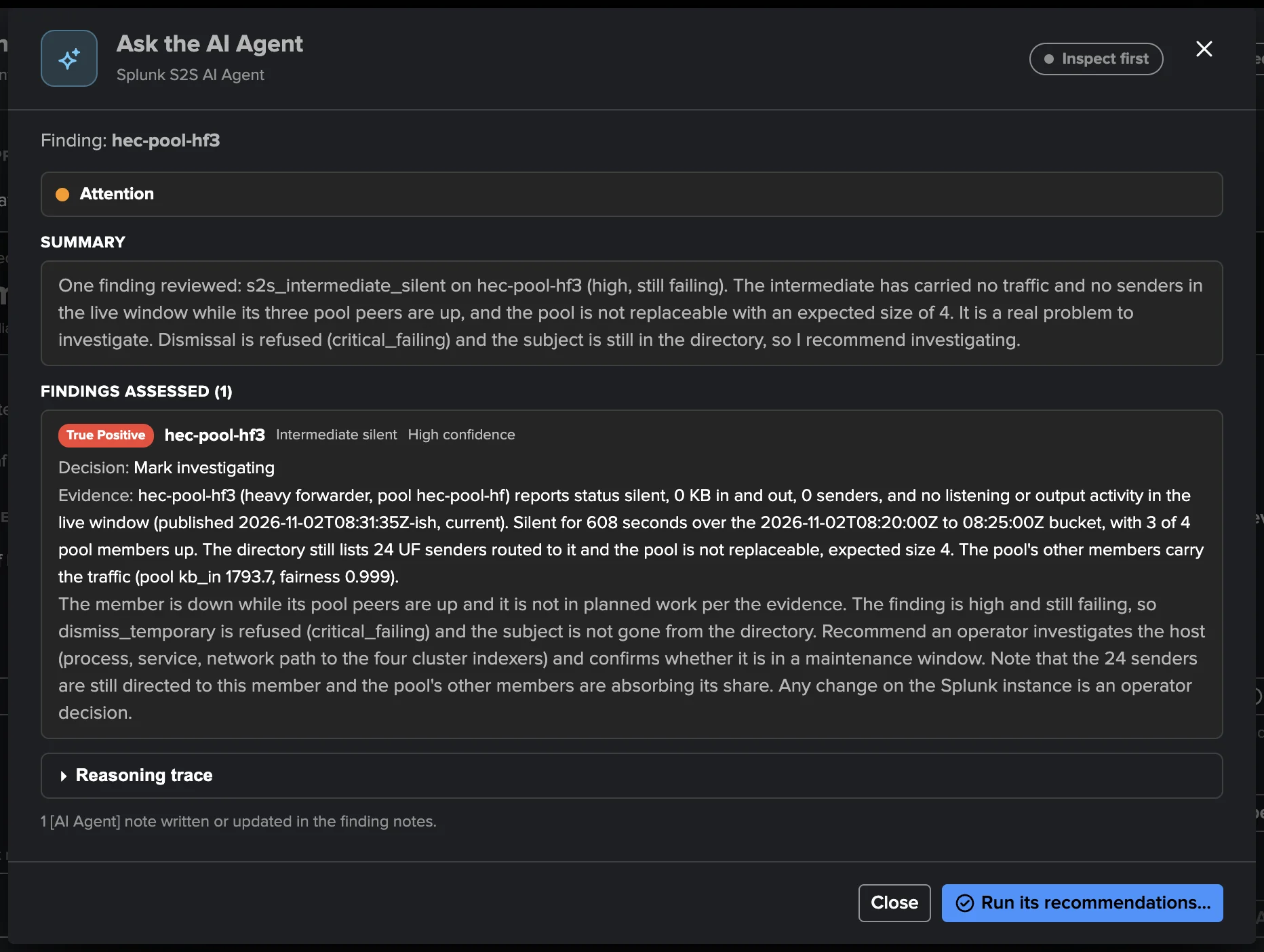
The Splunk S2S AI Agent reviews open findings from the facts TrackMe holds and bounded read commands, classifies true and false positives, and recommends or applies the triage the tenant allows.
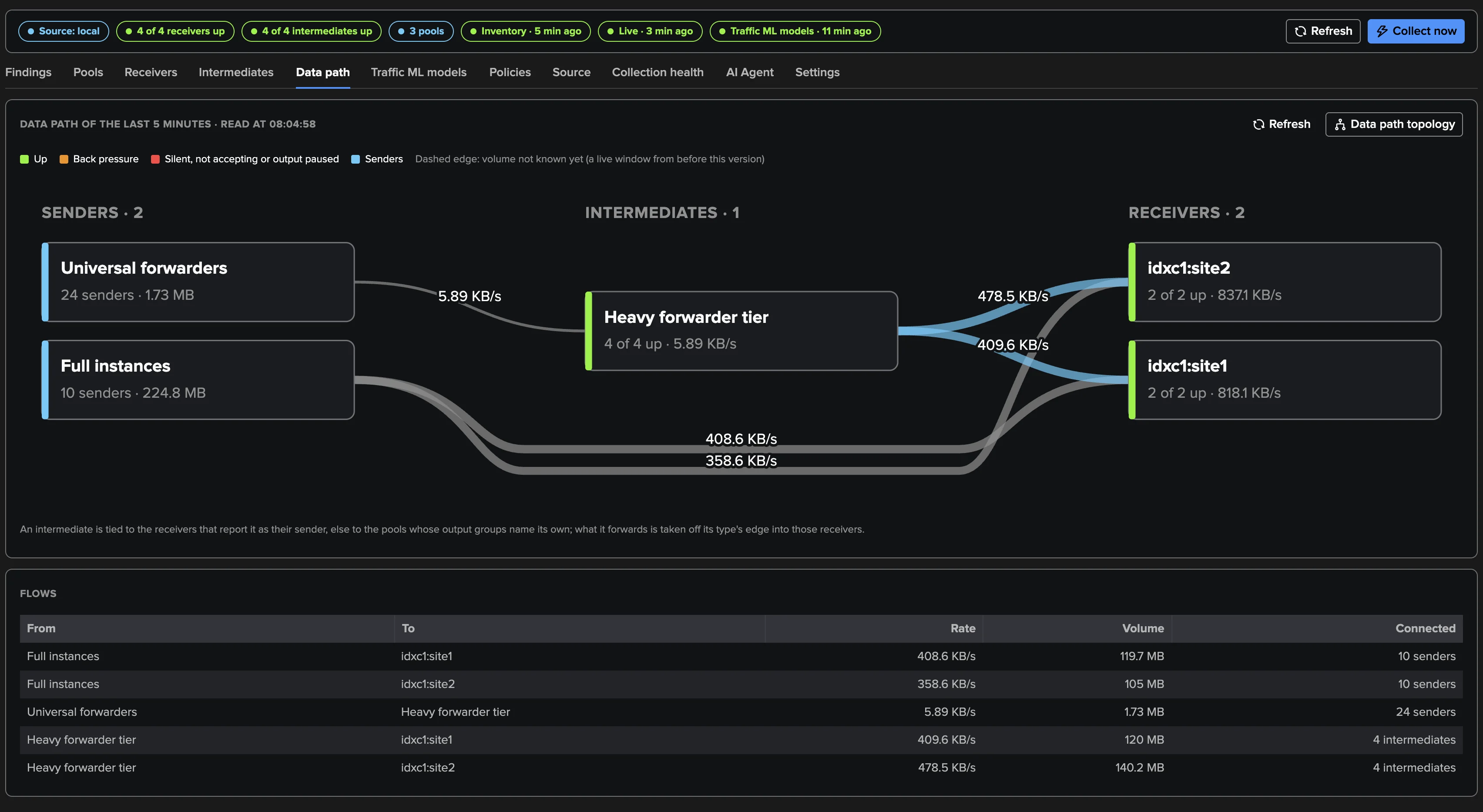
The data path, live
Senders, intermediate forwarders and receivers with the rate on every edge, over the last five minutes — and saved to Topology Studio as a live map in one click.
Blocked now, and why
Every host whose queues are blocked, which queue, for how long, and the history behind it: the answer to “why are my forwarders held back?” in one view.
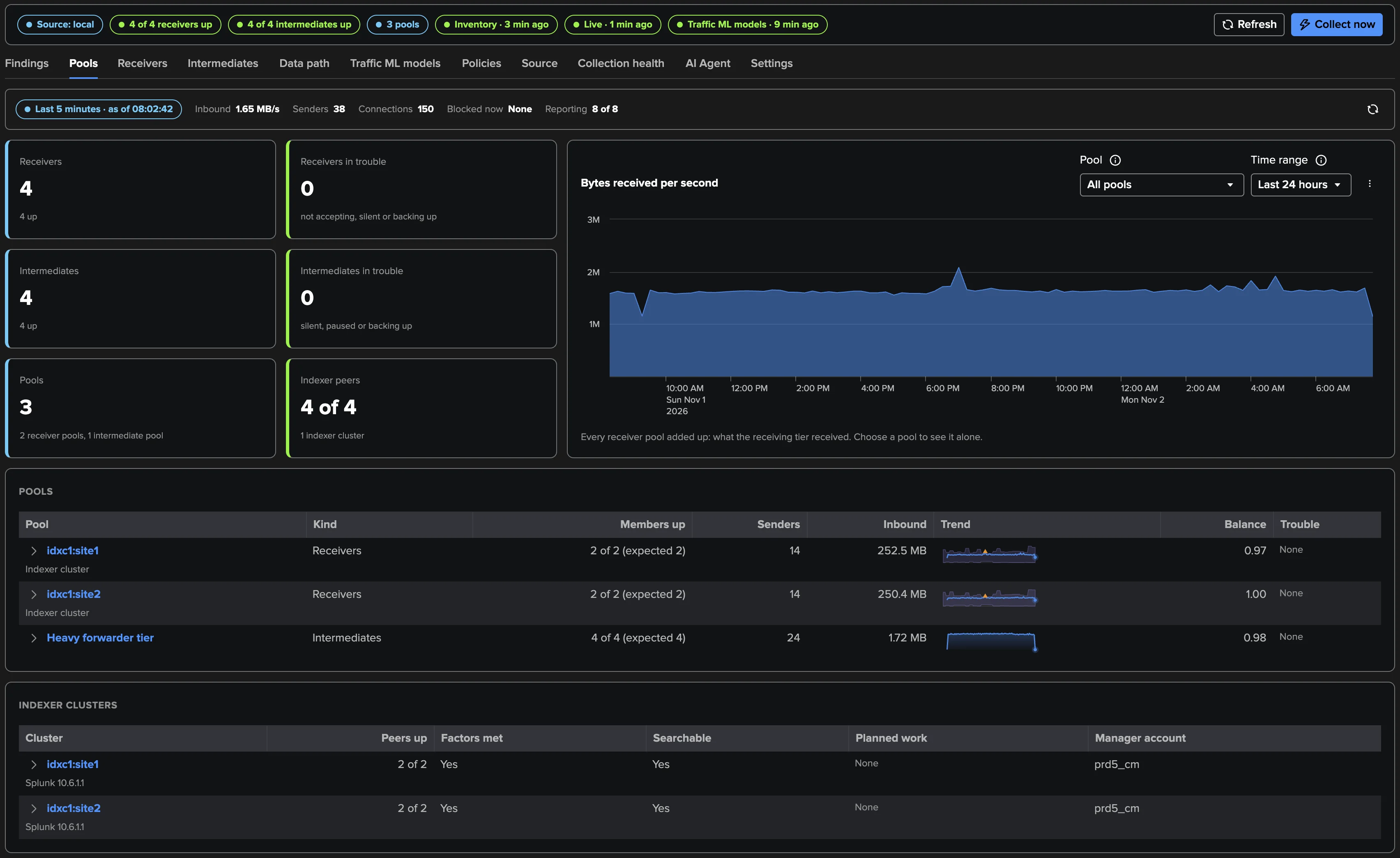
Pools judged as a whole
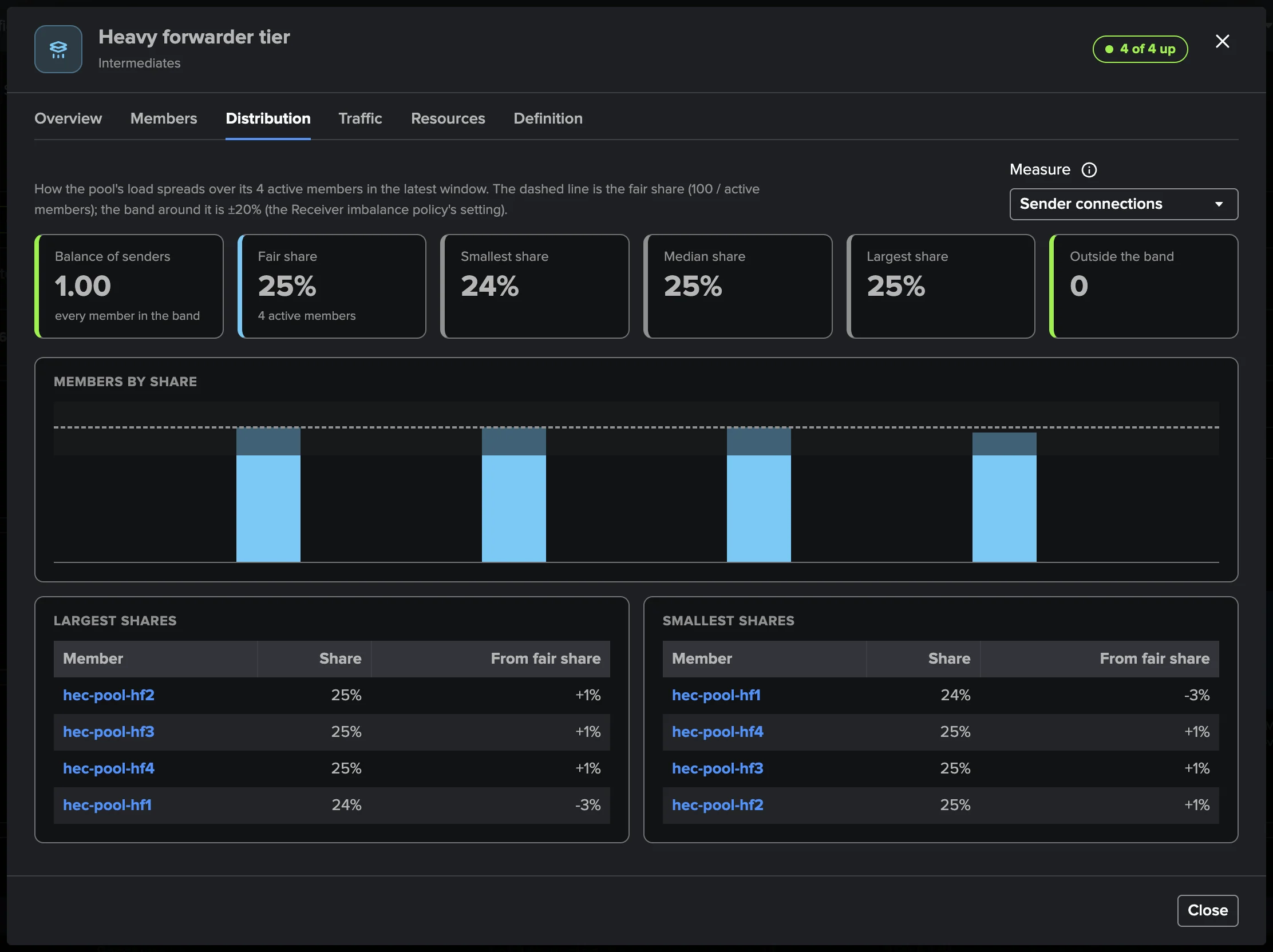
Members up, data received and senders per member, the share each one takes: a load balancer that sends everything to one indexer, or an indexer that is up but starved, surfaces at a glance.
Traffic models per pool
What each receiver pool usually receives, hour by hour, with the expected band and the outliers above or below it.
Deep Dive
Explore the key aspects of Splunk S2S in detail.
The receiving side of forwarding, watched
An intermediate forwarder whose output pauses holds back every sender behind it; an indexer that stops accepting while its pool still reports leaves data waiting on forwarders. The Splunk S2S tenant answers the questions an admin asks about forwarding: is every receiver accepting and keeping up? Is my intermediate tier blocked, backed up or silent? When senders are held back, which tier is the bottleneck, and is the cause downstream, local or an upstream surge?
It reads what Splunk already writes and never calls a forwarder. The forwarding agents and their Deployment Servers have their own tenant type, Splunk UF Fleet.
Findings, not noise
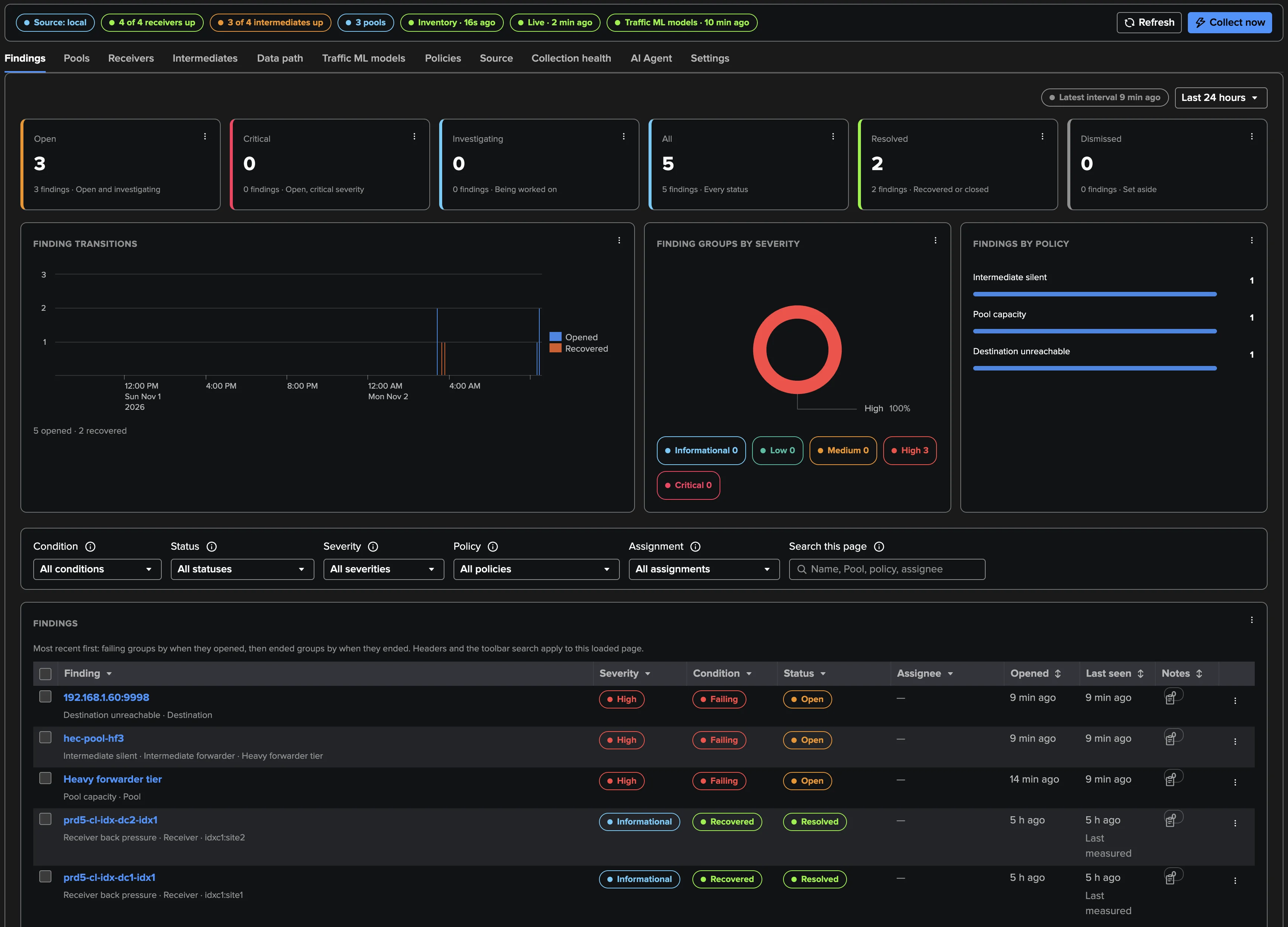
Policies raise findings in plain words, grouped per object into Finding groups you triage, assign, snooze and get notified about by email or webhook — and every transition is indexed for Enterprise Security or SOAR.
Read the Splunk S2S guide or take the guided tour.
Related Features
Ready to get started?
Request a free 90-day trial with all features enabled. No restrictions.