

Cribl Stream Monitoring — One Deployment, End to End
A dedicated tenant follows one Cribl Stream deployment end to end — the Leader, Worker Groups, Workers and their machines, and every Source, Destination, Pipeline and Route — with its own traffic ML model on every data object and nothing installed on Cribl.
Key Capabilities
One Deployment, End to End
Follow a Cribl Stream deployment from a single workspace: the Leader, Worker Groups, Workers and their machines, and every Source, Destination, Pipeline and Route — up to about 20,000 monitored objects per tenant.
Nothing Installed on Cribl
TrackMe reads the metrics Cribl already sends to Splunk — computed in place, no extra licence ingestion — and the Cribl Leader API with a read-only account. No agent, no Pack, no tracker to write, and TrackMe never asks for write access.
A Traffic ML Model on Every Object
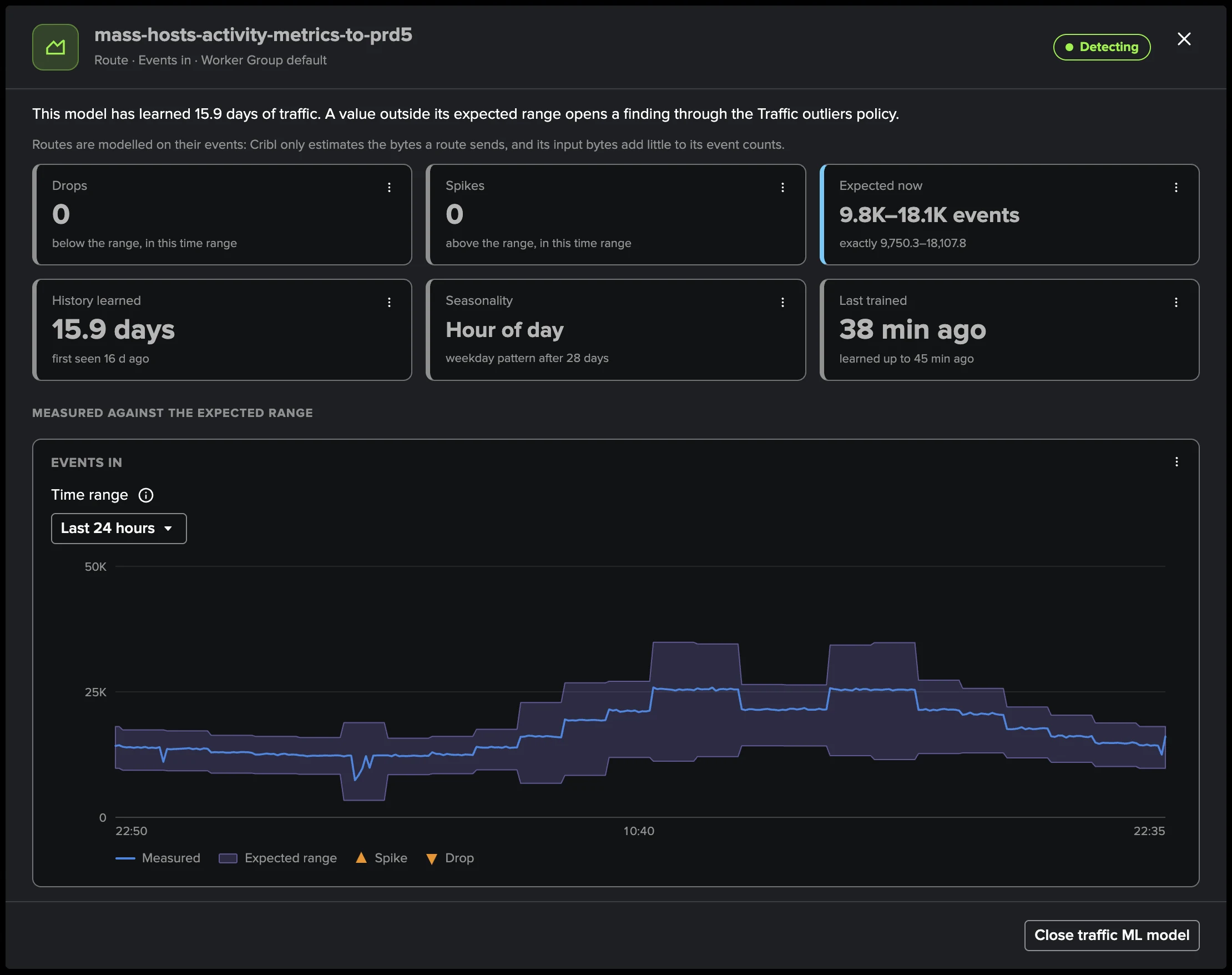
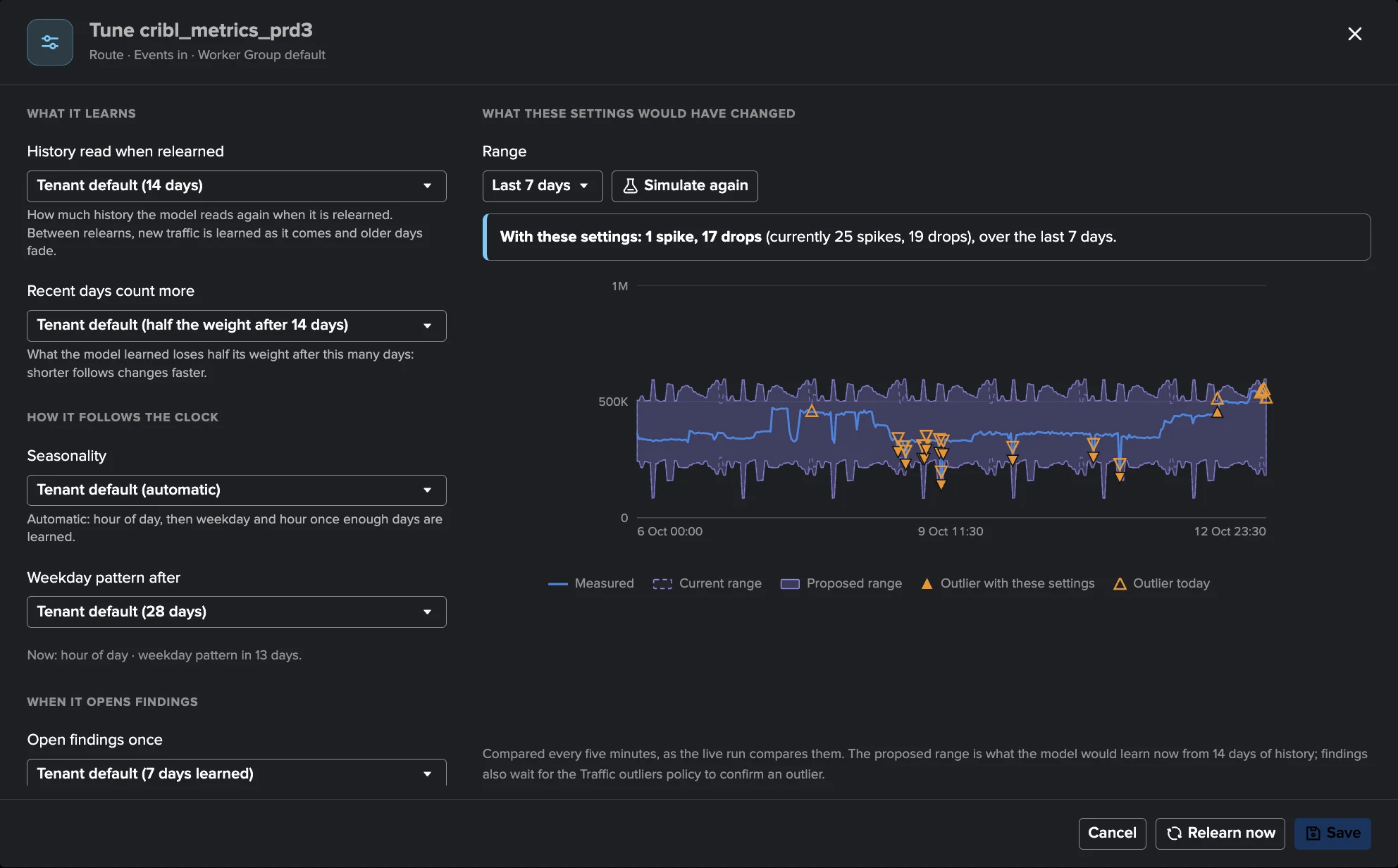
Every Source, Destination, Pipeline and Route gets its own model per measurement: hour-of-day seasonality, then weekday-and-hour after four weeks, recent days weighted more, continuously learning — up to 20,000 models per tenant.
16 Built-In Policies
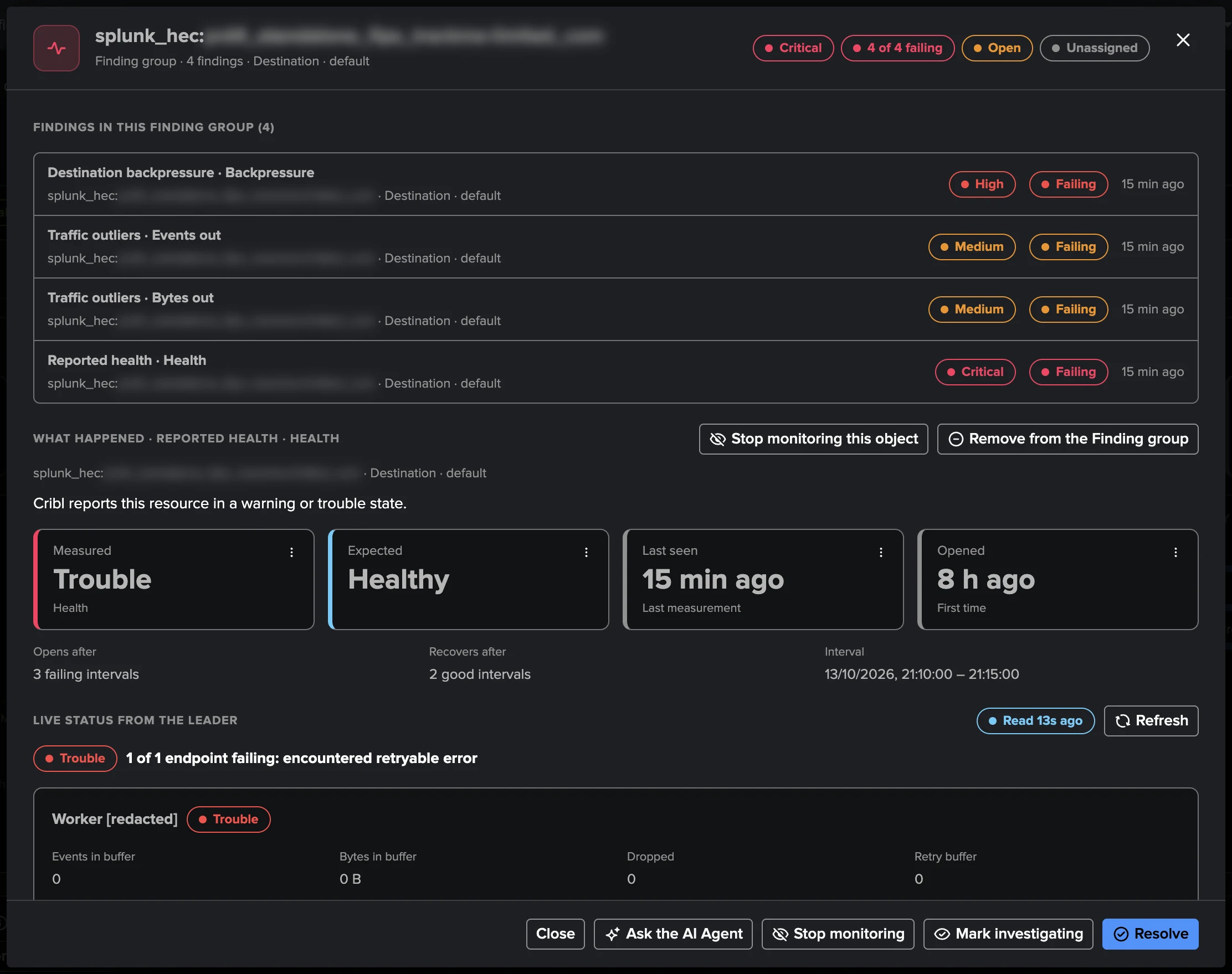
Four groups — Cribl Leader, data flow, Worker processes, Worker machines — cover availability, backpressure, reported health, traffic outliers, pipeline errors, CPU, memory, disk, and version and configuration drift.
Data Paths Drawn as Flows
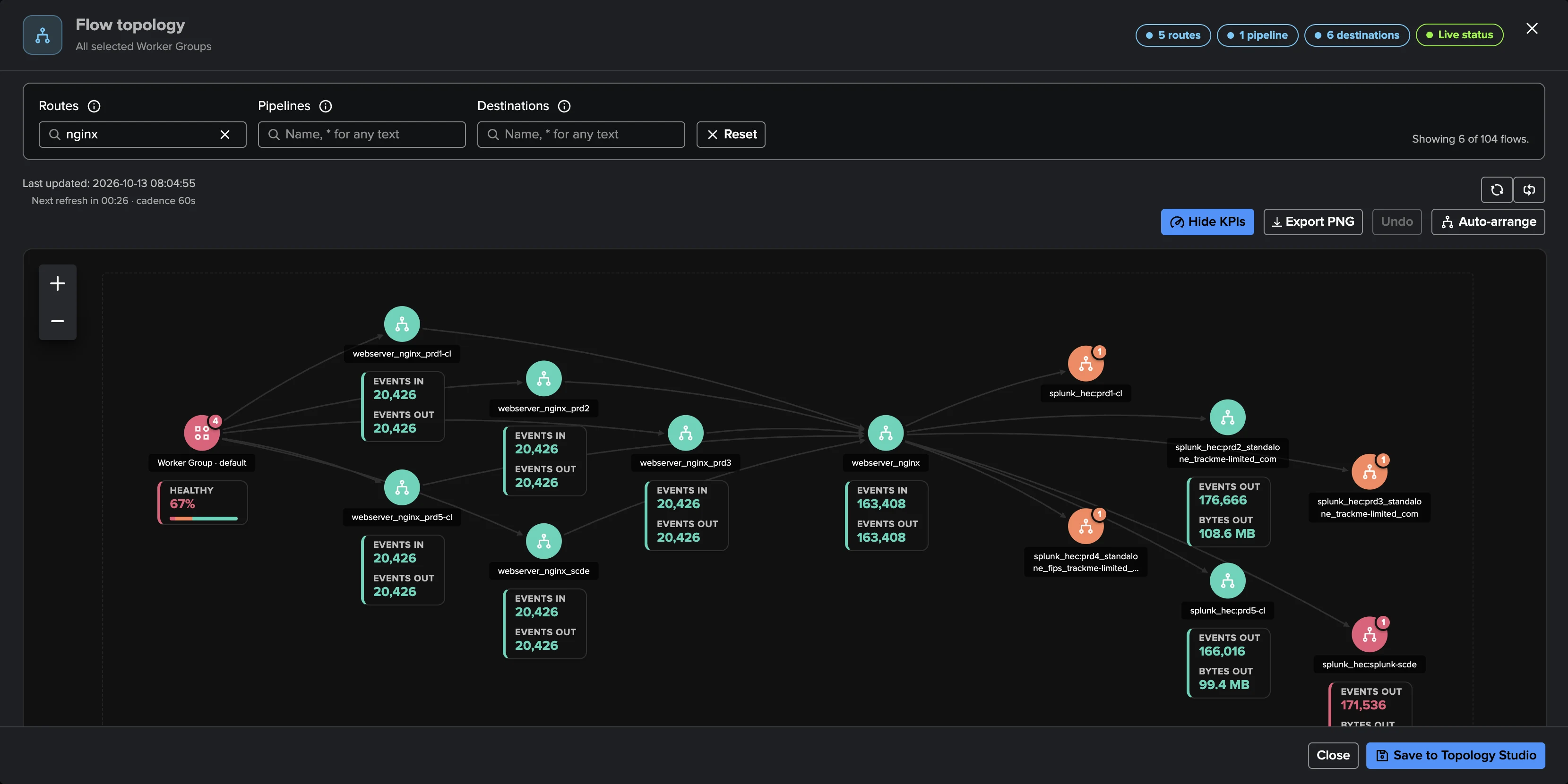
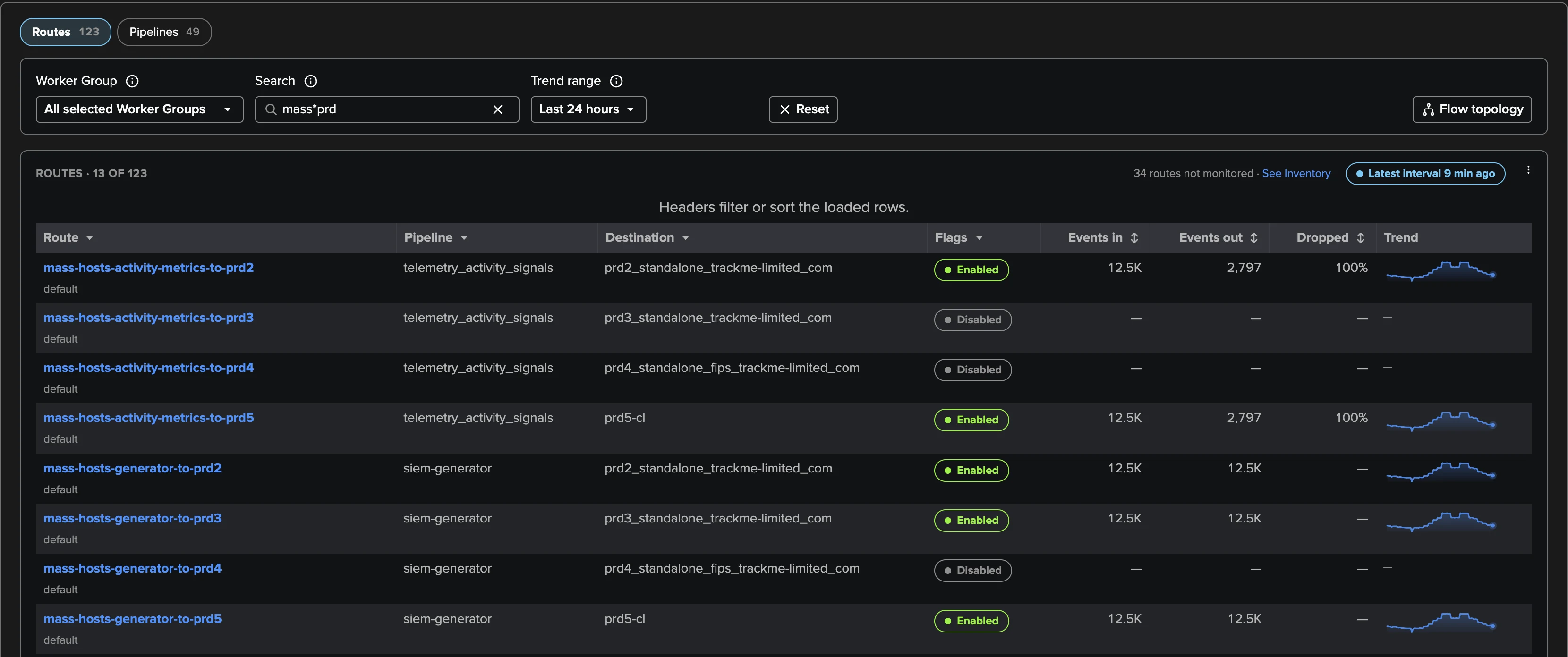
Flow topology draws Routes, Pipelines and Destinations left to right with live traffic, zero configuration — a Destination under backpressure shows exactly which Routes depend on it, and any view saves to Topology Studio.
Findings, Not Noise
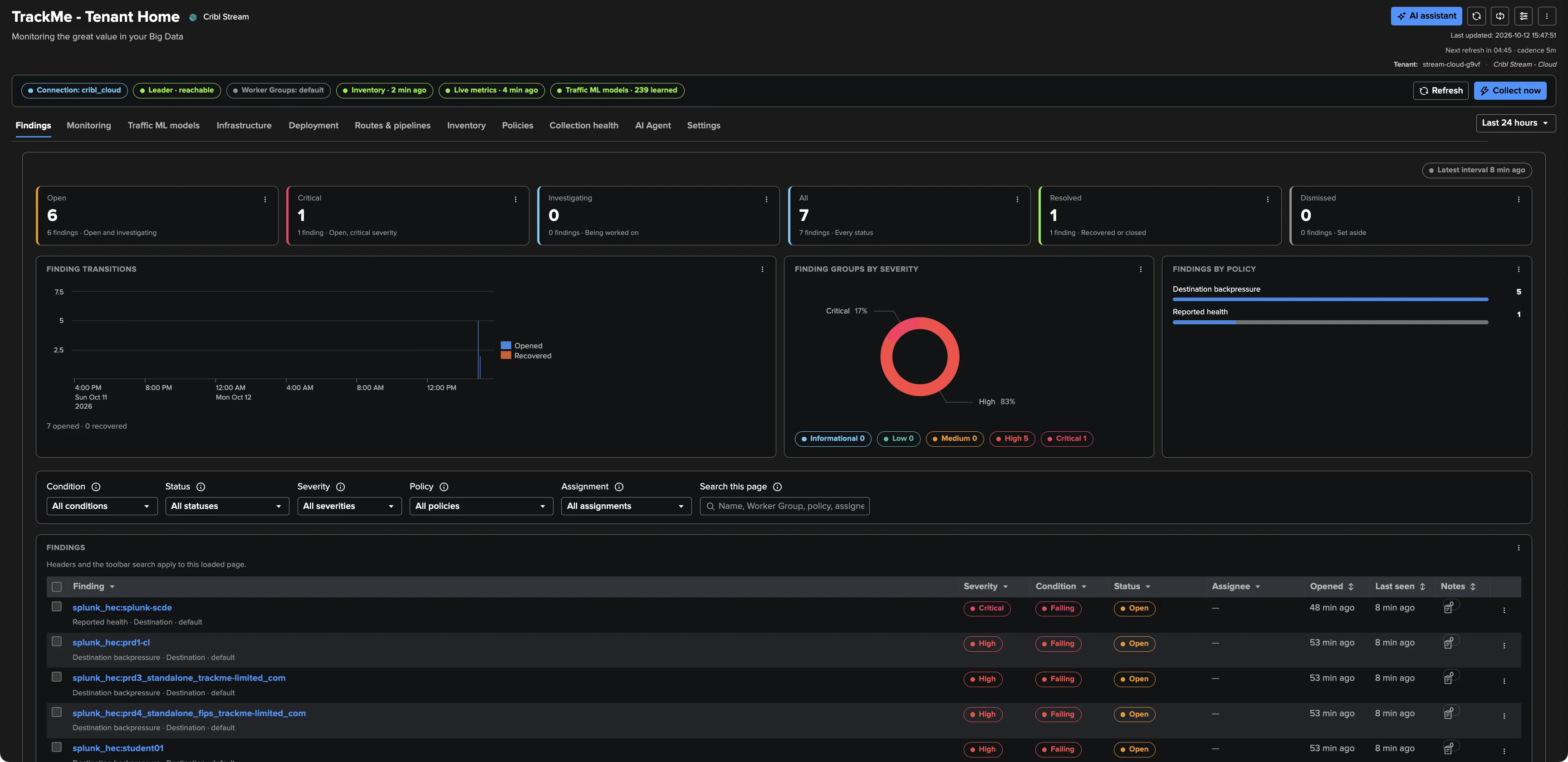
One object failing several policies makes one Finding group: one row, one decision. Triage, assign, snooze and notify by email or webhook — a measured recovery resolves the finding by itself.
Custom Policies in SPL
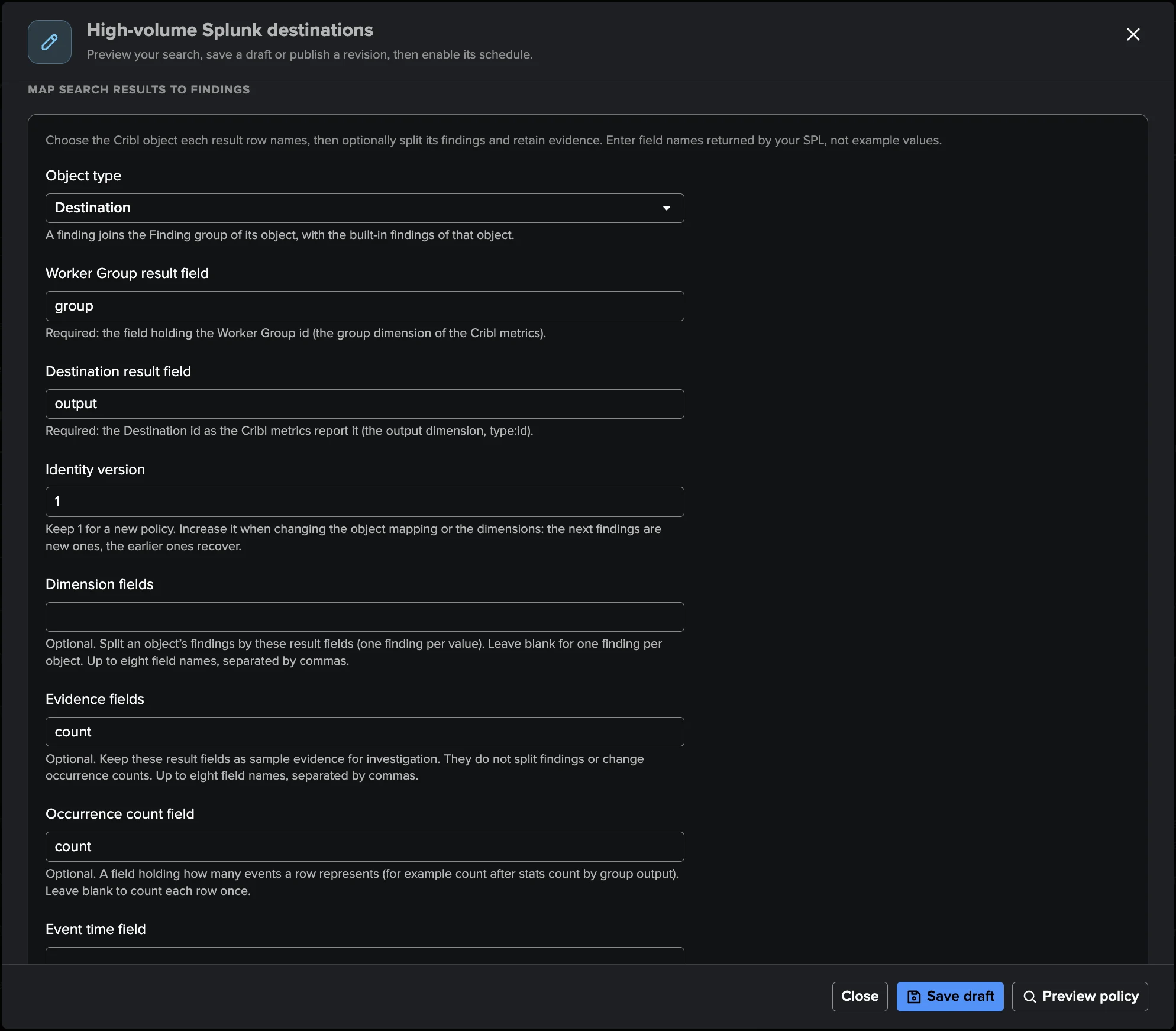
When the catalogue lacks your rule, write it in SPL: map results to Cribl objects, preview the candidate findings, publish a revision and schedule it — up to 100 custom policies per tenant, 25 enabled, joining the same Finding groups.
Gentle With the Leader, at Any Size
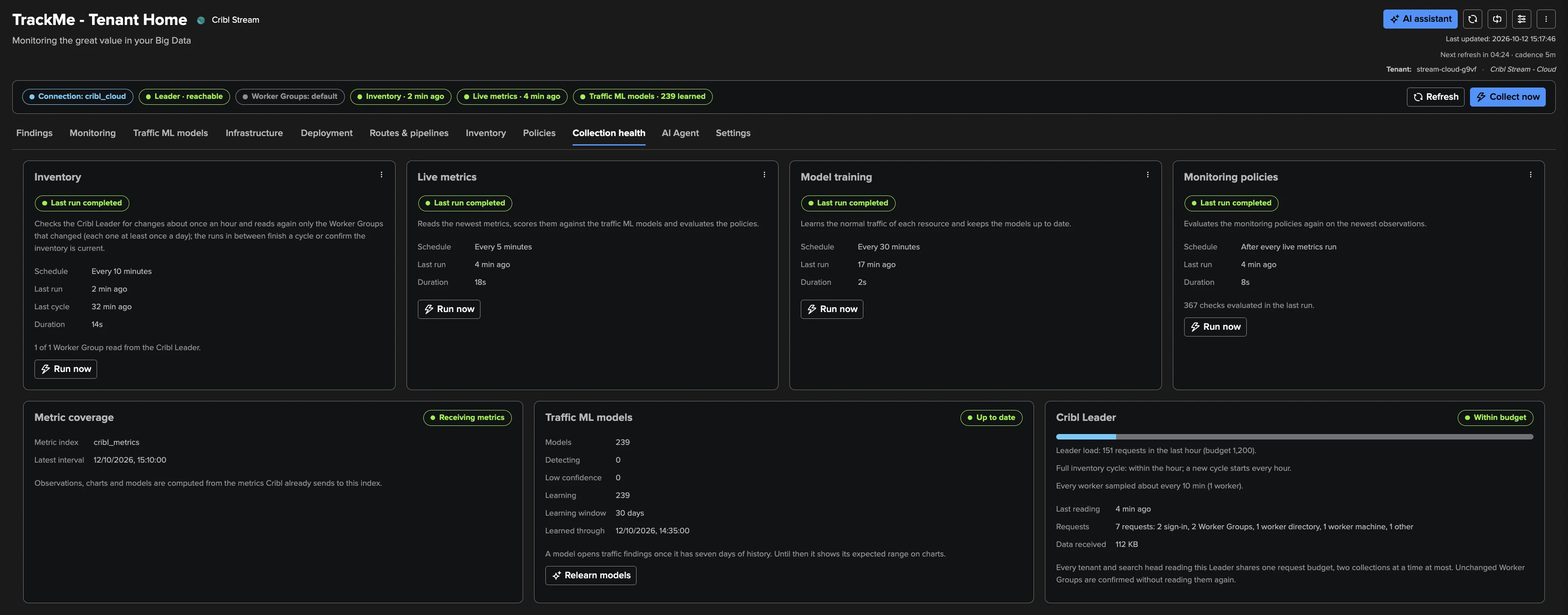
Every tenant and job shares one Leader request budget — 1,200 requests per hour by default, configurable from 120 to 20,000. Runs pause and resume instead of bursting, and unchanged Worker Groups are confirmed without a read.
A Tenant That Watches Itself
Collection health shows every job, metric coverage, model learning progress and Leader budget use — and the Configuration Guardian raises an alert when anything stops, so you never trust a silent tenant.
Live monitoring, every five minutes
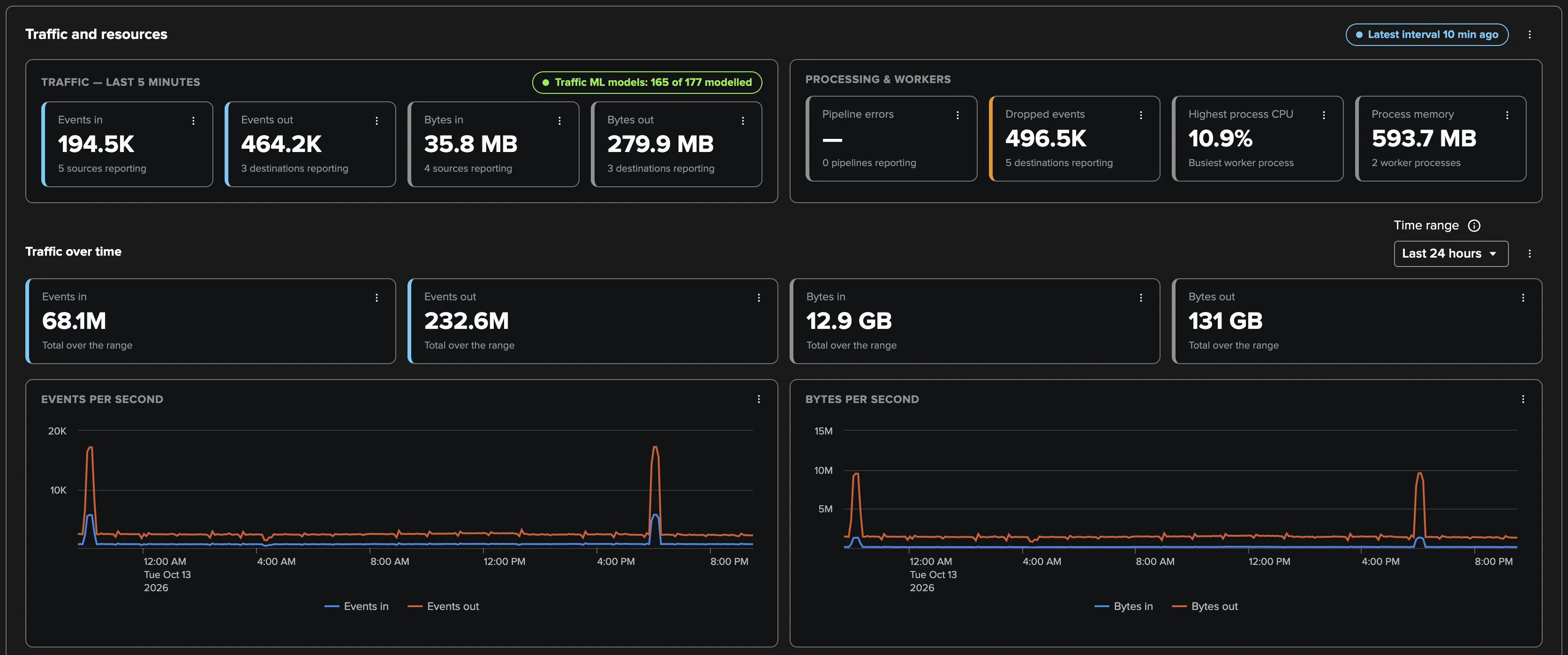
A live metrics job reads the newest settled five-minute interval of the Cribl metrics already in your Splunk metric index — events and bytes in and out per Worker Group, Source, Destination, Pipeline and Route — then evaluates the policies. The Monitoring tab turns it into traffic tiles and per-second charts, so the question “is data flowing right now?” always has a current answer.
The Leader and every Worker, watched
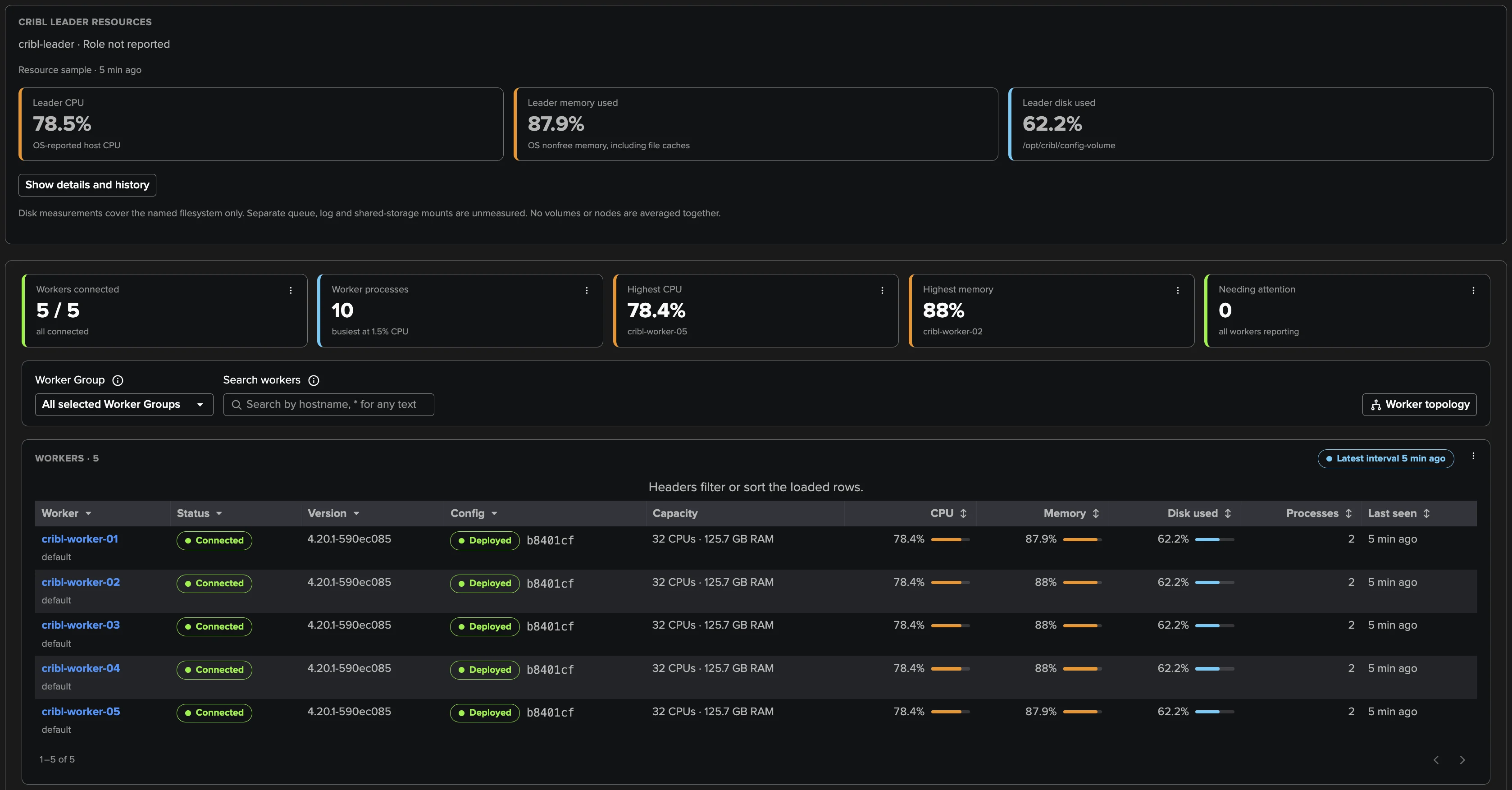
Infrastructure follows the control plane and the machines: the Leader's CPU, memory and disk, and every Worker's heartbeat, version, configuration, capacity and resources. The Leader is checked at every live run — two failed checks open a critical finding — and each Worker row carries its live CPU, memory and disk bars.
When a Worker crashes, you see it
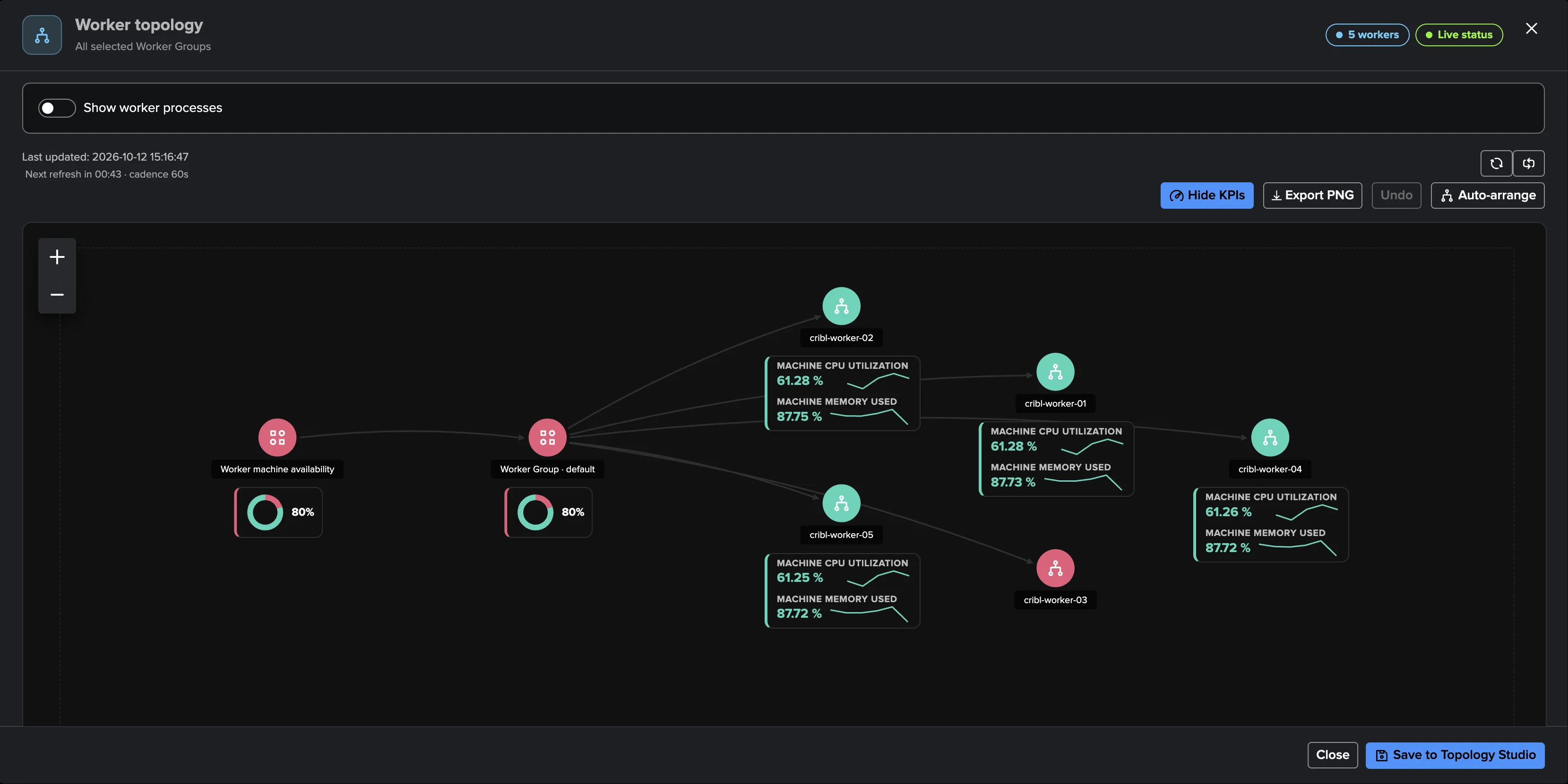
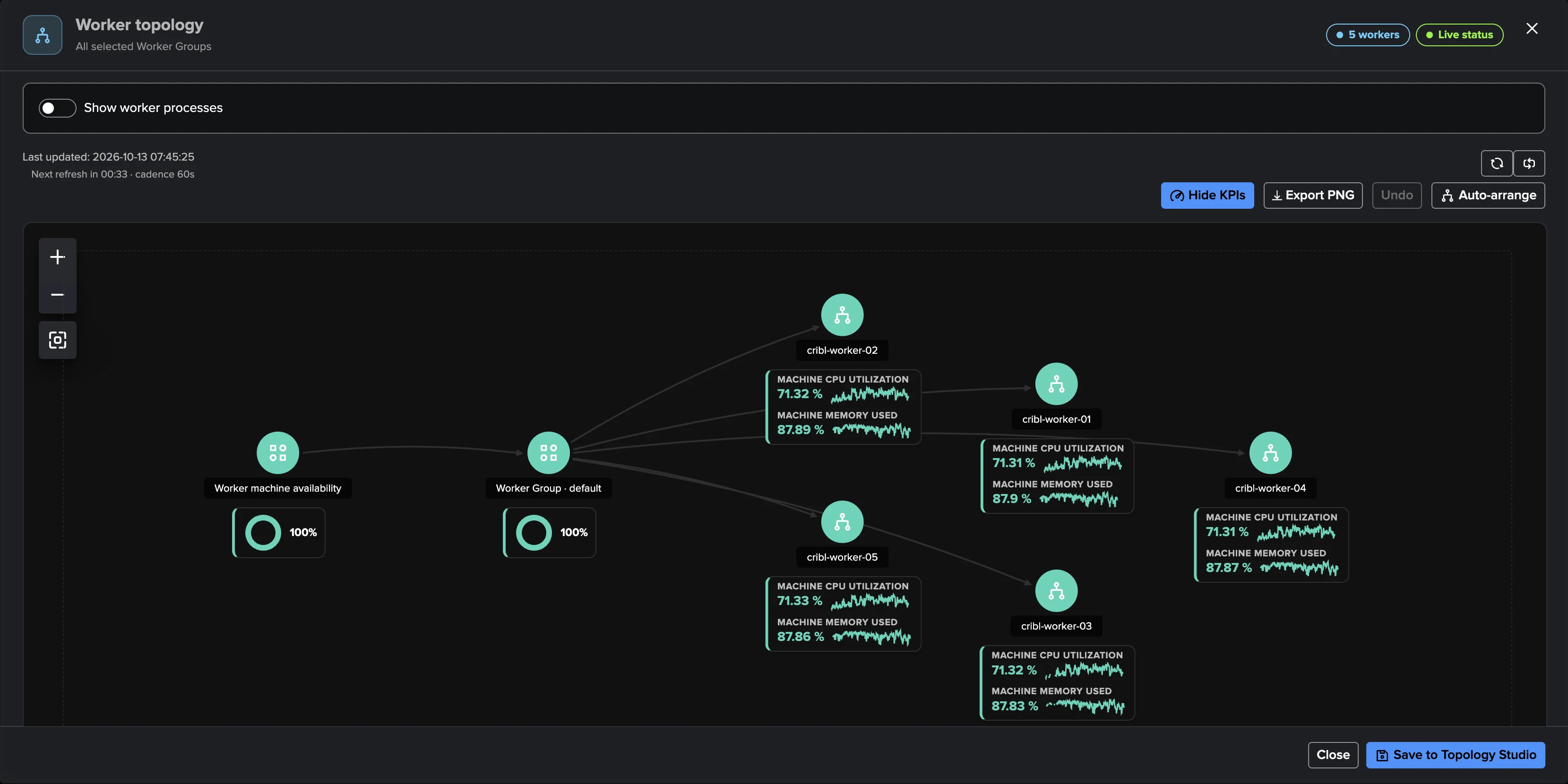
The Worker topology is a live map of your Worker Groups: healthy Workers draw green with CPU and memory sparkline cards, and a crashed or disconnected Worker turns red the moment its heartbeat ages — with the finding already open and the machine's last known resources in the inspector.
Deployment drift, caught automatically
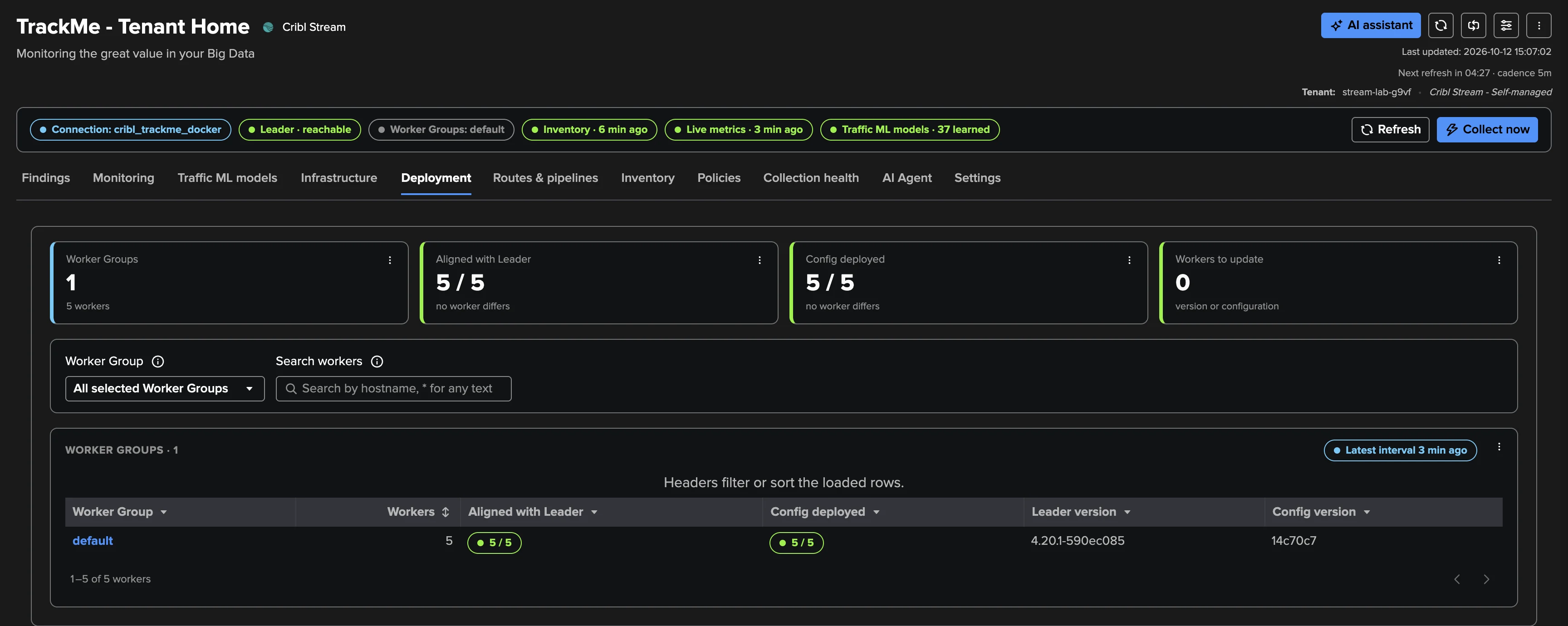
Did the last deploy reach every Worker? The Deployment tab compares every Worker with the Leader: version alignment, configuration deployed, workers left to update — and the version and configuration drift policies open findings when a Worker stays behind, so a half-finished rollout never goes unnoticed.
Traffic ML at deployment scale
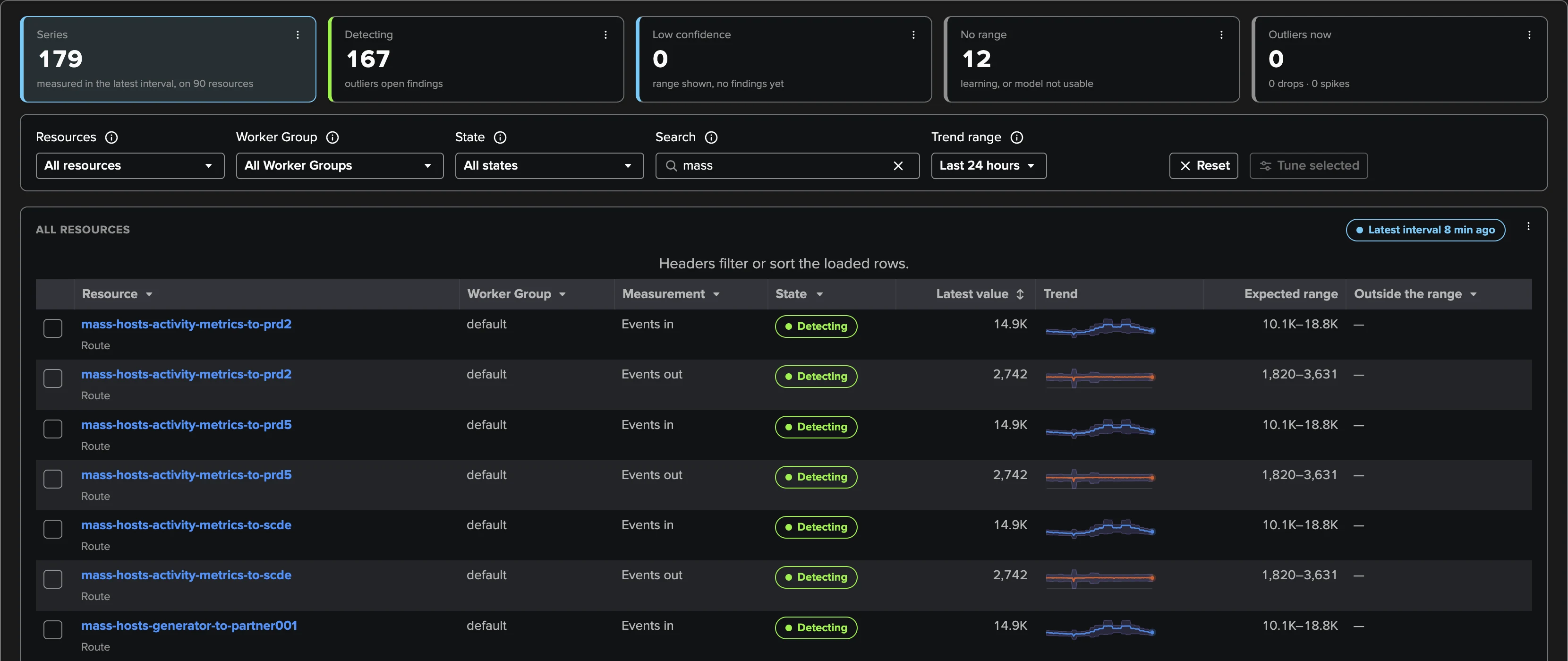
The Traffic ML models tab shows every learned series across the deployment — hundreds of models with their latest value, trend and expected range, filterable by resource, Worker Group and state. Models detect after about seven days of history, or on day one when your metric index already holds it; a “Not an anomaly” click excludes an episode from learning.
An AI Agent on the backlog
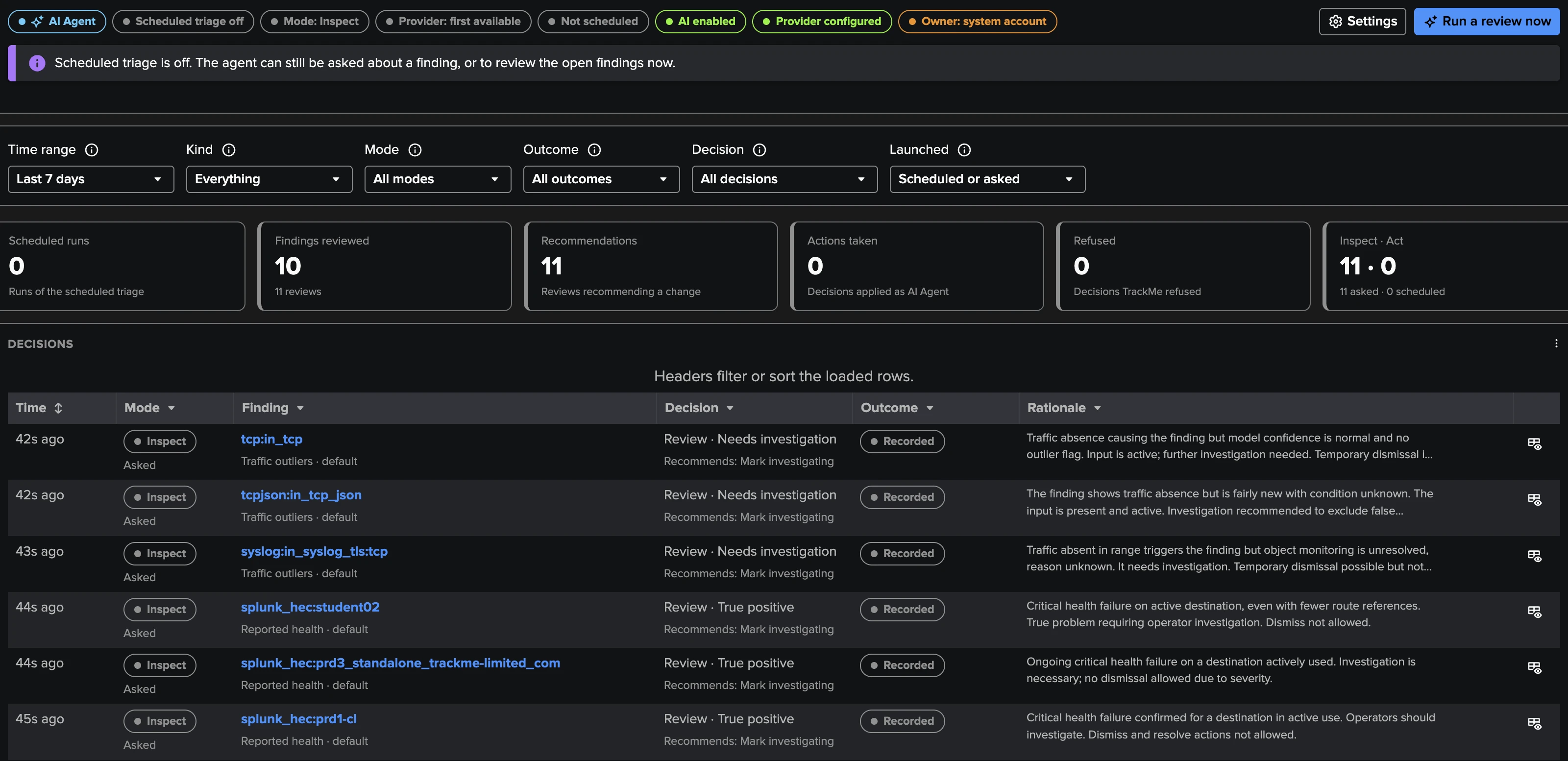
The Cribl Stream AI Agent reviews findings the way an operator would, from facts TrackMe already holds — first seen, disabled or gone, referencing Routes, traffic and model state. It recommends or applies only the decisions the tenant allows, follows your plain-English instructions, keeps a full decision log, and never overrides a person.
Built-in policy catalogue
Sixteen policies in four groups, fourteen on out of the box. Every threshold has a recovery level so findings never flap, every policy confirms over several checks before it opens or recovers, and the two memory policies stay opt-in because a healthy Linux host fills its file cache.
Keeps the control plane that manages every Worker reachable, with CPU and disk headroom — checked at every live run.
- Leader availabilityCritical
The Leader API is unreachable or unusable — network, TLS, authentication; a rate-limited reply is never a failure.
- Leader CPUMedium
Leader node CPU at 90 % or more (recovers at 80 %).
- Leader memoryMediumOpt-in
Leader node memory at 90 % or more; opt-in, as the count includes file cache.
- Leader diskMedium
Any Leader filesystem 90 % used or more (recovers at 80 %).

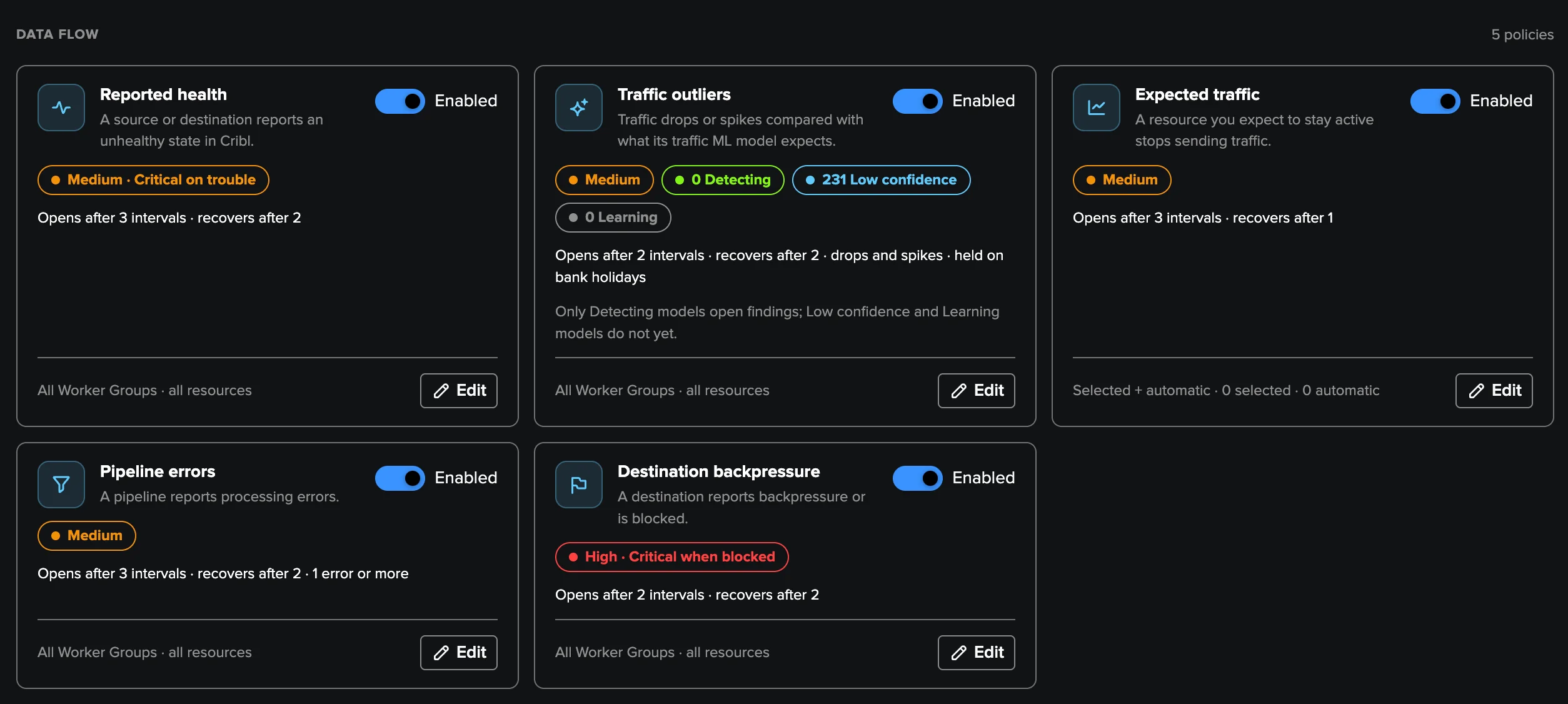
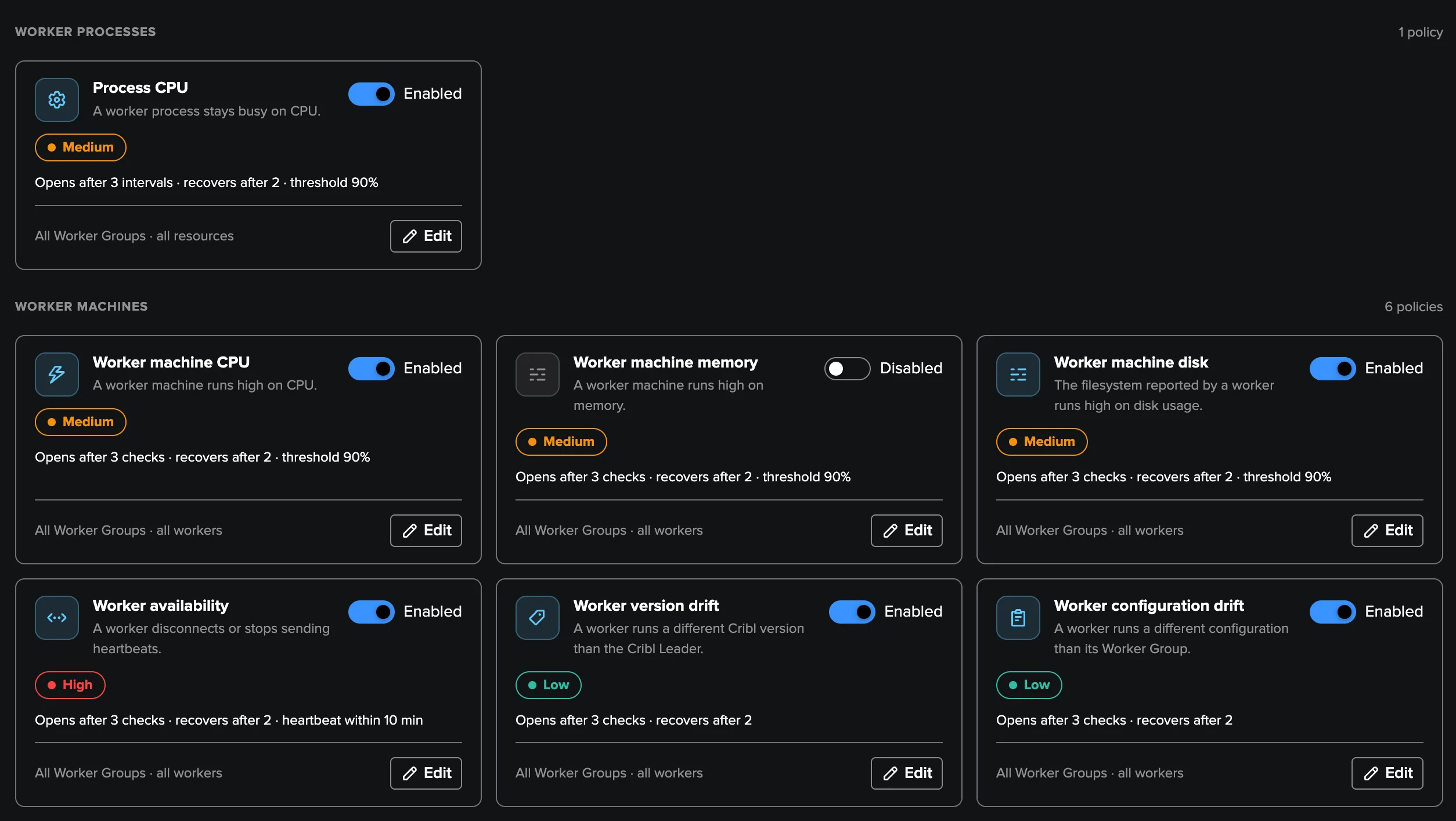
16 built-in policies. Every threshold is editable, and your own SPL policies join the same findings pipeline.
Deep Dive
Explore the key aspects of Cribl Stream in detail.
Cribl sits in the middle of your data path
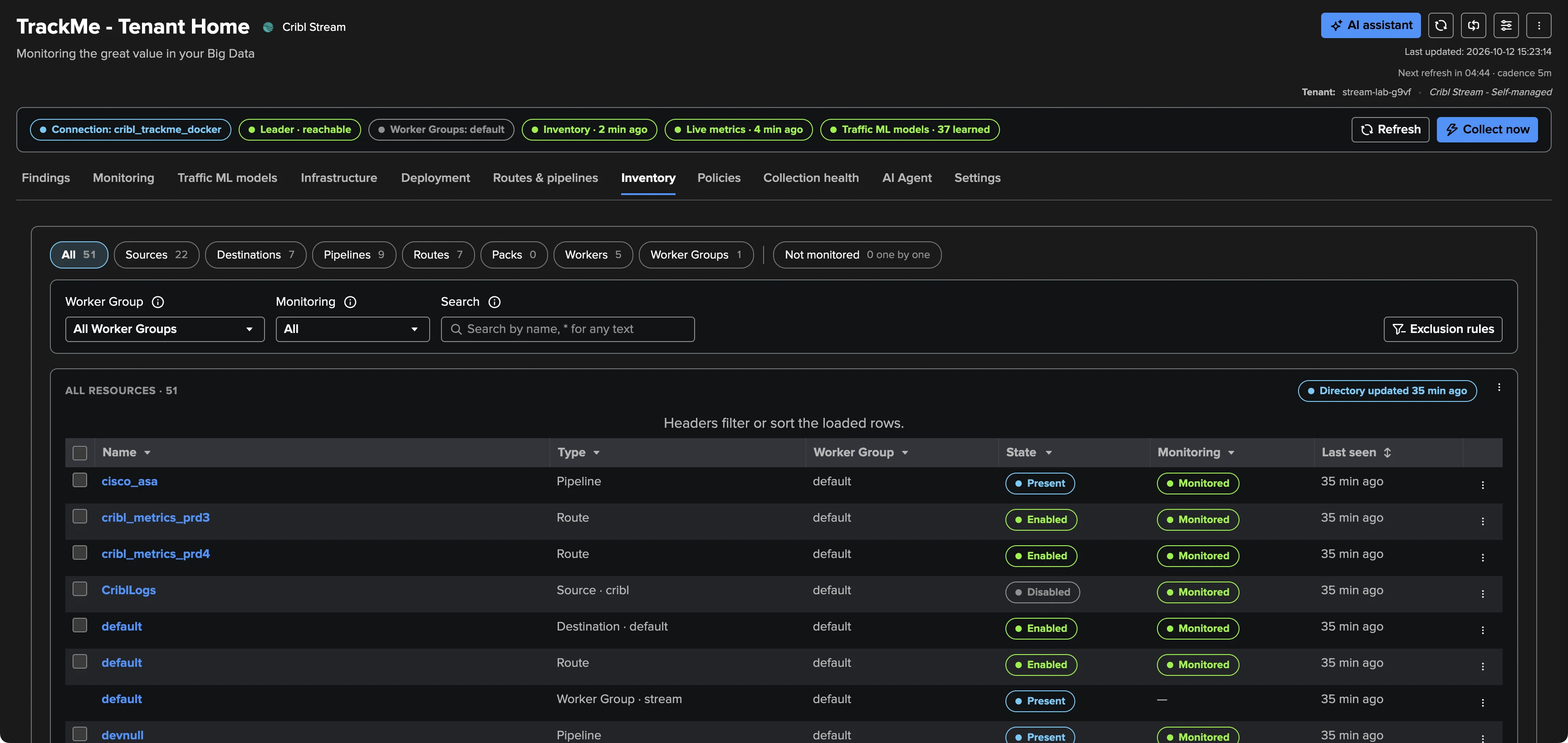
Every Route, Pipeline and Destination is a place where data can slow down, back up, be dropped or stop — and the Cribl UI shows you the state of one moment. The Cribl Stream tenant keeps watching: a live metrics job reads the newest five-minute interval every five minutes, an inventory job follows the configuration and Workers through the Leader API, and a training job keeps one traffic ML model per object and measurement — up to 20,000 models learning the seasonality of your deployment.
Declare a Cribl connection once — Cribl.Cloud or a self-managed Leader, credentials encrypted, TLS verified — and a four-step wizard creates the tenant. With history already in your metric index, the models can detect on day one.
Ten tabs, one workspace
The tenant workspace opens on the findings backlog and carries the whole deployment: Monitoring for live traffic, Traffic ML models for every learned series, Infrastructure and Deployment for the Leader, Workers, versions and configurations, Routes & pipelines and Inventory for every object Cribl runs, Policies, Collection health and the AI Agent. Every table is paged and filtered server-side, so the workspace stays fast at any deployment size.
Findings, not noise
There is nothing to model and no threshold to babysit: sixteen built-in policies turn measurements into findings in plain words, grouped per object — one row, one decision — with triage, assignment rules, webhooks and email notifications. A measured recovery resolves a finding by itself, and every transition is indexed for Enterprise Security or SOAR.
Read the Cribl Stream monitoring guide or take the guided tour.
Related Features
Ready to get started?
Request a free 90-day trial with all features enabled. No restrictions.