

Cribl Edge Monitoring — Fleets at Any Size
A dedicated tenant follows the Fleets of a Cribl Edge Leader: connectivity, version and configuration drift, the health of the Sources and Destinations reported by the nodes, and the disk, CPU and memory of every Edge Node — whether you run 17 nodes or tens of thousands.
Key Capabilities
One Bulk Read, Any Fleet Size
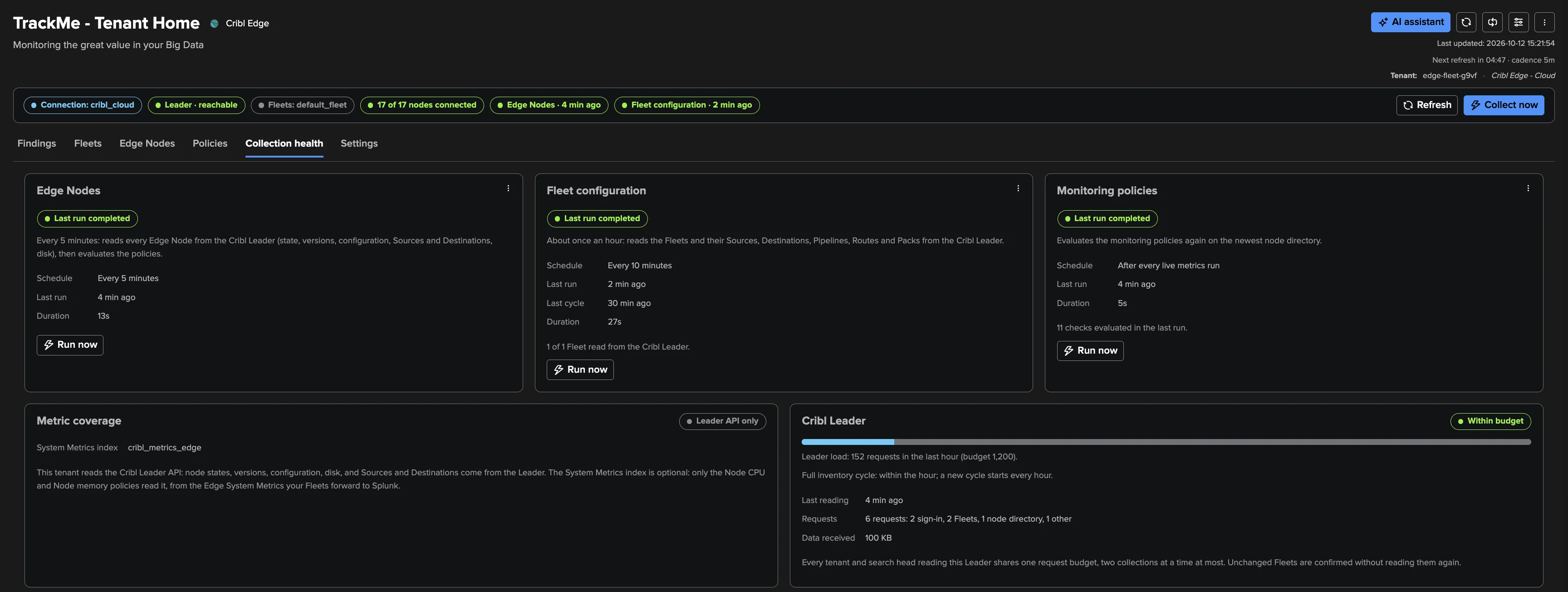
The Leader's node list is read page by page every five minutes into one published node directory — no API call per node, no rotation, no node cap. Every node is current within five minutes, whatever the fleet size.
Version & Configuration Drift
Every connected node is compared with the Leader's version and the Fleet's deployed configuration. Nodes still behind after the rollout grace open findings — raised when a node runs newer than the Leader or falls versions behind.
Fleet-Level Judgement
One laptop going to sleep opens nothing; a fifth of a Fleet dropping does. Explicit, explainable thresholds with graces and dormancy rules — retired nodes leave the count, so they never hold a Fleet in alert. Deliberately no ML.
Nodes That Must Never Drop
Select the servers and collectors that matter by name, wildcard or up to 20 CMDB lookup tables of 500,000 hosts each, re-read every 15 minutes — a selected node opens a High finding after three checks without a heartbeat.
Sources & Destinations, as the Nodes See Them
The health each node reports, rolled up per Fleet: “this Destination is in trouble on 4 of 17 nodes” — with one click to the live status of that object on that node, as Cribl's own Status tab shows it.
Every Node Up Close, Read Live
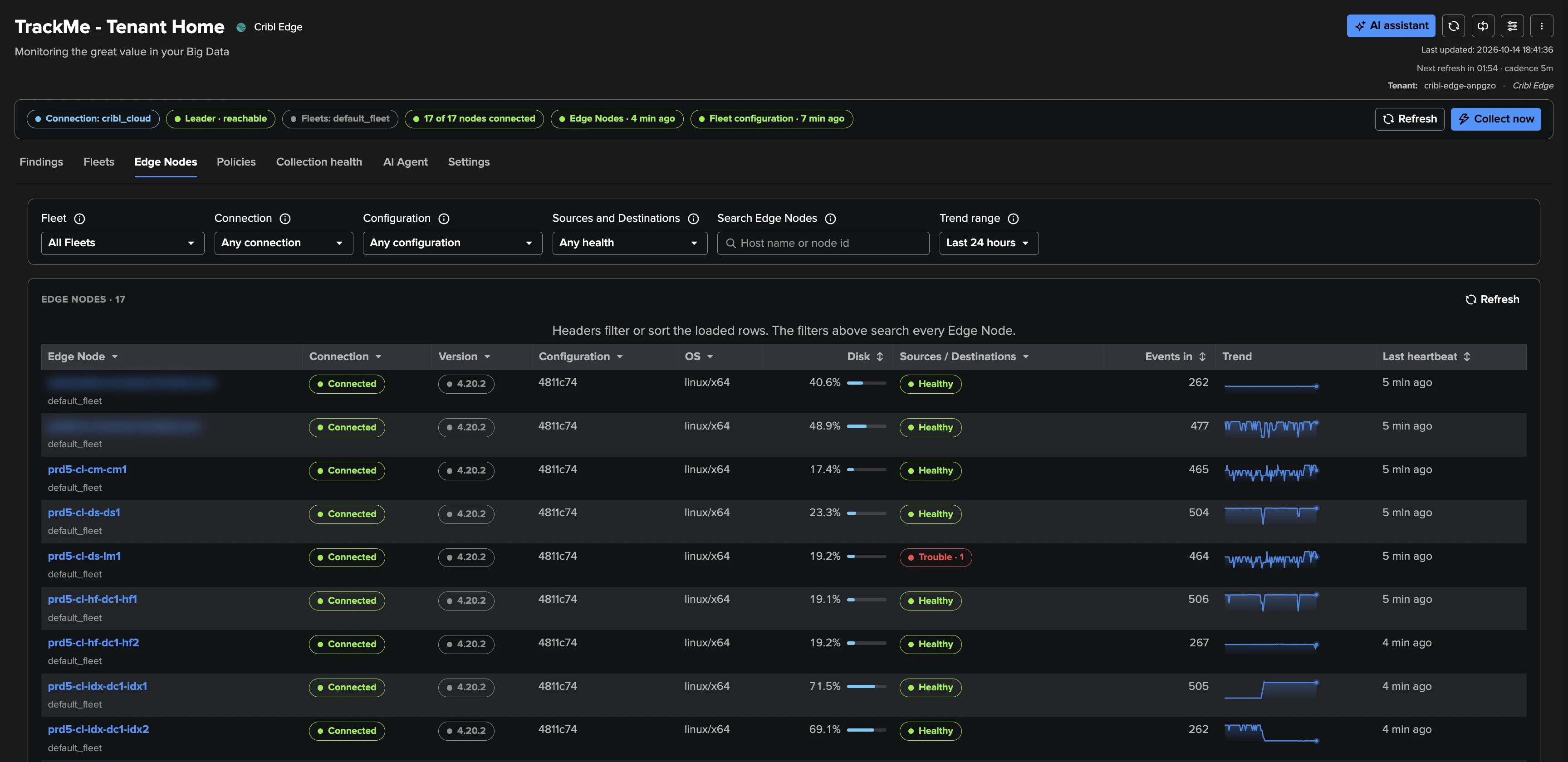
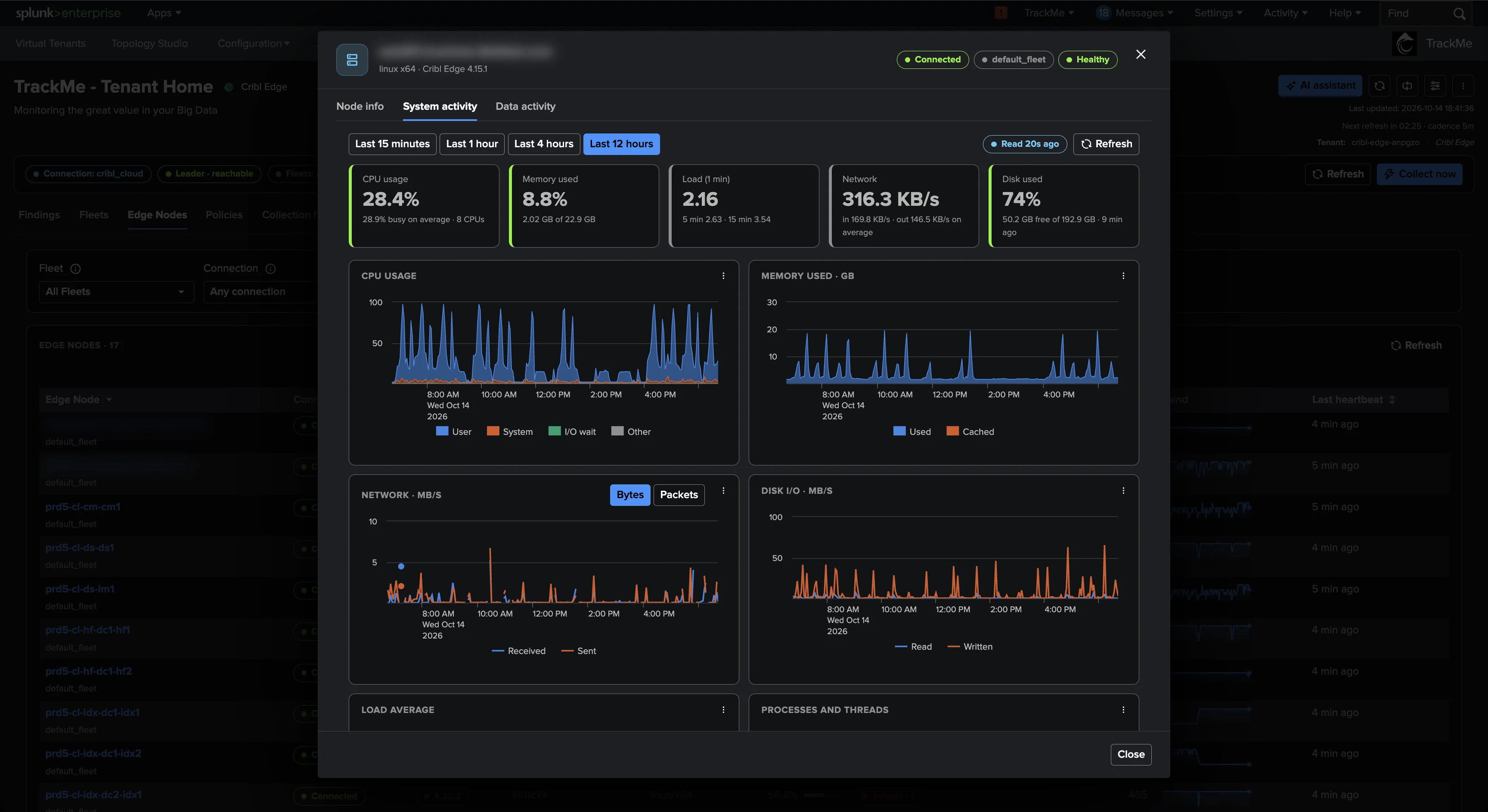
Open any node and see CPU, memory, network, disk I/O and load at 10-second resolution, read live from the node's own metrics store through the Leader — nothing forwarded to Splunk, nothing read for a node nobody opens.
CPU & Memory at Fleet Scale
Point the Fleets' Edge System Metrics at a Splunk metrics index and the Node CPU and Node memory policies judge every node with one bounded search per run — up to 120,000 hosts. Disk needs nothing: it comes with every heartbeat.
A Findings AI Agent of Its Own
The Cribl Edge AI Agent reviews findings from facts TrackMe already holds — it never runs a search, never calls Cribl, uses no ML. It follows your plain-English instructions, triages hourly within the decisions you allow, and never overrides an operator.
Custom Policies & Topology Studio
Your own SPL rules on Edge Nodes join the same findings pipeline — up to 100 custom policies, 25 enabled. In Topology Studio, Edge groups follow their nodes as they come and go, with health and healthy-share on the map.
Who's behind, by name
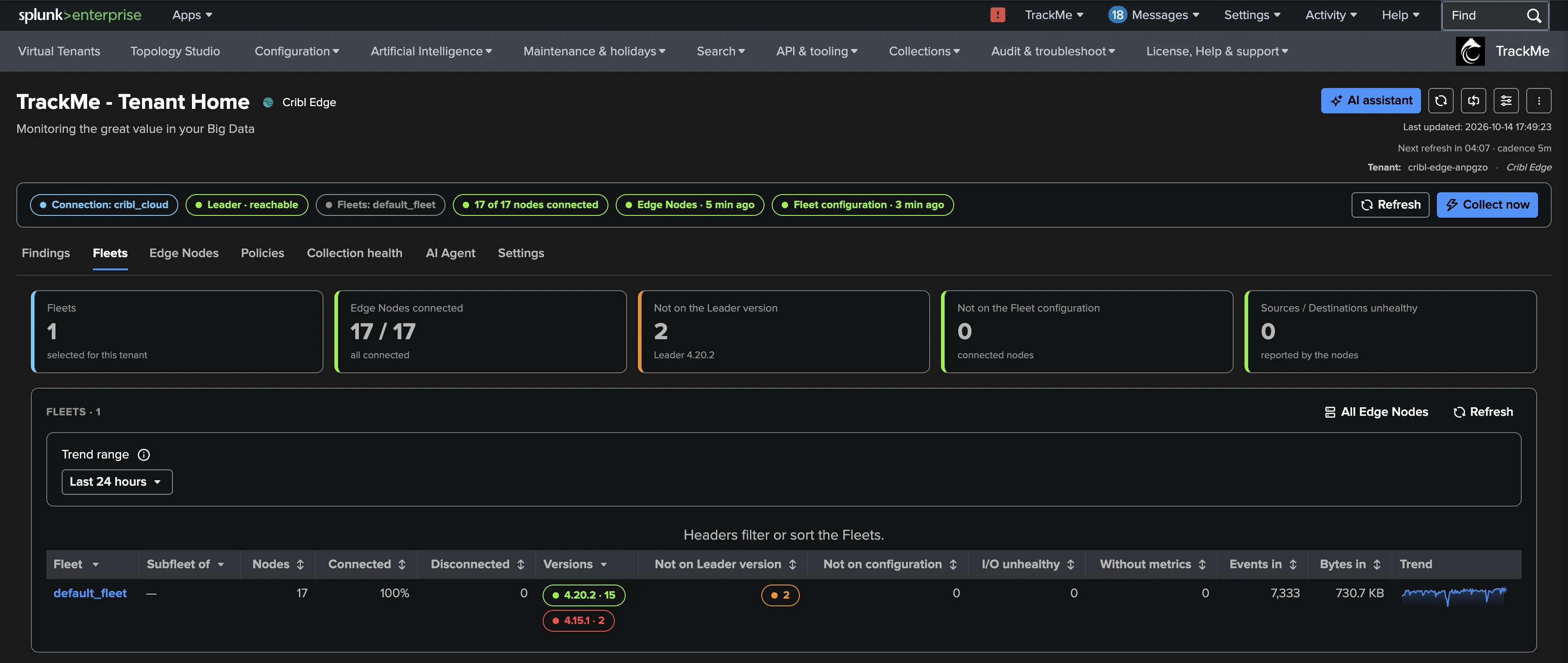
After a rollout, the Fleet's “Nodes to look at” names every node still off the version baseline and every node not running the deployed configuration — with the disconnected ones and their last heartbeat alongside. A 24-hour rollout grace keeps upgrades quiet; a node running newer than the Leader, or two minor versions behind, is raised to High — the cases Cribl doesn't support.
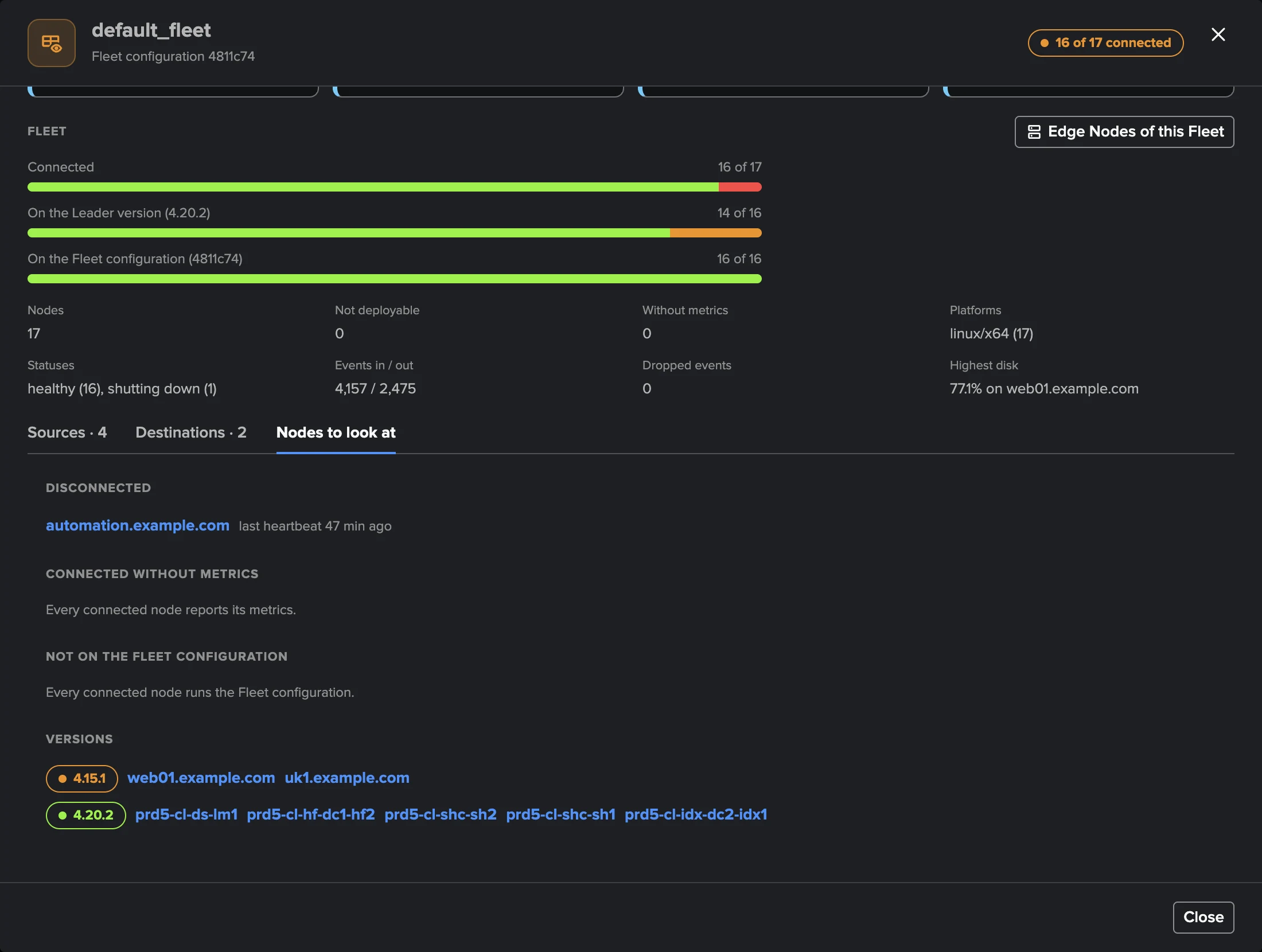
The nodes that must never drop
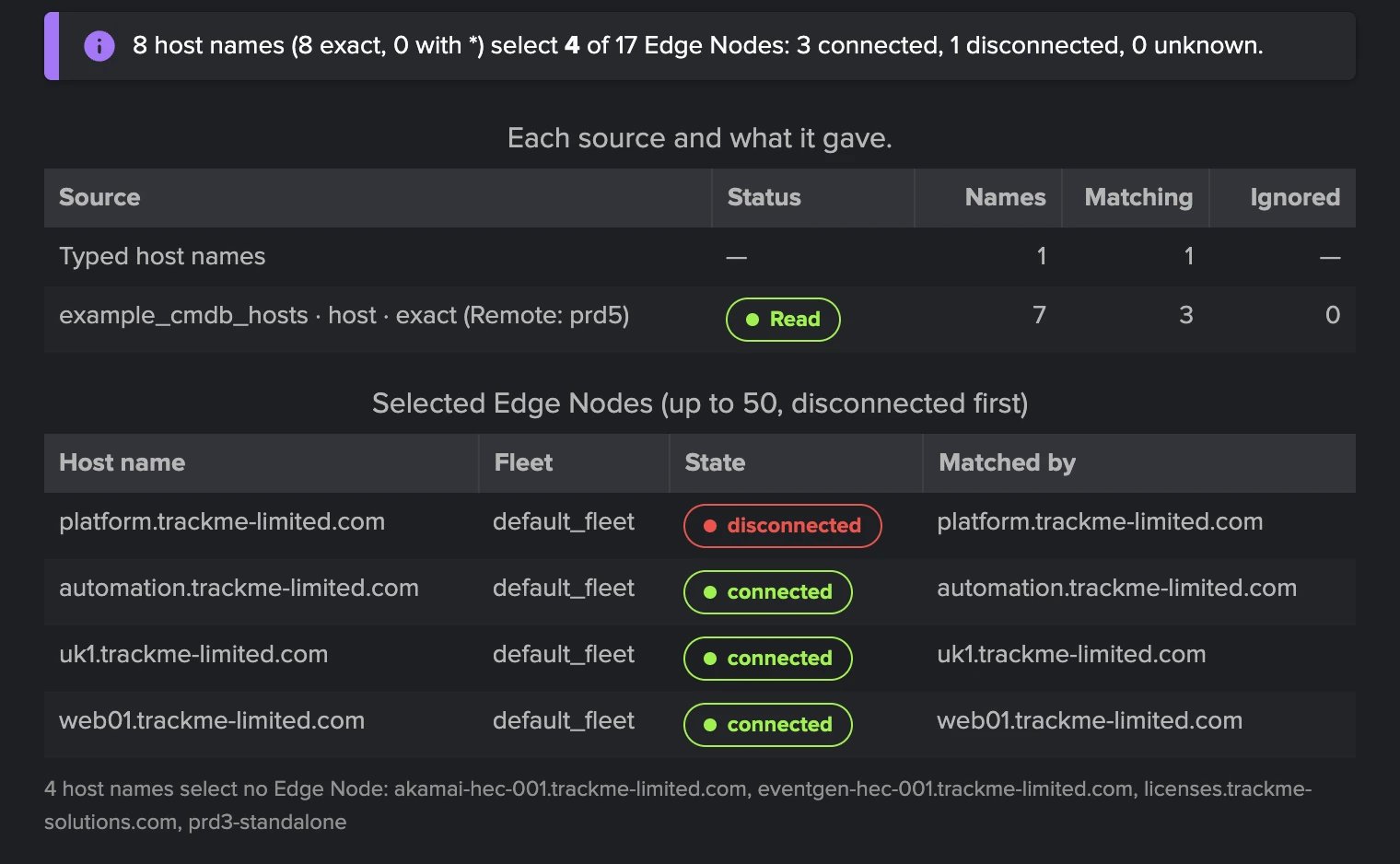
Node connectivity watches the servers and collectors you select — typed names with wildcards, or up to 20 Splunk lookup tables of 500,000 host names each, a CMDB extract re-read every 15 minutes. The Test selection shows exactly which nodes your names match before you save, so the policy guards what you meant, not what you typed.
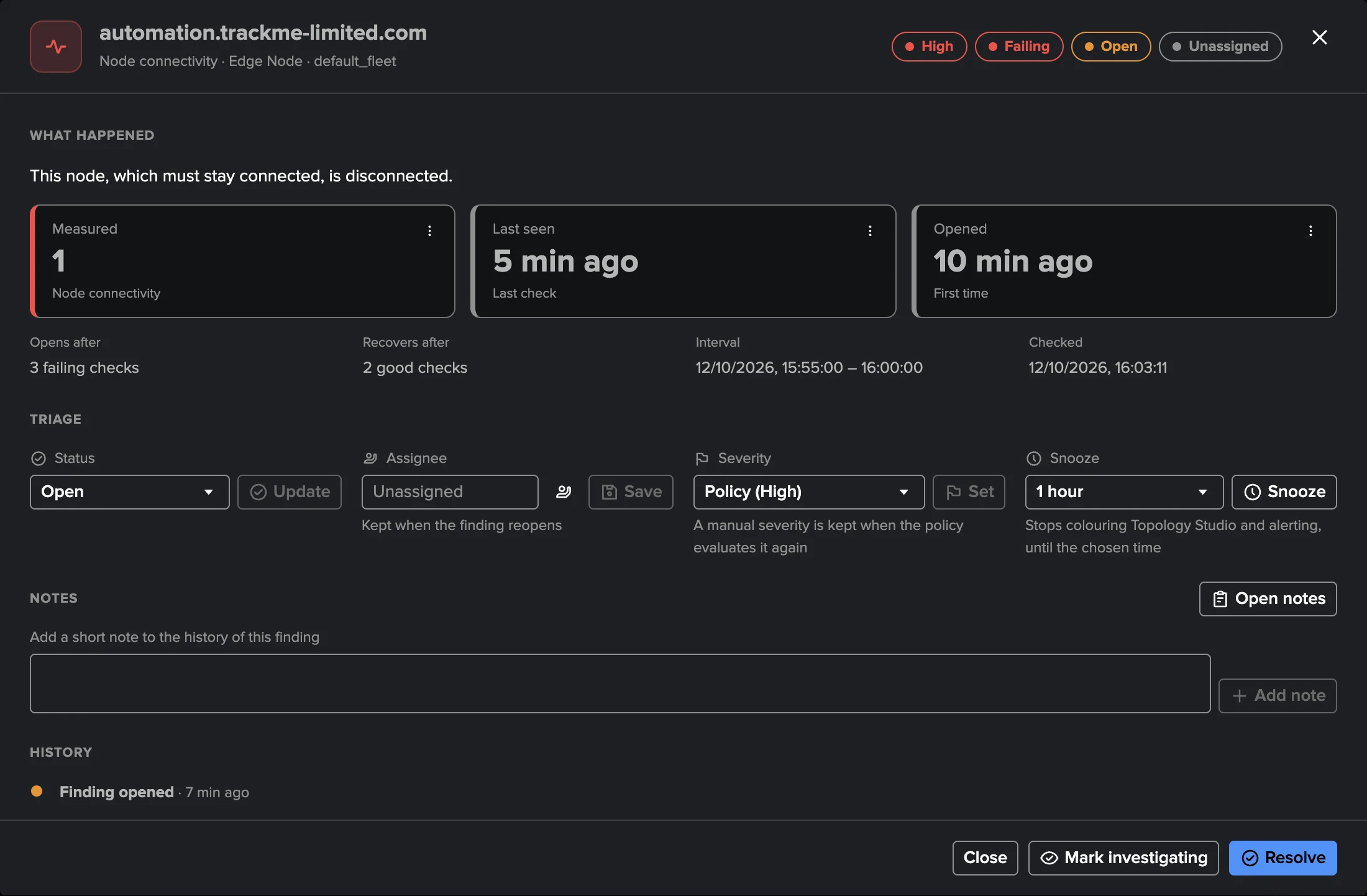
Findings that explain themselves
A finding tells you what happened, what was measured against what limit, and what to do about it — with the evidence attached and the node, Fleet and policy one click away. Triage the whole Finding group at once: status, assignee, severity override, snooze — and when the condition clears, the finding resolves by itself.
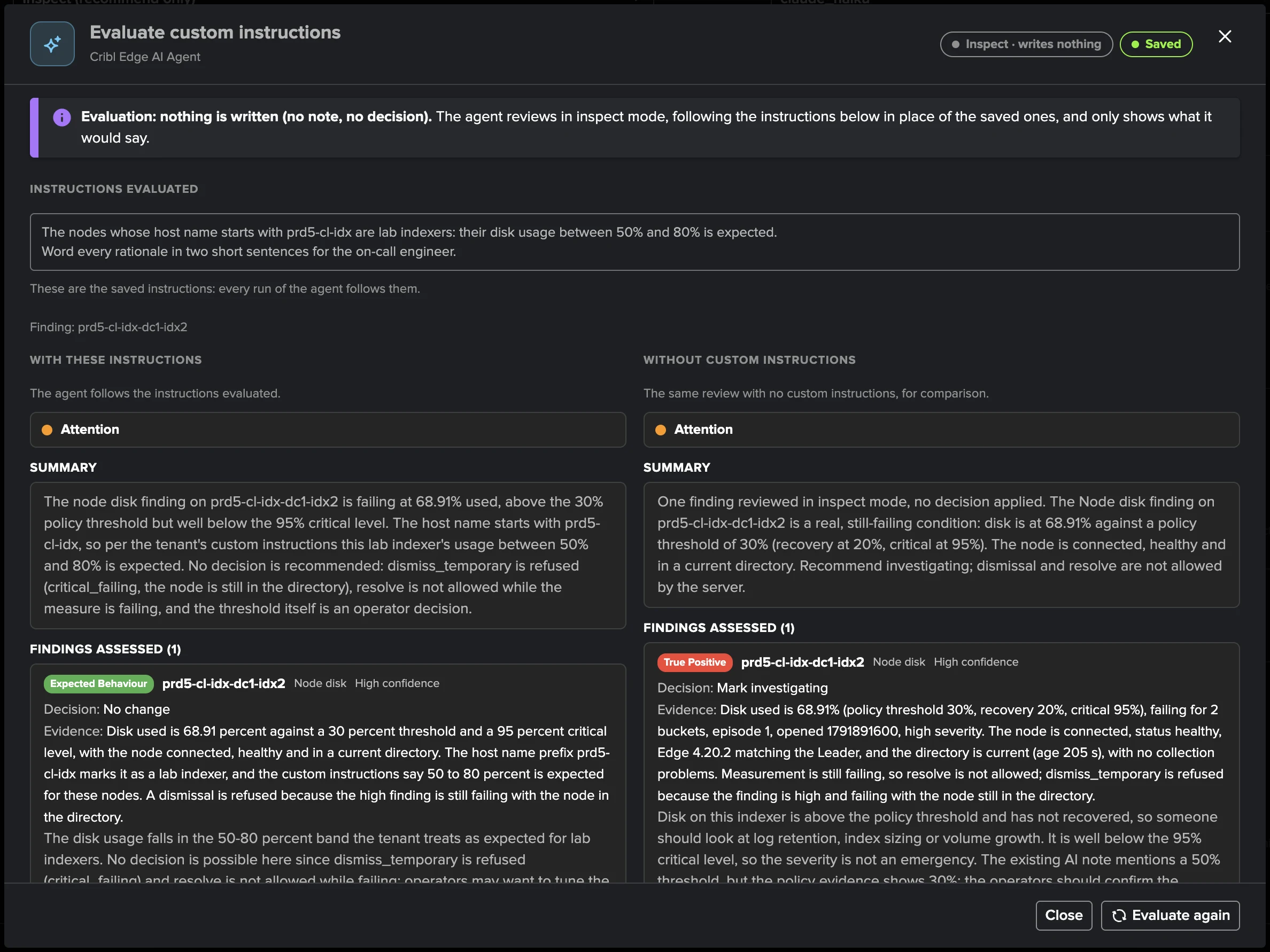
Teach the AI Agent your rules
Give the Cribl Edge AI Agent custom instructions in plain English — “development fleets are never urgent, name the owning team for production nodes” — and evaluate them side by side against the default behaviour before enabling. Scheduled triage then reviews the backlog hourly, critical and high first, acting only within the decisions you allow.
Built-in policy catalogue
Eleven policies, eight on out of the box — explicit, explainable rules with no machine learning, judged every five minutes on the node directory. Node disk, CPU and memory are deliberate opt-ins, so a fleet of laptops doesn't open a finding per full disk on day one.
Confirms the Leader stays reachable, then judges each Fleet as a cohort — mass disconnections, shrinking coverage, stalled rollouts, configuration drift, cloned identities and failing inputs or outputs across its nodes.
- Leader availabilityCritical
The Leader API is unreachable or unusable at a live run.
- Fleet connectivityHigh
20 % of a Fleet's active nodes (and at least 2) disconnected; Critical at 50 %. Nodes dormant 7 days leave the count.
- Version driftMedium
Nodes off the baseline version after the 24-hour rollout grace; High when newer than the Leader or 2+ minor versions behind.
- Configuration driftHigh
Nodes not running the Fleet's deployed configuration after a 30-minute grace; Critical at 50 % of nodes.
- Fleet coverageMedium
Fewer connected nodes than expected — configured, or learned from the Fleet's peak; Critical when it empties.
- Node identityLow
Cloned nodes sharing a host name, or a node changing host name 3+ times in 24 hours.
- Source and Destination healthMedium
Fleet nodes report a Source or Destination unhealthy; Critical when half the nodes report trouble.
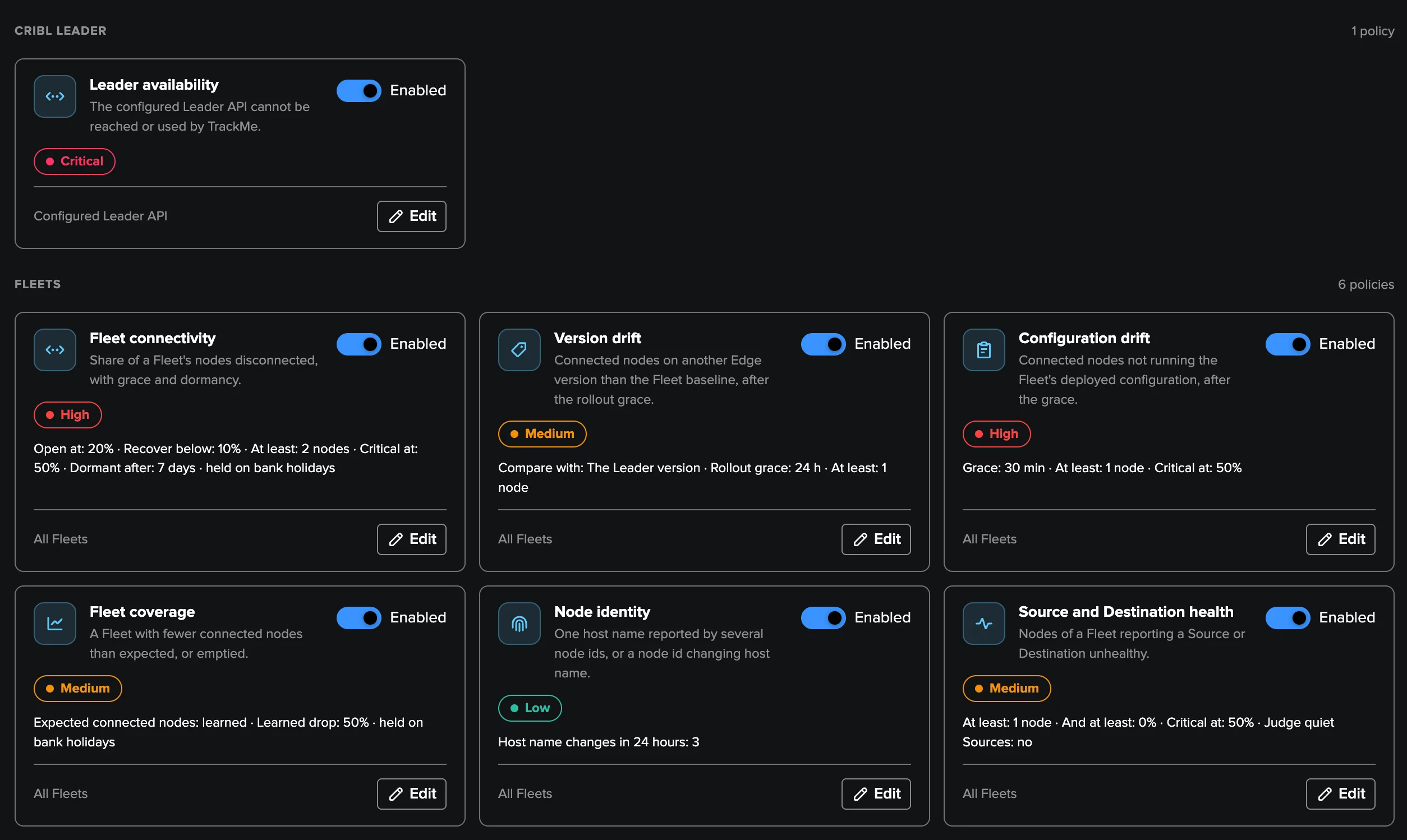

11 built-in policies. Every threshold is editable, and your own SPL policies join the same findings pipeline.
Deep Dive
Explore the key aspects of Cribl Edge in detail.
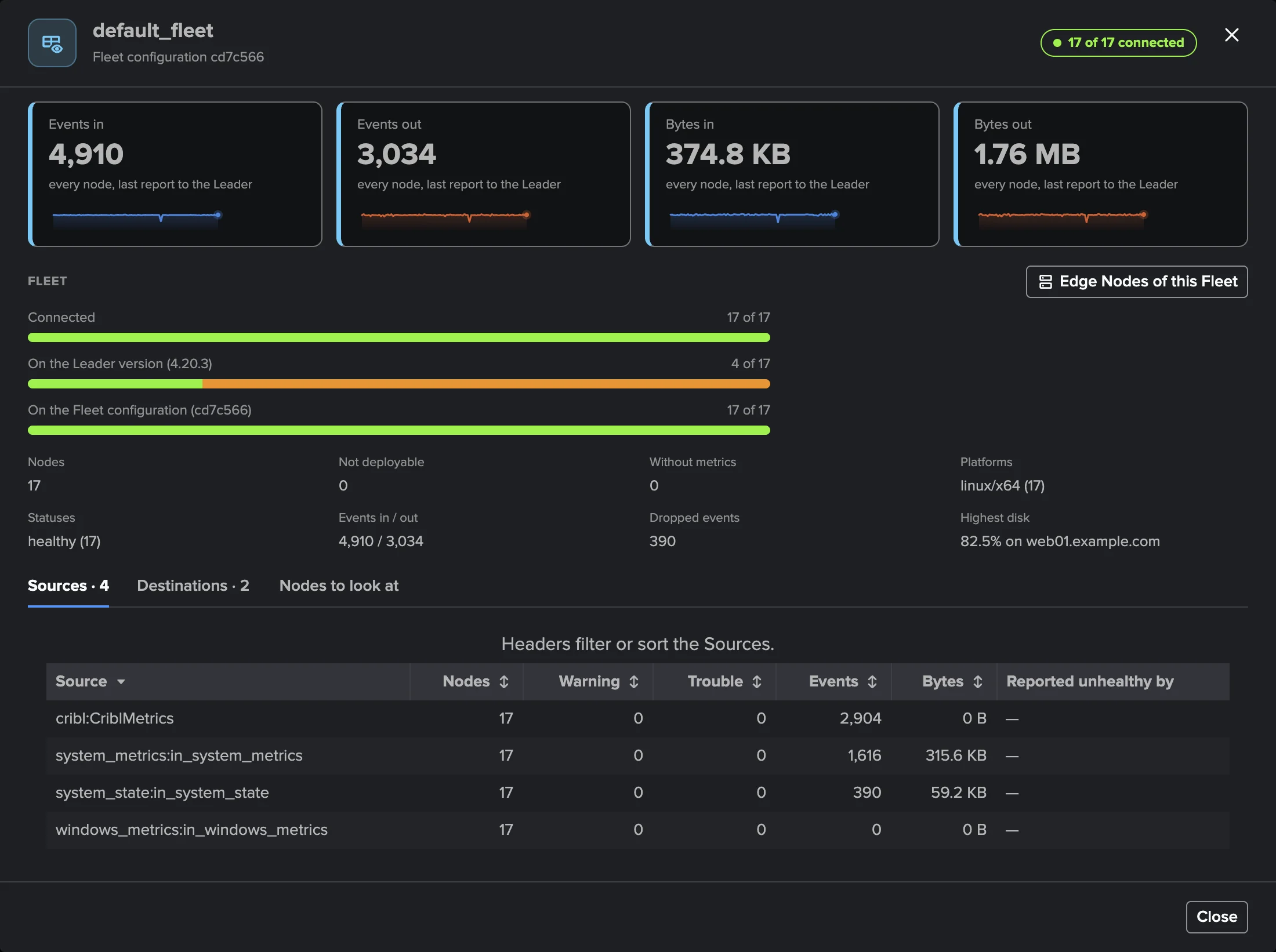
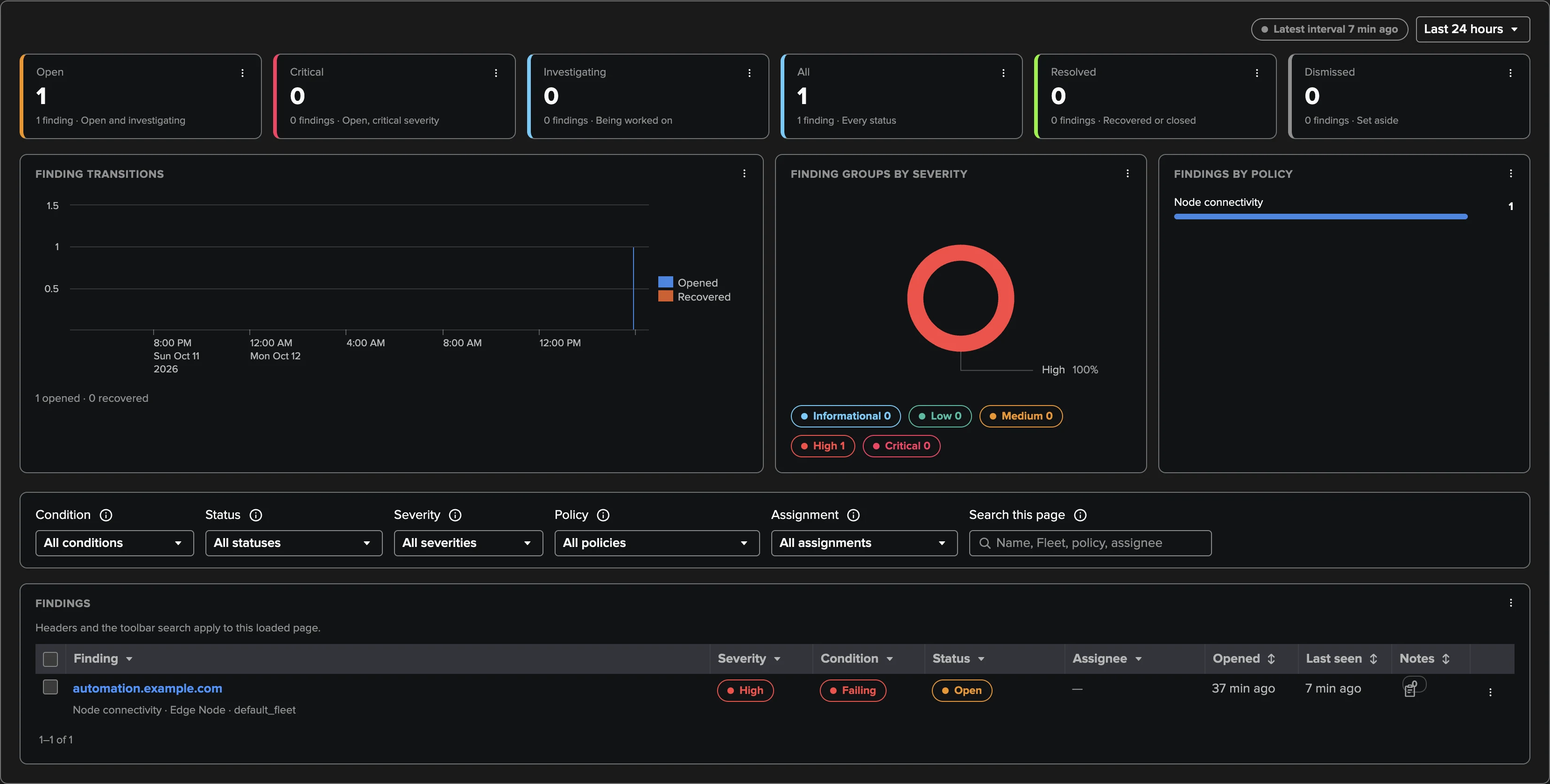
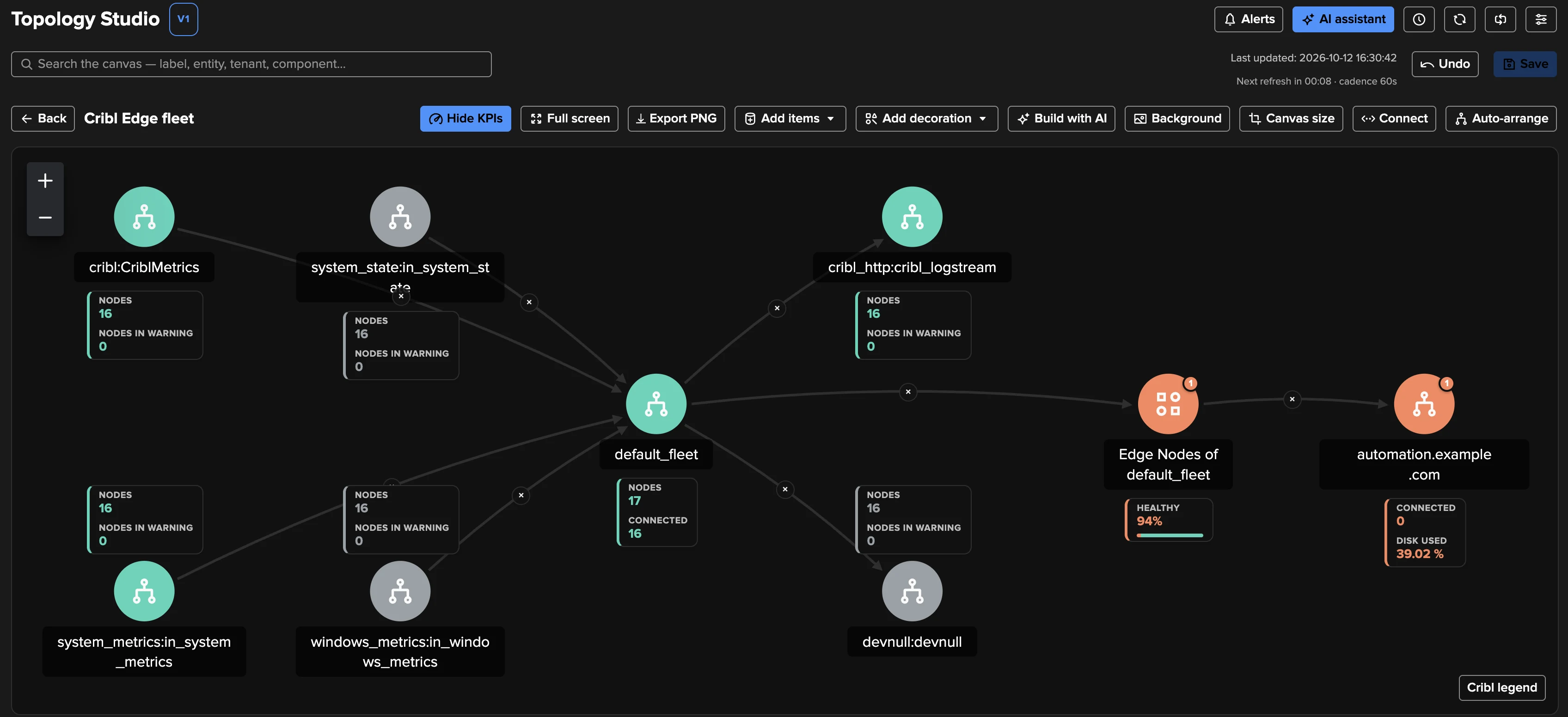
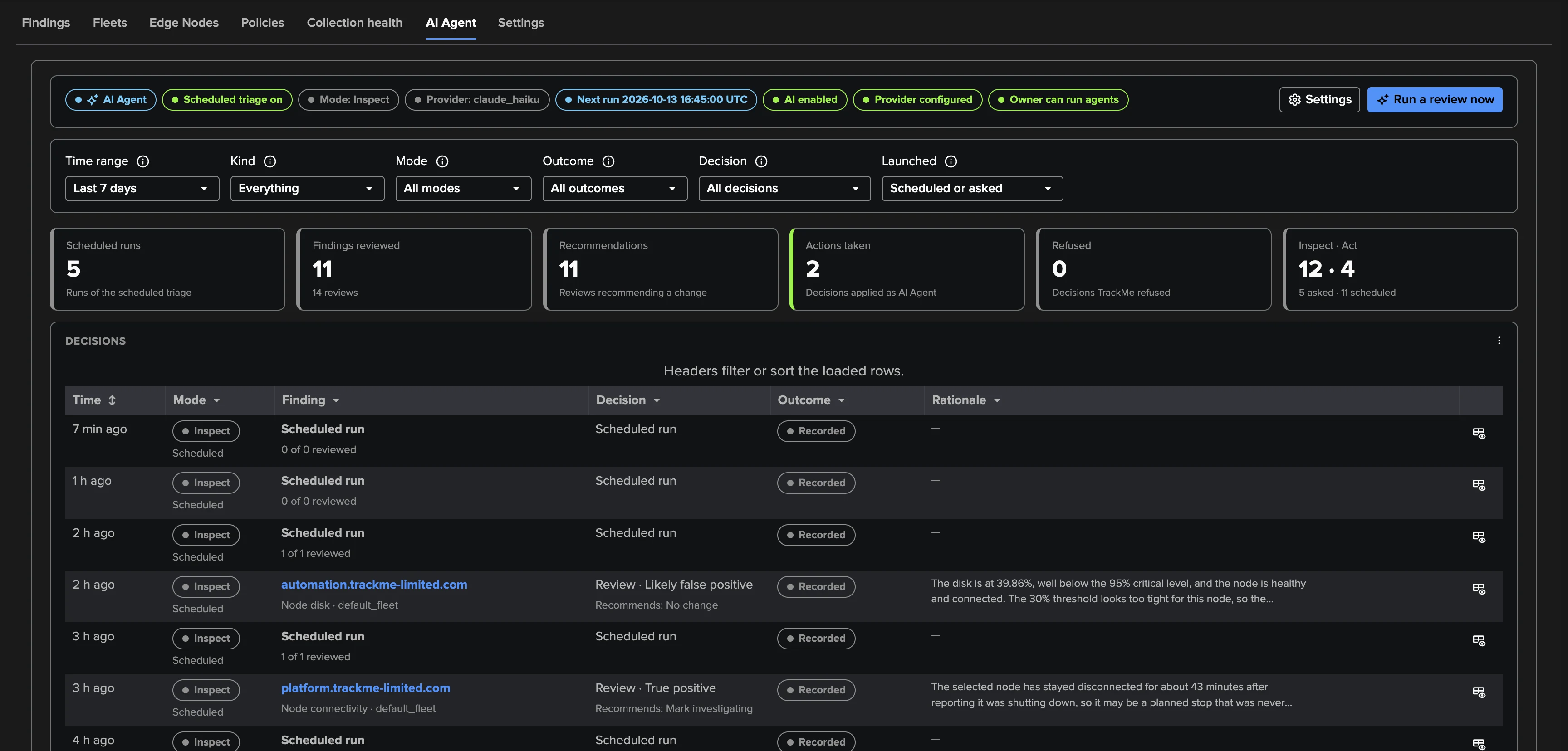
The questions an Edge operator asks every day
Are my nodes connected? Did my last deploy reach every node? Is every node on the same Edge version? Which Source or Destination is failing, and on how many nodes? Which host is running out of disk? The Cribl Edge tenant answers them continuously for the Fleets of one Cribl Edge Leader — Cribl.Cloud or self-managed, through the same read-only Cribl connections as the Cribl Stream tenant. Nothing is installed or changed on Cribl.
What genuinely sets it apart is scale economics: the node directory is one bulk read, so a fleet of 17 servers and a fleet of tens of thousands of endpoints cost the same — and silent degradation surfaces as findings instead of going unnoticed: the node a rollout left behind, the Destination failing on four nodes, the disk quietly filling up.
Findings, not noise
There is nothing to model and no threshold to babysit: each object gathers its findings in an automatic Finding group — the unit you triage, assign, act on and get notified about — and findings recover by themselves when the condition clears. Judgement is fleet-level first, with explicit graces and dormancy rules, and deliberately no machine learning: explainable rules suited to sparse, numerous endpoints.
Read the Cribl Edge monitoring guide or take the guided tour.
Related Features
Ready to get started?
Request a free 90-day trial with all features enabled. No restrictions.